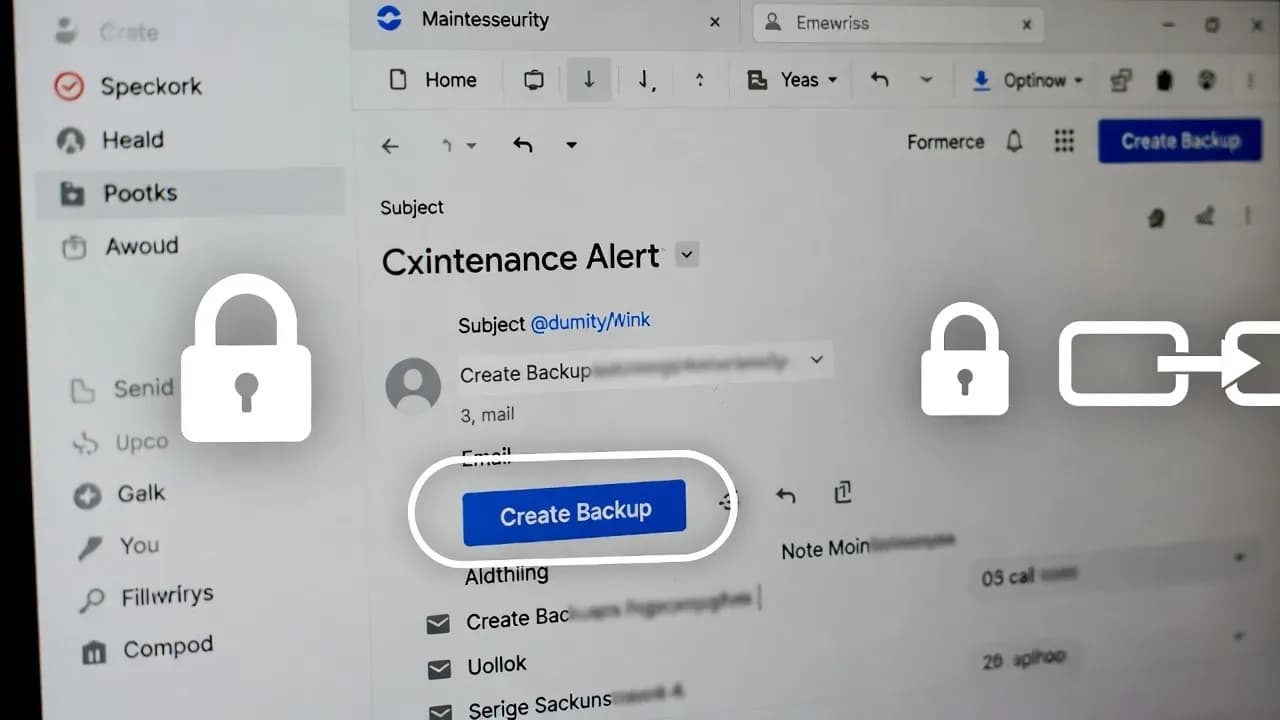
Fake LastPass "Vault Backup" Emails Push 24 Hour Deadline to Steal Master Passwords
Attackers are using fake "vault backup required" maintenance alerts to pressure LastPass users into clicking a "Create Backup Now" button. The link chain uses an AWS S3 hosted redirect and then a lookalike domain to capture credentials. Here is what the emails look like, the indicators defenders can hunt for, and the steps users and organizations should take to shut down the risk quickly.

What is happening
LastPass users are being targeted with [phishing](/glossary/phishing "GLOSSARY:Phishing:Phishing is a social engineering attack that tricks users into revealing credentials, installing malware, or granting access by impersonating a trusted entity.:") emails disguised as a routine maintenance notification. The lure is simple and effective: create urgency, claim there is a limited time window, then push a single call to action that feels security minded.
The emails claim LastPass is conducting infrastructure maintenance and instruct recipients to back up their vaults locally within the next 24 hours. The "Create Backup Now" button leads to a phishing flow intended to capture account credentials and, most critically, the master password.
Why this phishing lure works
Password managers sit at the center of a user's digital identity, so any message framed as "protect your vault" triggers instinctive [compliance](/glossary/compliance "GLOSSARY:Compliance:Compliance refers to the process of meeting legal, regulatory, and internal requirements related to security, privacy, and risk management.:"). The attackers [exploit](/glossary/exploit "GLOSSARY:Exploit:An exploit is code or a technique that takes advantage of a vulnerability to perform unauthorized actions on a system.:") three familiar trust cues:
- A security narrative that sounds plausible (maintenance, continuity, recoverability)
- A time constraint (24 hour window) that discourages verification
- A single obvious action button that feels like standard account hygiene
This is classic [social engineering](/glossary/social-engineering "GLOSSARY:Social Engineering:Social engineering is a manipulation technique that exploits human psychology to trick individuals into revealing information, granting access, or performing actions that compromise security.:"): force a fast decision while pretending to reduce risk.
Attack chain and infrastructure
Observed reporting indicates a multi step redirect chain:
- The victim clicks "Create Backup Now" from the email
- The link routes through an [AWS](/glossary/aws "GLOSSARY:AWS (Amazon Web Services):AWS is a cloud computing platform that provides on-demand infrastructure, platforms, and services over the internet.:") S3 hosted URL
- The flow redirects to a lookalike domain that presents a fake LastPass experience to harvest credentials
The campaign timing was also notable: it was launched over a US holiday weekend, a pattern commonly used to take advantage of reduced staffing and slower response cycles at both vendors and security [teams](/glossary/teams "GLOSSARY:Teams:Microsoft Teams is a collaboration platform that combines chat, meetings, calling, and file sharing within the Microsoft 365 ecosystem.:").
Indicators of compromise (IOCs)
Use the following as initial hunting pivots. Treat them as starting points, not an exhaustive list.
Known sender addresses (observed)
- support@sr22vegas.com
- support@lastpass.server8
- support@lastpass.server7
- support@lastpass.server3
Known subject lines (observed)
- LastPass Infrastructure Update: Secure Your Vault Now
- Your Data, Your Protection: Create a Backup Before Maintenance
- Don't Miss Out: Backup Your Vault Before Maintenance
- Important: LastPass Maintenance & Your Vault Security
- Protect Your Passwords: Backup Your Vault (24-Hour Window)
Known malicious URLs and domains (observed)
- group-content-gen2.s3.eu-west-3.amazonaws.com/5yaVgx51ZzGf
- mail-lastpass.com
Notes on IP indicators
Some reporting includes associated [IPs](/glossary/ips "GLOSSARY:IPS (Intrusion Prevention System):A network security technology that monitors traffic for threats and automatically takes action to block or prevent malicious activities.:") for the infrastructure at the time of publication. IPs can change quickly and may be less reliable than the domains and email patterns above, so use them as supplemental context rather than primary blocking criteria unless confirmed in your environment.
What users should do
- Do not click links in LastPass branded emails asking for urgent vault backups
- Never enter your master password into a site reached via an email link
- Open LastPass by typing the known official domain, using a bookmark, or using the official app and extension
- If you already clicked, change your master password immediately, rotate any high value passwords stored in the vault, and review recent account activity
- Report the email as an attachment to LastPass abuse reporting channels
What organizations should do ([SOC](/glossary/soc "GLOSSARY:SOC (Security Operations Center):A SOC is a centralized team and function responsible for monitoring, detecting, investigating, and responding to cybersecurity threats.:") and IT)
1) Hunt and contain
- Search mail logs for the subject lines and sender patterns above
- Block the lookalike domain and related redirect infrastructure at email [gateway](/glossary/gateway "GLOSSARY:Gateway:A gateway is a network component that connects different networks or systems and controls how data flows between them.:"), [DNS](/glossary/dns "GLOSSARY:DNS (Domain Name System):DNS is a naming system that translates human-readable domain names into IP addresses, enabling devices to locate and communicate with services on a network.:"), and secure web gateway layers
- Identify users who clicked and trigger an [incident response](/glossary/incident-response "GLOSSARY:Incident Response:Incident response is the organized approach to addressing and managing security incidents.:") workflow for credential exposure
2) Add preventive controls
- Enforce phishing resistant [MFA](/glossary/mfa "GLOSSARY:MFA (Multi-Factor Authentication):MFA (Multi-Factor Authentication) is a security mechanism that requires users to verify their identity using two or more independent factors before access is granted.:") for password manager access where supported
- Enable [conditional access](/glossary/conditional-access "GLOSSARY:Conditional Access:Conditional Access policies enforce access requirements based on signals like user, device, location, and risk level.:") and anomaly detection for logins (impossible travel, new device, new IP)
- Implement mail protections: [DMARC](/glossary/dmarc "GLOSSARY:DMARC (Domain-based Message Authentication, Reporting & Conformance):DMARC is an email authentication protocol that uses SPF and DKIM to detect spoofed emails and enforce policies on how receiving servers should handle them.:") alignment enforcement, anti impersonation rules, and URL detonation for "backup" themed messages
3) Communications
- Send a short internal advisory explaining that LastPass is not asking for 24 hour vault backups
- Provide a safe path: direct users to open LastPass via known methods, not via email links
Closing
This campaign is a high risk phishing attempt because the objective is not a single account password but the master password that unlocks an entire vault. The right response is verification, not compliance: treat any urgent maintenance email demanding immediate action as hostile until proven otherwise. For defenders, rapid detection and user messaging matter as much as technical blocking, because the attacker's advantage is speed and psychological pressure.
Frequently Asked Questions
No. LastPass has publicly stated this is a phishing attempt designed to create urgency.
The primary target is the LastPass master password and account access, which can lead to full vault compromise.
It uses a plausible maintenance story and a security sounding request. The link chain and lookalike domain are designed to mimic routine product workflows.
Assume credential exposure risk. Change your master password, review account activity, rotate critical passwords stored in the vault, and enable stronger MFA if available.
Block the known indicators, warn users quickly, enforce strong authentication for password manager access, and monitor for anomalous logins after the campaign wave.
Comments
Want to join the discussion?
Create an account to unlock exclusive member content, save your favorite articles, and join our community of IT professionals.
New here? Create a free account to get started.