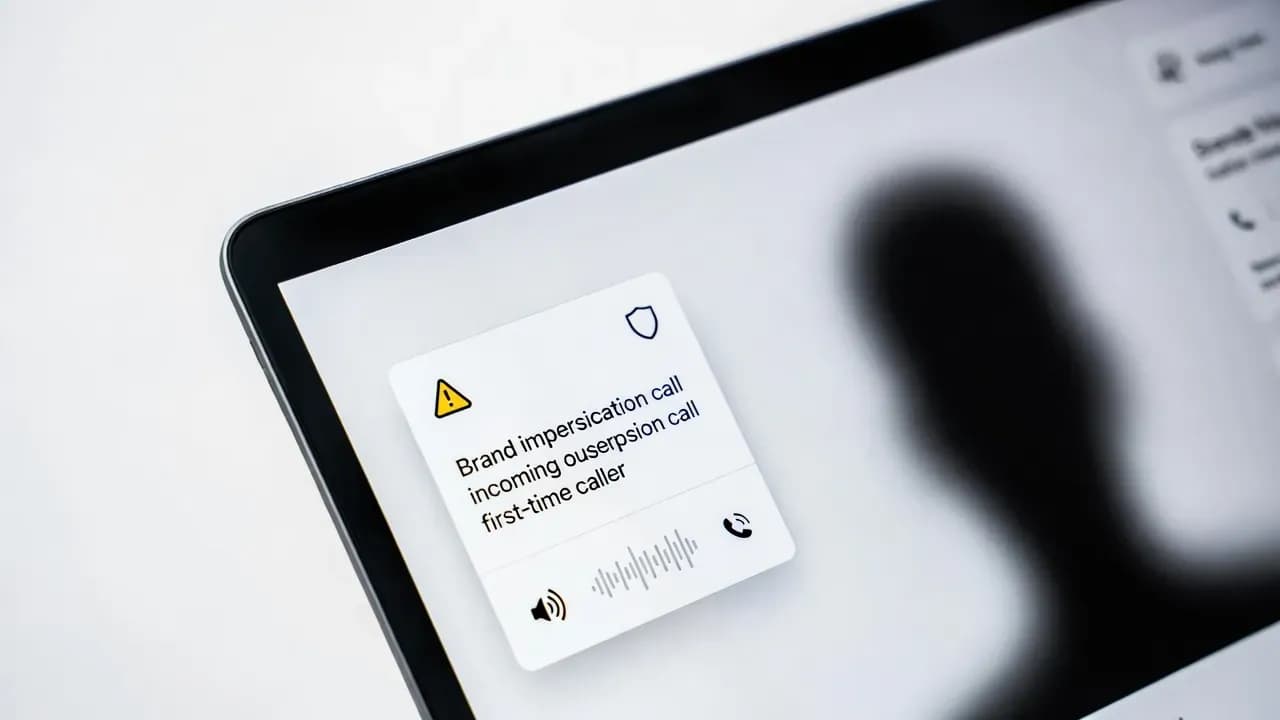
Microsoft Teams Adds Brand Impersonation Warnings to Stop VoIP Vishing Scams Before Users Answer
Vishing has shifted from random robocalls to targeted, scripted attacks that exploit trust in familiar brands and internal IT processes. Microsoft Teams is responding with Brand Impersonation Protection, a call-scanning safeguard that flags suspicious first contact external VoIP callers before users pick up. The update rolls out from mid-February 2026, is enabled by default, and aims to reduce high-impact fraud scenarios where attackers impersonate banks, government agencies, partners, or internal support teams to extract credentials, MFA codes, or payments.

Why Microsoft is pushing this feature now
Voice-based social engineering is accelerating because it is measurable, fast, and often bypasses the controls organizations built for email. Attackers are increasingly using convincing brand pretexts and phone scripts to pressure employees into "urgent" actions like:
- Installing remote tools
- Sharing one-time codes
- Moving funds
Collaboration platforms sit directly in the daily workflow, making them attractive for first contact scams
Brand Impersonation Protection is Microsoft's attempt to move the warning moment earlier in the chain — before the user answers and gets pulled into a high-pressure conversation.
What Brand Impersonation Protection does in Teams Calling
Brand Impersonation Protection evaluates inbound VoIP calls from first time external contacts for signals consistent with brand impersonation.
How it works
| Stage | Action |
|---|---|
| Detection | Teams evaluates risk signals on incoming call |
| Warning | If risk is high, warning displays before user answers |
| User control | User can accept, block, or end the call |
| Persistent alert | If user accepts and risk signals persist, warning can remain visible during conversation |
Applies to Teams Calling inbound VoIP calls in first contact scenarios
Important scope note: the safeguard applies to Teams Calling inbound VoIP calls in the first contact scenario, not necessarily every type of Teams call flow in every tenant configuration.
Rollout timing and what changes for admins
Timeline
| Phase | Date |
|---|---|
| Targeted Release start | Mid-February 2026 |
| Targeted Release completion | Late February 2026 |
None required - enabled by default
The feature is enabled by default, and Microsoft states no admin action is required for activation. That does not mean no preparation is needed.
What changes operationally
| Change | Impact |
|---|---|
| Users will see new warnings | They will ask what they mean |
| Helpdesks need decision trees | "Accept vs block vs end" guidance |
| Security teams alignment | Vishing incident handling and reporting workflows |
How this fits into real-world vishing scenarios
This protection helps with the most common brand-impersonation patterns:
| Scam Type | Description |
|---|---|
| "Bank fraud team" | Calls demanding immediate verification |
| "Government agency" | Pressuring for personal data or payments |
| "Vendor or partner" | Requesting invoice changes or urgent payment reroutes |
| "Internal IT" | Trying to harvest credentials or MFA approval |
Even with automated warnings, the highest-risk failure mode remains human: a user who proceeds because the caller sounds credible
The feature reduces exposure, but training still closes the loop.
What organizations should do before mid-February 2026
1) Update user training with one clear rule
If a call is flagged as suspicious, do not share credentials, MFA codes, or payment details.
End the call and re-initiate contact through a known-good channel:
- Official vendor number
- Internal helpdesk directory
- NOT the number the caller used
2) Prepare a helpdesk script that is short and decisive
Helpdesk should be ready to explain:
| Topic | Guidance |
|---|---|
| Why the warning appeared | Risk signals detected on first-contact external call |
| When to block vs end and report | Block for obvious scams, end and report for uncertain cases |
| How to verify legitimacy | Call-back procedure, ticket validation, internal directory confirmation |
3) Align reporting and triage
Make sure employees know where to report suspected vishing in your environment. If you have a SOC or security mailbox, connect the dots so flagged calls lead to actionable triage, not dead-end confusion.
4) Reduce blast radius if a user gets tricked
Vishing often aims for identity compromise:
- Ensure MFA is enforced
- Minimize privileged access
- Require step-up verification for high-risk actions
- Treat collaboration identities as part of your core identity threat model
Practical checklist for IT and security leaders
| Action | Priority |
|---|---|
| Communicate the upcoming change to end users before rollout | High |
| Brief helpdesk on the warning UI and standard responses | High |
| Update internal guidance: no inbound-call-driven credential changes | Critical |
| Validate escalation paths for suspected vishing and account takeover attempts | High |
| Ensure incident response can rapidly revoke sessions and rotate credentials if needed | High |
Closing
Brand Impersonation Protection is a useful friction point for first-contact VoIP scams in Teams Calling, but its value depends on how well organizations operationalize it.
Users recognize the pattern, end suspicious calls, and follow a predictable verification workflow that attackers cannot steer
The strongest outcome is not simply that users see warnings. It is that users:
- Recognize the pattern
- End suspicious calls
- Follow a predictable verification workflow that attackers cannot steer
Frequently Asked Questions
No. It warns users and gives them options to accept, block, or end the call. The user retains control over the decision.
Inbound VoIP calls from first time external contacts in Teams Calling, where risk signals indicate possible brand impersonation.
Microsoft indicates no admin action is required and the feature is enabled by default.
End the call if anything is off, do not share credentials or MFA codes, and verify through a known-good channel such as the official vendor number or internal helpdesk directory.
No. It reduces exposure and increases user awareness, but training and verification procedures remain essential for complete protection.
Comments
Want to join the discussion?
Create an account to unlock exclusive member content, save your favorite articles, and join our community of IT professionals.
New here? Create a free account to get started.