Patched FortiGate Firewalls Still Hacked via FortiCloud SSO Path, Admins Report Patch Bypass for CVE-2025-59718
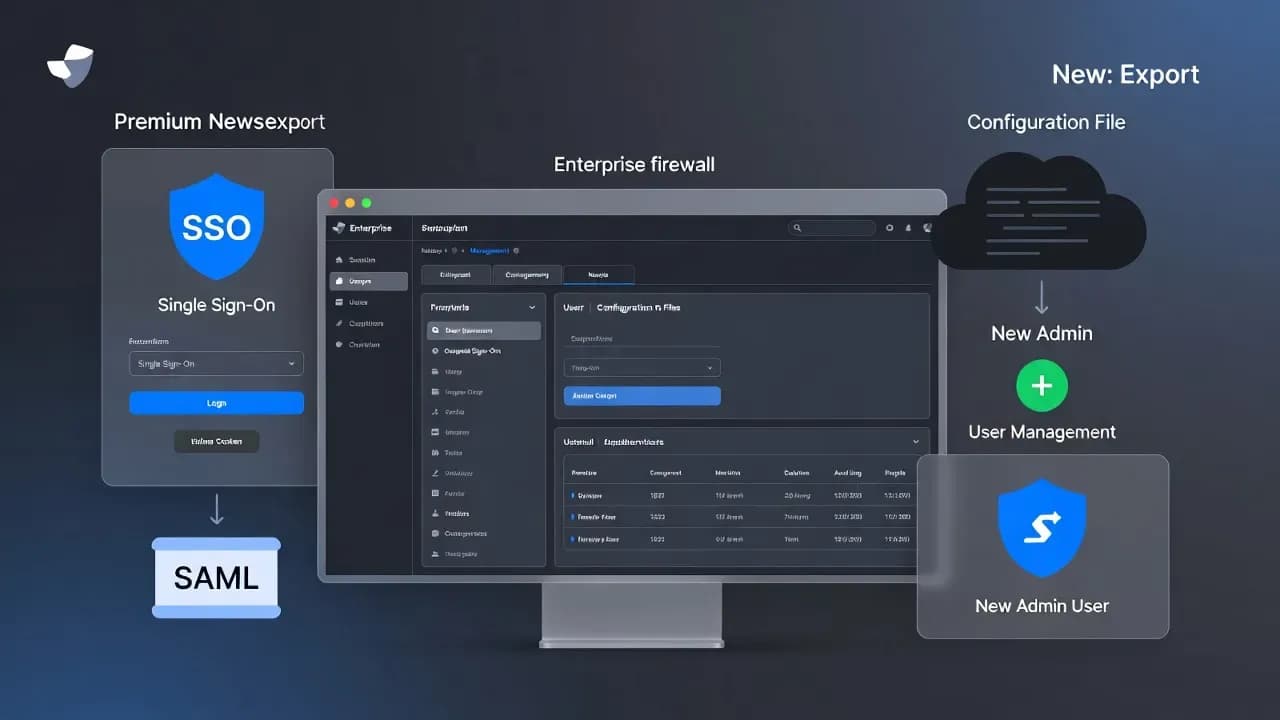
FortiGate admins are reporting successful intrusions on devices that are already patched for CVE-2025-59718, suggesting a patch bypass or incomplete remediation in recent FortiOS releases. The post compromise chain is consistent and fast: malicious FortiCloud SSO logins, configuration export, and creation of new admin users for persistence. Here is what defenders should hunt for, why stolen configs are operationally dangerous, and how to harden FortiGate management planes while Fortinet finalizes updated remediation.

On January 21, 2026, multiple FortiGate administrators reported compromises on appliances running versions that were believed to remediate the critical FortiCloud SSO authentication bypass CVE-2025-59718. Reports include devices on FortiOS 7.4.9 and 7.4.10, with admins describing the same observable pattern seen during December 2025 exploitation: a malicious SSO login, followed quickly by a configuration export and the creation of new local administrator accounts.
Fortinet has not publicly confirmed the scope in the same way as a formal advisory update, but admins state that support and engineering have acknowledged the issue may persist in certain builds and that additional FortiOS releases are planned to fully address it. Until definitive guidance is published, defenders should assume that exposure remains possible where FortiCloud SSO admin login is enabled and the management plane is reachable from untrusted networks.
Why this matters even if you "patched"
Firewall compromise risk is not limited to the device itself. A FortiGate configuration file is a high value asset that can contain:
- Network topology and segmentation policy
- VPN and remote access posture
- Identity integrations and authentication flows
- Stored secrets or hashed credentials that can be attacked offline
- Administrative user inventory and privilege structure
That means a single successful configuration export can create durable risk even after you apply the next patch. Patching closes a door, but exported credentials and newly created accounts can keep attackers inside.
Observed attack chain (the repeatable sequence)
Incident responders and admins describe a tight, automated flow:
- Malicious FortiCloud SSO login (often via crafted SAML response behavior)
- Export of the full device configuration via the GUI interface
- Creation of additional generic admin accounts for persistence
This sequence is typically executed in quick succession, suggesting automation rather than manual interactive operations.
Indicators defenders should hunt for
High signal behaviors
- Administrative login method indicating SSO usage
- System configuration file download events via GUI
- Creation of new admin users immediately after an SSO login
- Sudden granting of VPN access to newly created accounts
Observed suspicious account naming patterns
Initial SSO identity reported frequently
Common persistence account names
Full list of reported persistence accounts: helpdesk, secadmin, itadmin, support, backup, remoteadmin, audit
Observed infrastructure patterns
Malicious logins originating from hosting providers and CDN networks have been reported, including infrastructure associated with Cloudflare and other commodity providers. Treat IPs as volatile and prioritize behavior plus account artifacts.
Immediate mitigation checklist (prioritize in this order)
1) Disable FortiCloud SSO administrative login (if enabled)
This is currently the most direct mitigation because the reported intrusions leverage the FortiCloud SSO path.
GUI path:
- System → Settings → Turn off "Allow administrative login using FortiCloud SSO"
CLI commands:
config system global
set admin-forticloud-sso-login disable
end
Important nuance: due to uncertainty around the initial access method in the current campaign, disabling FortiCloud SSO login may not be fully effective in every case. It still materially reduces risk where the SSO path is the observed entry point.
2) Lock down the management plane
- Restrict HTTPS and SSH administrative access to internal networks only
- Use trusted hosts, jump boxes, or VPN based admin access
- Remove internet exposure for management interfaces wherever possible
3) Treat this as potential credential exposure
If you see evidence of configuration export:
- Assume hashed and stored credentials in the configuration are compromised
- Reset all firewall and administrative credentials
- Review and rotate credentials tied to VPN, LDAP, RADIUS, SAML, API keys, and integrations as applicable
4) Audit and eradicate persistence
- Enumerate all admin accounts and remove unknown users
- Review admin profiles and privilege assignments for unauthorized elevation
- Check for VPN users or groups created or modified during the incident window
5) Patch and validate version posture
- Confirm the running FortiOS version on device is the one you believe is deployed
- Track Fortinet's upcoming release guidance and apply the fully remediated builds as soon as they are available
- After patching, re validate that FortiCloud SSO admin login remains disabled unless you explicitly require it
Practical detection guidance for SOC teams
What to alert on
| Alert Trigger | Priority |
|---|---|
| SSO admin logins followed by config download within minutes | Critical |
| New admin user creation within minutes of an SSO login | Critical |
| Multiple FortiGate appliances showing the same sequence in the same timeframe | High |
| Unusual admin activity outside business hours from non corporate IP ranges | Medium |
What to preserve for investigation
- FortiGate event logs covering admin login and system configuration downloads
- Full list of admin accounts and their creation timestamps
- Configuration revision history, if available, and any exported config artifacts
- External access logs from reverse proxies or management gateways
Closing
This is a high consequence scenario because it targets the management plane and steals the data that makes follow on intrusions easier. Even if your FortiGate fleet is "patched," the reported bypass means you should assume risk persists wherever FortiCloud SSO admin login is enabled and management is exposed. Disable the SSO admin login path where possible, restrict management access to trusted networks, and respond to any configuration export as a credential compromise event that requires immediate resets and a full admin account review.
Frequently Asked Questions
Current reports indicate a patch bypass or incomplete remediation that still allows abuse of the FortiCloud SSO login path in certain FortiOS builds. If the entry method is not fully confirmed, assume multiple access paths may be in play.
If FortiCloud SSO administrative login is enabled, disable it temporarily and restrict management access to trusted internal networks only.
High confidence indicators include an SSO admin login followed quickly by a system configuration download and then creation of one or more new admin accounts.
Yes. Treat this as credential exposure. Reset firewall admin credentials and rotate relevant secrets and credentials that may be represented in configs or linked integrations.
Not guaranteed. Responders have noted uncertainty around the initial access method, but disabling the SSO admin login path is still a key risk reduction step because it matches the observed intrusion path.


Comments
Want to join the discussion?
Create an account to unlock exclusive member content, save your favorite articles, and join our community of IT professionals.
New here? Create a free account to get started.