Microsoft says the KB5120998 mouse reset bug, which reverts cursor personalization settings after installing an August 2026 preview update, affects only non-English Windows 11 systems, the company said in a Tuesday update to its Windows release health dashboard. The optional, non-security update was released for Windows 11 versions 25H2 and 24H2, and Microsoft confirmed the mouse issue the following Friday after user reports.
The narrower scope matters for IT teams deciding whether to hold back the optional KB5120998 rollout, since the defect traces to locale-specific code rather than a universal update flaw.
Key takeaways
- Microsoft confirmed the KB5120998 mouse reset bug affects only non-English Windows 11 installations.
- KB5120998 shipped as an optional preview update for Windows 11 versions 25H2 and 24H2.
- Affected users see cursor and cursor animation settings revert and cannot restore prior mouse preferences.
- Microsoft attributes the bug to code components used only in non-English Windows installations that fail to load certain settings.
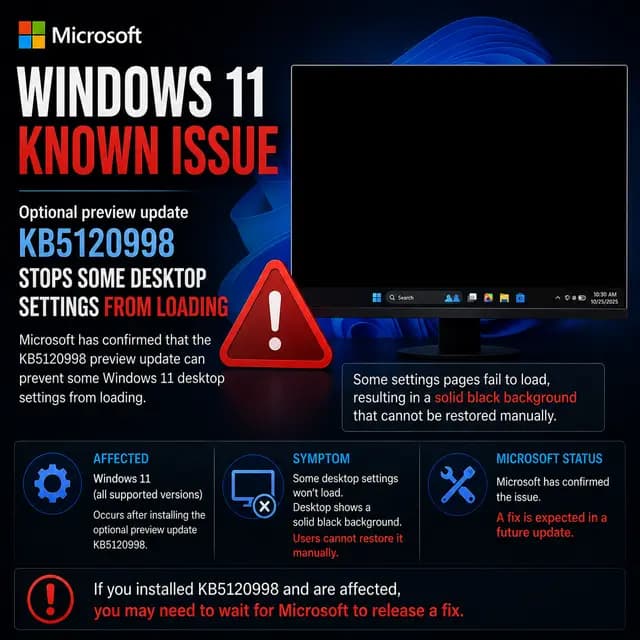
- Microsoft separately acknowledged a related issue where KB5120998 resets or loses Windows desktop settings on some devices.
Affected
What is the KB5120998 mouse reset bug?
The KB5120998 mouse reset bug is a known issue in which Windows 11 mouse cursor personalization settings revert to defaults after installing Microsoft's August 2026 preview update. Microsoft released KB5120998 as an optional, non-security update for Windows 11 versions 25H2 and 24H2, bundling Start menu, taskbar, and Windows search changes. A day after release, Microsoft confirmed user reports describing cursor and cursor animation settings changing automatically, with affected users unable to restore their previous choices in the Mouse Properties options.
Because KB5120998 is optional, it only installs on systems where a user clicks "Download and install" in Windows Update, or where the "Get the latest updates as soon as they're available" toggle is enabled for automatic delivery of preview builds.
Why does this only hit non-English Windows 11 devices?
Microsoft's follow-up investigation, posted to the Windows release health dashboard on Tuesday, narrowed the root cause to code components used specifically in non-English Windows installations. In those locales, the mouse personalization settings fail to load correctly after the update, so Windows falls back to a default cursor configuration instead of the user's saved preference.
Microsoft's own explanation, published when the issue was first confirmed, described the mechanism directly: mouse personalization settings are being reverted to certain standard settings following installation of KB5120998 and later updates, covering cursor and cursor animation choices set under Mouse Properties.
Who is affected by this Windows 11 update issue?
The bug is limited to Windows 11 devices running versions 25H2 or 24H2 with a non-English display language, and only after the optional KB5120998 preview update has been installed. English-language Windows 11 installations are not affected, according to Microsoft's dashboard update. Enterprises with multilingual device fleets, including MSPs supporting international clients, are the group most likely to see help-desk tickets tied to unexpected cursor changes.
Why this matters for IT admins
On its own, a reverted mouse cursor setting is a cosmetic annoyance rather than a security or stability risk. The practical impact for admins is support-desk load: users on non-English builds who customized accessibility-related cursor settings, such as larger or high-contrast pointers, may lose that configuration without an easy way to restore it. Because KB5120998 is optional, organizations that have not enabled automatic preview-update delivery can simply avoid pushing it until Microsoft ships a fix.
Microsoft has also flagged a related, separate issue in which some devices lose or reset broader Windows desktop settings after installing KB5120998, an acknowledgment the company made around the same time it narrowed the mouse bug's scope.
How can admins avoid or mitigate the bug?
- Hold off on manually installing KB5120998 on non-English Windows 11 25H2 or 24H2 devices until Microsoft ships a fix.
- Check whether "Get the latest updates as soon as they're available" is enabled in Windows Update, since it can trigger automatic installation of optional preview updates.
- Document current mouse cursor settings before installing preview updates on multilingual fleets, so support teams can manually reapply them if needed.
- Monitor the Windows release health dashboard for Microsoft's fix status on this and the related desktop settings reset issue.
What happens next?
Microsoft has not published a fix timeline for the mouse reset bug beyond identifying its locale-specific root cause. The company has a recent pattern of mouse-related known issues on Windows, including an October emergency update that restored USB mouse and keyboard function in the Windows Recovery Environment, and an investigation into a cursor-disappearing bug in classic Outlook.
Timeline
Impact & actions
The KB5120998 mouse-personalization reset only hits non-English Windows 11 builds, so most English-locale fleets are unaffected but mixed-locale organizations may see help-desk tickets.
Recommended actions · Low urgency
- 1Avoid installing the optional KB5120998 preview update on non-English Windows 11 25H2/24H2 devices until Microsoft ships a fix
- 2Disable 'Get the latest updates as soon as they're available' to prevent automatic installation of optional preview updates
- 3Advise affected users that reverted mouse settings can be manually reconfigured but not automatically restored
Technical details
- Affected versions
- Windows 11 version 25H2 (non-English), Windows 11 version 24H2 (non-English)
Mitigations
- Hold off deploying the optional KB5120998 preview update on non-English Windows 11 devices
Response
Vendor
Customer guidance
Users who install KB5120998 on non-English Windows 11 devices should expect cursor and cursor-animation settings to revert to defaults and manually reset their preferences, since prior settings cannot be automatically restored.
Updates
Microsoft's Tuesday update to the Windows release health dashboard confirmed the KB5120998 mouse reset issue only affects non-English Windows 11 installations, following the initial Friday confirmation of the bug.
FAQ
What does the KB5120998 mouse reset bug do?
It reverts mouse cursor and cursor-animation personalization settings to Windows defaults after the optional KB5120998 preview update installs, and affected users cannot automatically restore their prior settings.
Which Windows 11 devices are affected?
Microsoft confirmed only non-English Windows 11 installations on versions 25H2 and 24H2 are affected; English-locale devices are not impacted by this specific bug.
Why does the bug only hit non-English Windows installations?
Microsoft said code components used specifically in non-English Windows builds fail to load saved mouse settings in impacted locales, causing Windows to fall back to default cursor settings instead.
Is KB5120998 mandatory to install?
No. KB5120998 is an optional, non-security preview update that requires clicking 'Download and install,' though it installs automatically if the 'get updates as soon as available' setting is enabled.
Has Microsoft fixed the mouse reset bug?
As of Microsoft's Tuesday dashboard update, the company had confirmed the cause but had not announced a fix for the non-English mouse personalization reset issue.
Is this related to the Windows desktop settings reset issue?
Microsoft separately acknowledged that KB5120998 can cause Windows desktop settings to be lost or reset on some devices, a related but distinct known issue tied to the same update, disclosed around the same time as the mouse-bug scope update.
The bottom line
Microsoft confirmed the KB5120998 mouse-personalization reset bug is limited to non-English Windows 11 25H2 and 24H2 installations, tracing it to locale-specific code that fails to load saved cursor settings.
What happens next
What to do