Firefox 147.0.1 Ships Emergency Fix for ChatGPT Breakage and Web Compatibility Regressions
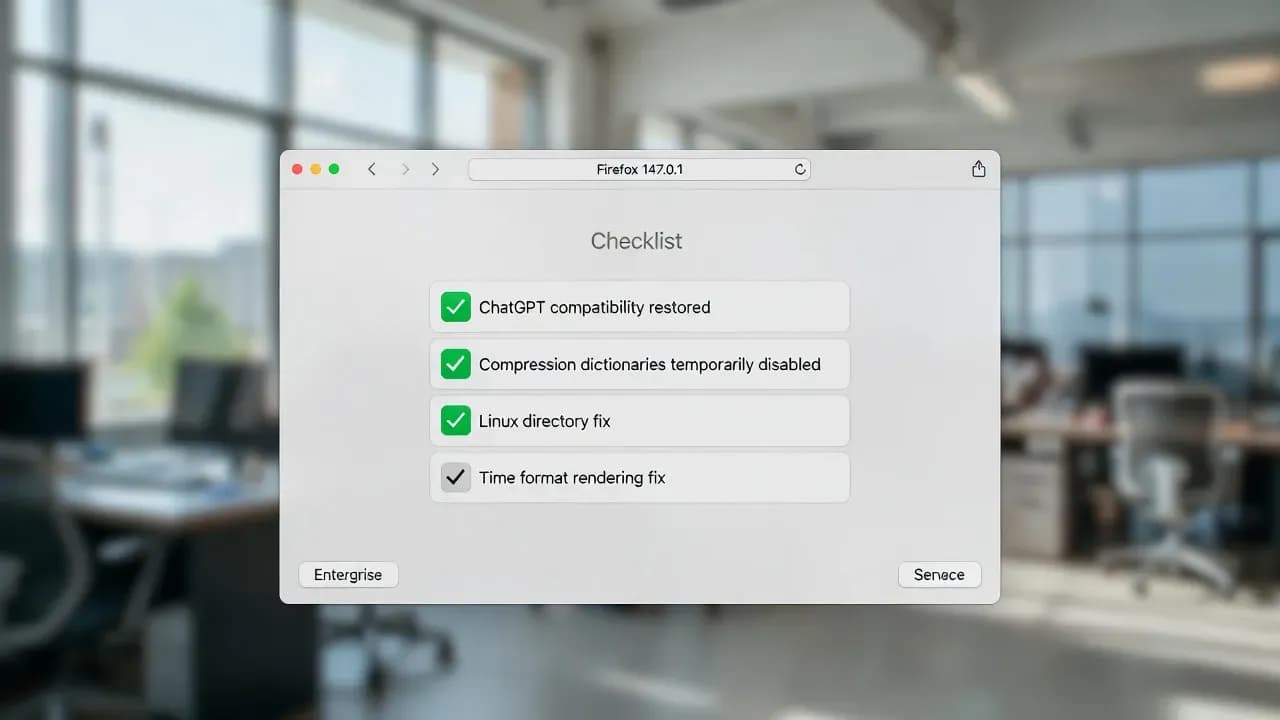
Firefox 147.0.1 restores compatibility with ChatGPT by temporarily disabling compression dictionaries.

Maintenance release with compatibility fixes
Compression dictionaries temporarily disabled
Compression, Linux directory, time formatting
What changed in Firefox 147.0.1
This release is focused on three fixes that target real-world breakage rather than new features. The biggest one is a compatibility rollback that addresses failures on sites using Compression Dictionary Transport, a modern HTTP compression approach that can reduce payload sizes but can be fragile when browser and server implementations do not align. For affected users, the symptoms were visible immediately: login flows failing, missing content, or broken UI behavior on ChatGPT and potentially other sites that adopted the technology early.
Mozilla also corrected a Linux-only nuisance where the browser could create an unnecessary empty directory, and it fixed a time formatting issue that could cause some websites to display incorrectly depending on locale and formatting expectations. On paper, these look minor, but they are the kind of regressions that quickly surface in enterprise fleets where browsers are mission-critical tools.
Why ChatGPT stopped working for some Firefox 147 users
The ChatGPT breakage was not a random outage. It was linked to how Firefox handled certain compressed responses when "compression dictionaries" were active under specific configuration conditions. In practice, affected users saw repeated network failures and content not loading as expected. For a web app like ChatGPT, that can translate into missing conversation rendering, buttons that do nothing, or authentication flows that appear stuck.
The key operational detail is that this issue hit at the transport layer: if the browser rejects or misinterprets the content encoding, the application cannot reliably bootstrap its JavaScript bundles. When that happens, the UI can look partially loaded while core logic never runs. That is why users often described it as "ChatGPT is broken" rather than a classic browser crash.
Mozilla's mitigation strategy: temporarily disable the feature
Instead of attempting a risky last-minute protocol-level fix, Mozilla chose the pragmatic option: temporarily disable compression dictionaries in Firefox 147.0.1 to restore compatibility fast. That decision is typical when a feature is new, experimental, or only recently enabled for broader release. It trades potential performance gains for stability, which is usually the correct call when mainstream sites are impacted.
If you manage endpoints, the key takeaway is simple: this is a "get back to stable" release. Even if users are not reporting ChatGPT issues today, applying 147.0.1 reduces the chance of sudden web app regressions linked to content encoding and modern compression negotiation.
What IT teams should do next
Update to Firefox 147.0.1 across desktop fleets (Windows, macOS, Linux) and ensure the browser fully restarts after patching.
Validate the fix using a short acceptance test: load ChatGPT, sign in, open an existing conversation, send a prompt, confirm responses render normally.
Watch your telemetry: if you log browser console errors or network failures at scale, look for a drop in content-encoding related errors after rollout.
Keep an eye on the feature returning: the feature is disabled as a temporary compatibility measure. Expect it to come back once Mozilla is confident it behaves reliably across major sites.
Frequently Asked Questions
Firefox 147.0.0 changed how it handled certain server responses involving compression dictionaries (shared Brotli/Zstandard). This broke compatibility with ChatGPT and potentially other sites using these compression methods. The 147.0.1 patch restores the previous behavior.
Compression dictionaries allow browsers and servers to share pre-agreed data patterns, making page loads faster by reducing the size of transferred data. Firefox 147 added support for this feature, but an implementation issue caused certain responses to fail, which Mozilla fixed in 147.0.1.
No action is required. Simply updating Firefox to version 147.0.1 should restore normal functionality with ChatGPT and any other affected sites. The fix is applied automatically.
No, this was specific to Firefox 147.0.0. Chrome and other Chromium-based browsers already supported compression dictionaries without the compatibility issue that Firefox experienced.
Click the menu button (three horizontal lines), select Help, then About Firefox. The version number is displayed prominently. Firefox should also auto-update to 147.0.1 if automatic updates are enabled.

Comments
Want to join the discussion?
Create an account to unlock exclusive member content, save your favorite articles, and join our community of IT professionals.
New here? Create a free account to get started.