Google Chrome Adds a Toggle to Disable On-Device GenAI Used for Scam Detection
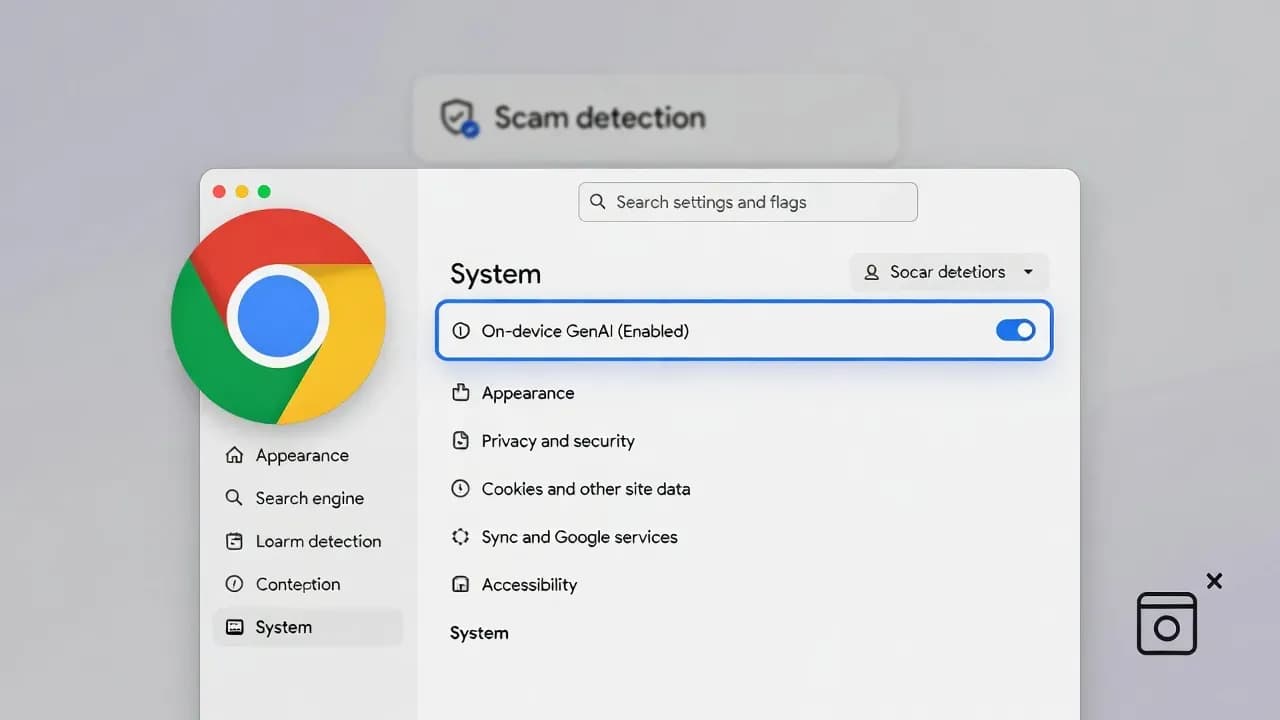
Chrome is adding a new On-device GenAI switch that lets you disable and remove the local AI model used by Chrome's Enhanced Protection scam detection. The control currently shows up in Chrome Canary, and turning it off deletes the on-device model and disables features that rely on it.

Current availability status
Model diagnostics page
On-device model sizes
What's new in Chrome
Google has been pushing more "real time" protection into the browser by combining Safe Browsing with on-device inference. The update here is not a new detection engine. It is a user-facing control that makes the on-device model optional, with an explicit "off means deleted" behavior.
Practically, this is a privacy and footprint toggle:
- You can keep Enhanced Protection and accept on-device inference.
- Or you can disable on-device GenAI and remove the model from disk, which also disables the AI-backed protection layer that depends on it.
How Chrome's on-device scam detection works
Chrome's scam defense pipeline is a hybrid:
- When specific triggers suggest a scam page (for example, common tech-support scam behaviors), Chrome evaluates the page locally using an on-device Gemini Nano model.
- Chrome extracts higher-level "security signals" and sends those signals to Safe Browsing.
- Safe Browsing makes the final call and can show a full-page warning.
This design aims to catch fast-lived scam pages that appear and disappear before traditional crawlers or blocklists catch up, while still keeping the "verdict" on the Safe Browsing side.
Where the new toggle lives (and what it does)
In the current Canary implementation, the path is:
Chrome → Settings → System → On-device GenAI (Enabled)
When you turn it off:
- Chrome removes the on-device model from the device.
- AI-backed features that depend on that local model stop working, at least for now.
If you want to verify whether a model is present (or check model lifecycle behavior), Chrome exposes a local diagnostics page:
chrome://on-device-internals
What changes for users when you disable it
Disabling On-device GenAI is not just "turn off an AI feature." It is a security posture change.
You should expect:
- Less real-time detection for certain scam patterns that rely on the on-device model.
- Reduced local disk usage and fewer model downloads/updates.
- Fewer on-device AI components running locally, which some users will prefer for privacy or performance reasons.
Chrome also manages the model lifecycle automatically. The model is downloaded on demand, can update in the background, and can be purged under disk space pressure or eligibility conditions.
Enterprise and fleet-management implications
For admins, the most important aspect is predictability.
If users can toggle this individually, you can end up with mixed security posture across a fleet:
- Some endpoints have AI-backed Enhanced Protection signals available.
- Others have the feature disabled and the model removed.
That matters for helpdesk troubleshooting, baseline hardening guides, and user education. If your org relies on Enhanced Protection for high-risk roles, you will likely want to define a policy stance: either standardize on enabling it for certain user groups, or explicitly disable it to minimize variability and local model footprint.
Also note: Chrome's model management documentation describes enterprise policy as one of the reasons the model can be purged, which is relevant if you want deterministic outcomes in managed environments.
What to do now
- If you are testing Canary: document the toggle behavior and decide whether it fits your security baseline.
- If you are an admin: prepare internal guidance on Enhanced Protection vs Standard Protection and how this new On-device GenAI switch affects your recommended posture.
- If you are a power user: decide whether real-time scam detection is worth the local model footprint on your device.
Frequently Asked Questions
No. Safe Browsing still exists, but features that rely on the on-device model (the AI-backed layer) are disabled when you turn off On-device GenAI.
Usually yes. The on-device model is a large component compared to typical browser settings data, and turning it off removes it from the device.
Not necessarily. Chrome's reporting indicates the local model may power additional features over time, which is why this toggle is likely to become more important as Chrome expands on-device capabilities.
Chrome's on-device model management documentation references enterprise policy as a factor that can disable the feature and trigger model purges, which suggests policy-based control is part of the design.
The toggle is visible in Canary now. Rollout timing to Stable has not been fixed publicly in a single definitive date in the sources, but it is positioned as "coming soon."



Comments
Want to join the discussion?
Create an account to unlock exclusive member content, save your favorite articles, and join our community of IT professionals.
New here? Create a free account to get started.