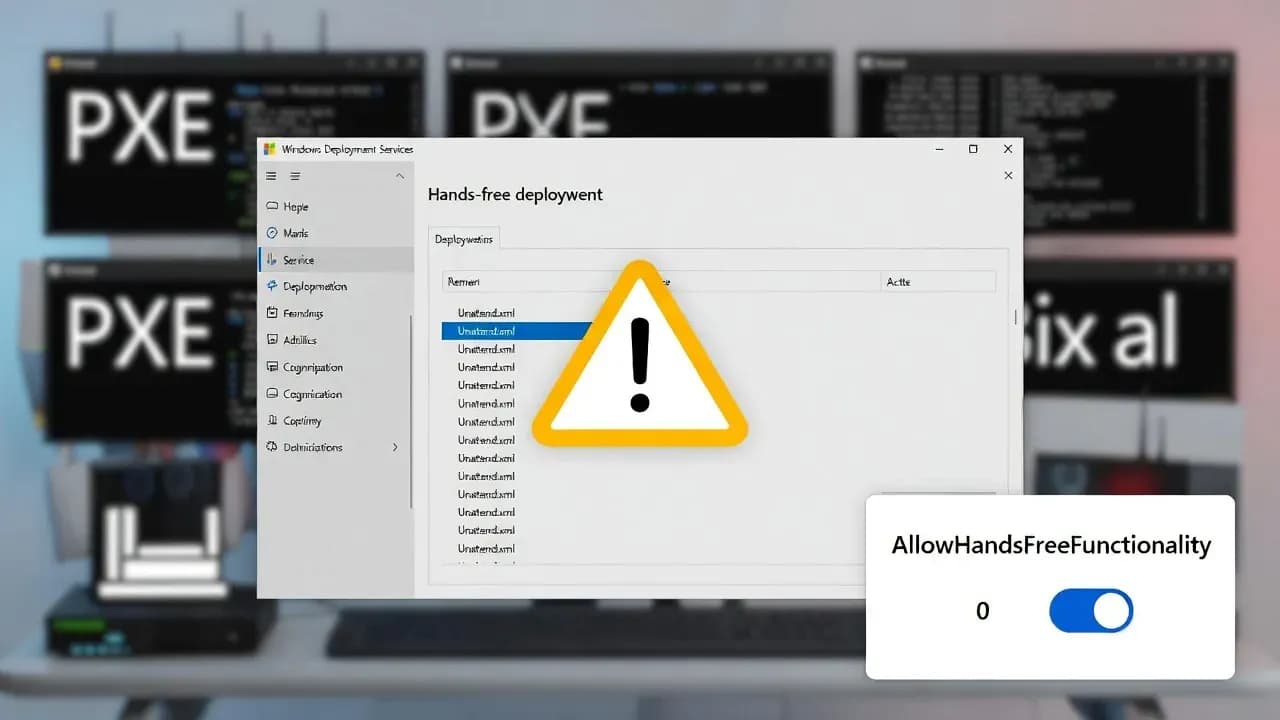
Windows Server WDS hardening for CVE-2026-0386 will break hands-free deployments unless you set a registry override
Microsoft hardens WDS hands-free deployment for CVE-2026-0386. What changes in Jan and April 2026, registry overrides, logging, and migration paths.

If your Windows Server imaging pipeline still relies on Windows Deployment Services hands-free deployment, Microsoft just put a countdown timer on it. A security hardening change tied to CVE-2026-0386 targets how WDS retrieves the Unattend.xml answer file, and the practical consequence is simple: the exact automation that makes WDS valuable in lab and enterprise environments can stop working after the April 2026 security updates unless administrators explicitly choose an override.
This is not a typical "patch and forget" vulnerability. Microsoft is treating the underlying behavior as fundamentally unsafe because the Unattend.xml file can be transmitted over an unauthenticated RPC channel. That creates a realistic adjacent-network threat model: anyone on the same network segment can potentially intercept sensitive configuration data.
What exactly is changing in WDS and why answer files are in the blast radius
WDS hands-free deployment exists to remove user interaction during imaging. In many environments, the WDS client boots via PXE, contacts the deployment server, selects a boot image, and pulls an answer file that automates setup screens. That convenience depends on the server being able to provide the Unattend.xml file in a way that WDS clients can retrieve automatically.
The security issue behind CVE-2026-0386 is not the answer file itself. The problem is the transport and access control model used when the file is requested. If the file can be requested and transmitted over an unauthenticated RPC channel, it becomes a high-value interception target. Answer files frequently contain configuration data, domain join credentials, or scripted actions that attackers can exploit if obtained.
CVE-2026-0386 risk profile: "adjacent network" does not mean low risk
A common mistake when triaging this change is to see "adjacent network" and assume it is niche. In many enterprise networks, "adjacent" is not rare. Imaging networks, staging VLANs, and deployment labs often include shared infrastructure, temporary devices, and relaxed segmentation because speed matters. Those are exactly the environments where a malicious or compromised host can sit quietly and observe traffic without needing internet exposure.
CVE-2026-0386 is rated High with a CVSS 3.1 base score of 7.5. The vector reflects why Microsoft is pushing hardening rather than just shipping a quiet code fix: it does not require privileges or user interaction, and it impacts confidentiality, integrity, and availability of the deployment process.
The two-phase timeline: what to do in January 2026 vs April 2026
The operational heart of this change is the timeline. There are two decisions to make, and each has consequences.
Phase 1 starts with the January 13, 2026 security updates. Hands-free deployment still works, but Microsoft adds new event logging and registry controls. The key immediate action is to update WDS servers and then decide whether you want to proactively disable hands-free deployment to eliminate the insecure retrieval behavior. If you set the registry value that enforces secure behavior, WDS will block unauthenticated access to Unattend.xml and hands-free deployment will stop working. That sounds counterproductive, but it is the cleanest way to force modernization now rather than scrambling later.
Phase 2 arrives with the April 2026 security updates. The default flips: hands-free deployment will be blocked unless administrators set a registry override to explicitly allow insecure behavior. This is where organizations that delayed planning will hit friction. If you do not take action before April, imaging pipelines using classic WDS hands-free automation will break.
The concrete configuration change: registry key, behavior, and event logging
Microsoft's guidance centers around a single switch under the WDS service registry path. The value name is AllowHandsFreeFunctionality under:
HKEY_LOCAL_MACHINE\SYSTEM\CurrentControlSet\Services\WdsServer\Providers\WdsImgSrv\Unattend
The values determine behavior:
- Value 0 blocks unauthenticated access to the Unattend.xml request path and disables hands-free deployment.
- Value 1 allows hands-free deployment to continue working, but it does not block the insecure retrieval scenario and is explicitly labeled as insecure.
In January 2026, administrators can set the key to 0 to enforce secure behavior early. In April 2026, the default behavior will become 0, and administrators who need hands-free deployment must explicitly set the key to 1 to override security hardening.
How to keep imaging reliable: practical steps for IT teams
Most organizations will take one of three approaches, and choosing the right one depends on how mature your imaging strategy is.
If you are already migrating away from classic WDS-based imaging toward cloud provisioning, the simplest plan is to treat this change as a forcing function. Use January through March to move remaining device classes to modern provisioning workflows and stop relying on hands-free answer files entirely. In many organizations, the hardest part is not the technology, it is the coordination: application packaging, driver management, and baseline policy assignment.
If you must keep WDS for the near term, your goal should be to minimize time spent in insecure mode. That means you should:
- Update WDS servers immediately after January 13, 2026
- Enable the new WDS diagnostics logging to monitor Unattend.xml requests
- Set
AllowHandsFreeFunctionality=1only on servers that require it - Document an exit plan with a target date before April 2026
Key numbers at a glance
Windows Deployment Services hands-free deployment vulnerability
High severity - Adjacent network attack vector
Phase 1: Registry controls and logging added
Phase 2: Secure-by-default enforcement begins
| Field | Value |
|---|---|
| CVE | CVE-2026-0386 |
| CVSS v3.1 base score | 7.5 (High) |
| Attack scope | Adjacent network |
| Phase 1 date | January 13, 2026 |
| Phase 2 date | April 2026 |
| Registry value name | AllowHandsFreeFunctionality |
Source verification map
- Two-phase timeline, registry path and values, and new WDS diagnostics logging: source [1].
- CVSS 3.1 base score, adjacent-network vector, and affected Windows Server versions/build thresholds: source [2].
- How to enable and collect WDS logging for troubleshooting and validation: source [3].
Affected organizations
Enterprises using WDS hands-free deployment for OS imaging Impact: Hands-free deployments may be blocked after April 2026 unless a registry override is set, causing provisioning downtime. Severity: High
Organizations with dedicated imaging VLANs or shared staging networks Impact: Higher exposure to adjacent-network interception risks during deployment workflows. Severity: High
MSPs and IT teams running factory-style or large refresh imaging pipelines Impact: Potential operational disruption if automation breaks during refresh cycles, with increased helpdesk and rework costs. Severity: High
Security teams responsible for endpoint supply-chain hardening Impact: Must assess whether the registry override introduces acceptable risk or whether migration to secure provisioning is required. Severity: Medium
Closing
CVE-2026-0386 is one of those changes that looks small in a KB article and then causes very real disruption when it hits a real deployment line. Microsoft's direction is clear: retrieving Unattend.xml over an unauthenticated channel is not acceptable, so hands-free deployment is moving to secure-by-default behavior in April 2026.
The right way to handle this is to use the January 2026 window to plan, test, and migrate, not to wait and scramble. If you must keep hands-free imaging temporarily, use the registry override knowingly, monitor the new WDS diagnostics logs, and treat the insecure mode as technical debt you are actively paying down.
Frequently Asked Questions
Not by default. In January 2026, hands-free deployment can continue working, but Microsoft introduces the controls and logging that allow you to enforce secure behavior. If you set the secure behavior value, hands-free automation stops by design.
Hands-free deployment is disabled by default after the April 2026 security update. If you rely on Unattend.xml being fetched automatically for hands-free deployment and you have not configured the registry override, your automated deployments can fail.
The key is under the WDS server service registry path in the Unattend provider configuration. The AllowHandsFreeFunctionality value determines whether WDS blocks unauthenticated requests for the Unattend.xml answer file (secure behavior) or allows the legacy behavior (insecure).
It can be, but it should be treated as a temporary business continuity bridge, not a steady state. If you enable insecure mode, document it as a security exception with a deadline and a migration plan.
Patch a test WDS server, enable the relevant WDS diagnostic logging, and run a controlled hands-free deployment test. Look for new warnings or errors in the WDS diagnostics debug channel and validate whether your clients can still retrieve the answer file.
The vulnerability and hardening guidance apply across multiple supported and extended-support server versions where WDS is used, including Server 2016, 2019, 2022, Server version 23H2, and Server 2025, as well as older versions in specific support programs.

Comments
Want to join the discussion?
Create an account to unlock exclusive member content, save your favorite articles, and join our community of IT professionals.
New here? Create a free account to get started.