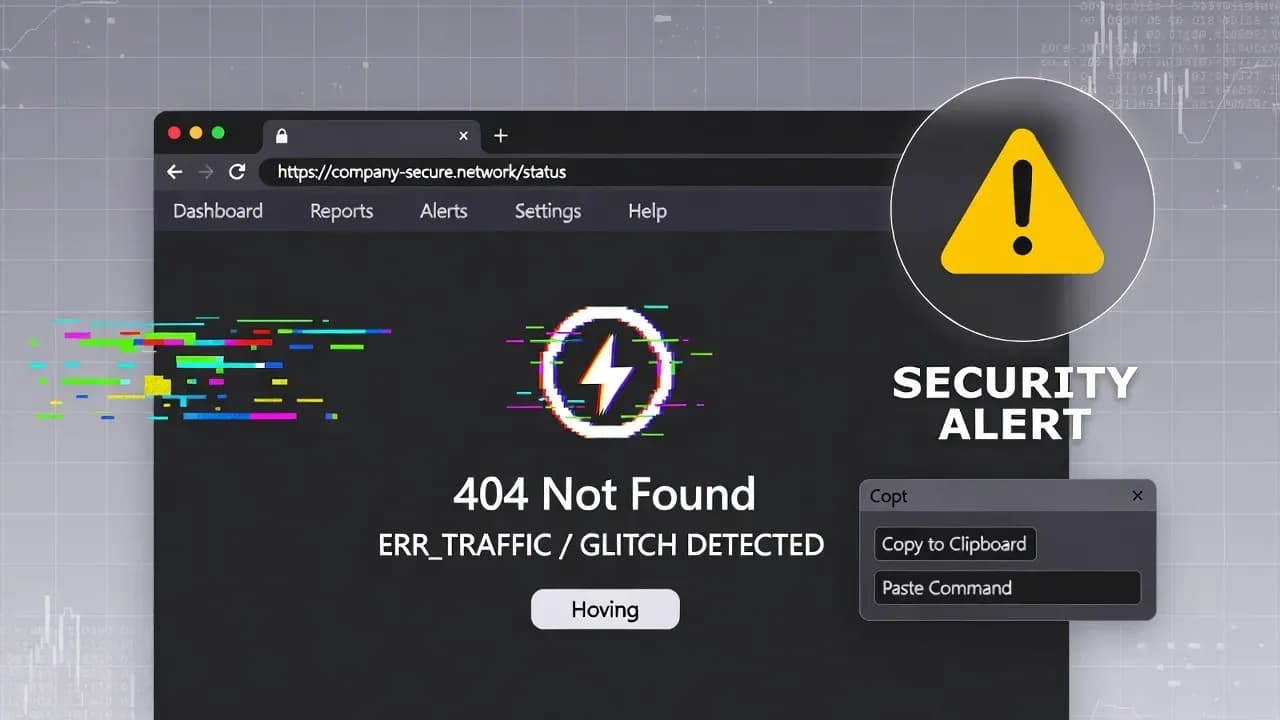
ErrTraffic fuels ClickFix scams with fake browser errors
A new service dubbed ErrTraffic is being promoted as a turnkey way to run “ClickFix” social-engineering attacks, using fake browser error pages to push users into executing malicious commands. Reporting links the tooling to traffic-distribution workflows that can route victims to tailored lures at scale. For defenders, the takeaway is clear: this is less about exploiting browsers - and more about exploiting humans.

What happened
Security reporting describes ErrTraffic as an "industrialized" ClickFix ecosystem: a service that helps operators deliver fake browser glitch/error pages that instruct victims to "fix" an issue by manually running a command (often via Run/PowerShell). The aim is to bypass technical controls by turning the user into the execution pathway.
Key points surfaced by researchers and reporting:
- ClickFix relies on high-pressure UX tricks ("your browser is broken") to push manual execution rather than exploiting a browser vulnerability.
- ErrTraffic is positioned as a service - suggesting repeatability, scaling, and a lower barrier for affiliates.
- The delivery chain appears to leverage traffic distribution concepts (routing/segmentation) to optimize conversion from visitor → execution.
How ClickFix lures work in practice
ClickFix attacks are effective because they look like troubleshooting guidance, not malware delivery.
A common flow:
- The victim lands on a page that mimics a legitimate browser/system error (or a "glitch" overlay).
- The page instructs the user to copy/paste a command into Run, PowerShell, or Terminal to "restore" access.
- The command pulls down and executes a second-stage payload (often malware families focused on credential theft or remote access).
This approach can slip past controls that are strong against drive-by downloads, because the user is persuaded to perform the risky step themselves.
Why ErrTraffic matters
ErrTraffic is important less for novelty and more for operational maturity:
- Commoditization: A packaged service reduces the skill required to run these campaigns.
- Scale: Traffic routing and "conversion" optimization can increase the volume of victims seeing the most effective lure.
- Defender friction: Traditional "patch faster" guidance is not sufficient when the core exploit is social engineering rather than software flaws.
Who is affected
This class of attack is broadly applicable, but it is especially risky for:
- Enterprise endpoints where users have enough privileges to run commands (even partial privileges can still be dangerous).
- BYOD and unmanaged devices accessing corporate SaaS (credentials/token theft becomes the primary outcome).
- High-volume web traffic properties (ads, SEO abuse, compromised sites) that can be used as entry points into the lure funnel.
Detection and response priorities
Focus on behavioral indicators aligned to "user-assisted execution":
Endpoint telemetry to watch
- Suspicious use of Run dialog, PowerShell, cmd.exe, mshta, wscript/cscript, or unusual parent-child chains (e.g., browser → PowerShell).
- PowerShell executing with flags that reduce visibility (encoded commands, hidden windows) and immediate outbound connections.
- Post-execution artifacts: new persistence entries, scheduled tasks, new autoruns, or unexpected browser extension changes.
Network and identity signals
- Short-burst outbound connections following manual execution (new domains, first-seen hosts).
- Unusual sign-ins: impossible travel, new device fingerprints, anomalous token use (particularly for M365/Google Workspace).
User-facing containment
- Treat "copy/paste this command to fix your browser" as a high-confidence phishing pattern and train accordingly.
- If a user executed commands: isolate the device, reset credentials, review session tokens, and scope lateral access.
Recommended mitigations and hardening
Prioritize controls that reduce "hands-on keyboard" success:
- Constrain script execution: enforce PowerShell Constrained Language Mode where applicable, WDAC/AppLocker policies, and block known risky binaries where feasible.
- Tighten browser-to-shell launching: alert/block when browsers spawn shells or scripting hosts (EDR rules).
- Reduce local admin exposure: least privilege plus just-in-time elevation for admin tasks.
- Phishing-resistant authentication: passkeys/FIDO2 and strong conditional access reduce the value of stolen passwords.
- Awareness that matches reality: teach staff that legitimate vendors do not ask users to run copy/paste commands from random web pages.
What to tell users (copy-ready)
If your browser shows an error page that asks you to copy/paste a command to "fix" the issue, close the tab immediately. Do not open Run/PowerShell to follow instructions. Report the URL to IT/security.
Conclusion
ErrTraffic highlights how quickly social-engineering techniques can be packaged into scalable services. Defenders should treat ClickFix-style "manual command execution" prompts as a priority detection pattern and reinforce controls that prevent browsers and users from becoming the execution pipeline.
Related Incidents
View All Critical
ShadowLeak and ZombieAgent: Critical ChatGPT Flaws Enable Zero-Click Data Exfiltration from Gmail, Outlook, and GitHub
Security researchers have disclosed critical vulnerabilities in ChatGPT that allowed attackers to silently exfiltrate se...
 High
HighMicrosoft Enforces Mandatory MFA for Microsoft 365 Admin Center as Credential Attacks Surge
Microsoft is now actively enforcing mandatory multi-factor authentication for all accounts accessing the Microsoft 365 A...
 Medium
Cisco ISE XXE Vulnerability Exposes Sensitive Files to Authenticated Attackers After Public PoC Release
Cisco has patched a medium-severity XML External Entity (XXE) vulnerability in Identity Services Engine that allows auth...
Comments
Want to join the discussion?
Create an account to unlock exclusive member content, save your favorite articles, and join our community of IT professionals.
New here? Create a free account to get started.