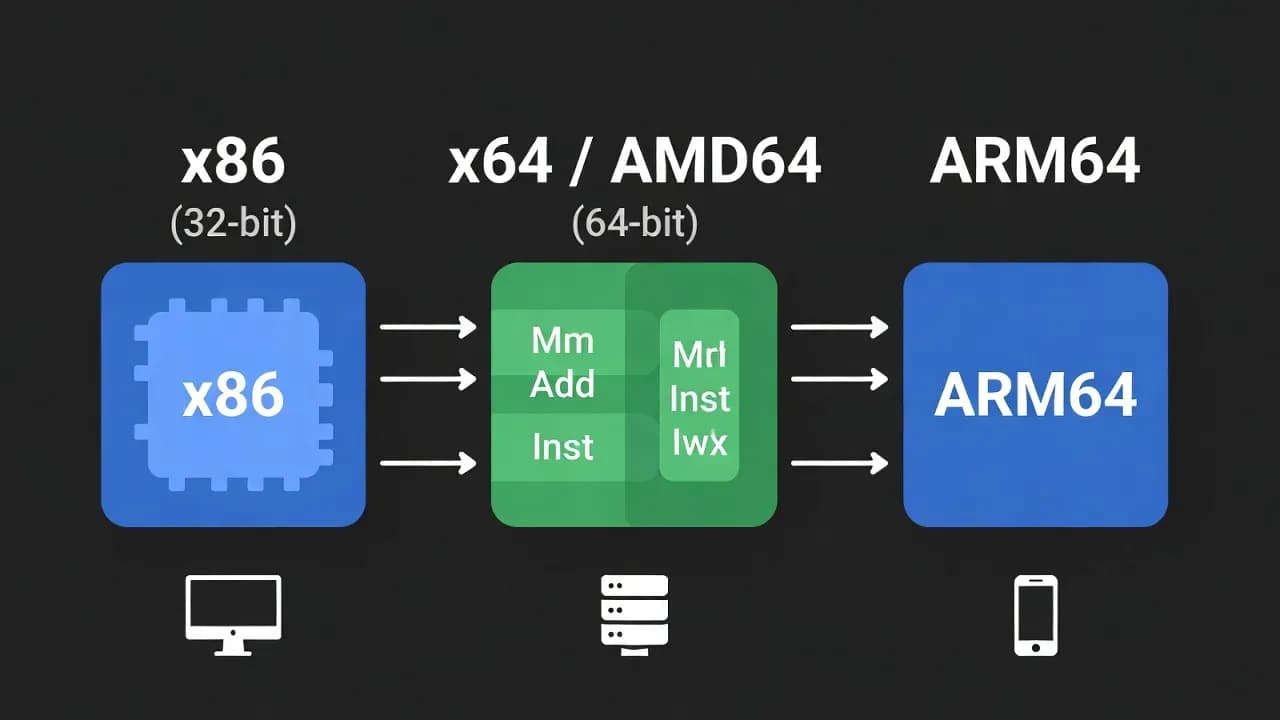
CPU Architectures Explained: x86, x64, ARM64 and Modern Computing
CPU architectures determine how processors interpret instructions and handle memory, impacting performance, compatibility, and efficiency in devices from smartphones to PCs and servers. This guide breaks down key architectures - x86, x64 (AMD64), ARM64 - explains why they matter, and helps you choose the right platform or software build for your system.

Introduction
Central Processing Unit (CPU) architecture defines the fundamental "language" a processor understands - from how it executes instructions to how it accesses memory and interacts with software. When downloading software or operating system images, you've likely seen terms like x86, x64, AMD64, i386, or ARM64. These labels signal the underlying instruction set architecture (ISA) that a processor uses and are essential for compatibility and optimal performance. Understanding these differences is crucial for developers, system administrators, and anyone interested in how modern computing works.
What Is CPU Architecture
A CPU architecture determines the internal organization of a processor and its instruction set - the rules that define how machine code operates on the hardware. Key aspects include:
- Instruction Set Architecture (ISA): Defines the set of commands the CPU can execute.
- Register width (32-bit vs 64-bit): Affects how much data can be processed per instruction and the maximum addressable memory.
- Design philosophy: CISC (Complex Instruction Set Computing) versus RISC (Reduced Instruction Set Computing).
These factors influence how software must be compiled and optimized for a specific platform. Software built for one architecture generally won't run on another without recompilation or emulation.
x86 (32-bit) Architecture
The x86 architecture traces its roots to early Intel processors like the 8086 and 80386, which established a 32-bit instruction set still found in legacy systems today. This architecture uses a CISC approach, meaning the processor supports many complex instructions capable of performing multiple operations.
In the 32-bit mode:
- The processor handles 32-bit integers and pointers.
- Memory addressing is limited to around 4 GB of RAM due to the 32-bit address space limit.
While largely legacy today, 32-bit (represented in software often as x86 or i386) remains important for compatibility with older applications and embedded systems.
x64 / AMD64 (64-bit) Architecture
The x64 architecture (also known as x86-64, AMD64, or Intel64) represents an extension of the traditional x86 ISA to 64 bits. Originally developed by AMD and later adopted by Intel, this architecture can handle significantly larger data sizes and memory spaces than 32-bit counterparts, making it the de facto standard for modern desktops, laptops, and servers.
Key advantages of x64 / AMD64:
- 64-bit registers and addressing: Supports vastly more than 4 GB of RAM.
- Backward compatibility: Can run most 32-bit software natively in compatibility modes.
- Expanded instruction set and registers: Enhances performance for compute-intensive applications.
This architecture maintains backward compatibility with legacy x86 code, which simplifies software support across generations of processors.
ARM64 Architecture
ARM64 (also known as AArch64) is the 64-bit evolution of the ARM ISA, designed around RISC principles. Unlike CISC, RISC achieves efficiency through a smaller set of simpler instructions that can be executed with lower power consumption - a key reason why ARM architectures dominate mobile and energy-constrained devices like smartphones, tablets, and increasingly laptops and servers.
ARM64's strengths include:
- High energy efficiency: Ideal for battery-powered and embedded devices.
- 64-bit data paths and registers: Supports large amounts of memory and improved performance.
- Scalability: Used in modern Apple Silicon Macs, Windows on ARM devices, and cloud servers.
ARM64 has grown beyond mobile into general-purpose computing, blending performance and power advantages.
Comparing CPU Architectures
CPU architectures differ not only in bit width but in instruction design and ecosystem:
| Feature | x86 (32-bit) | x64 / AMD64 | ARM64 |
|---|---|---|---|
| Bit width | 32-bit | 64-bit | 64-bit |
| Instruction set | CISC | CISC | RISC |
| Memory support | ≈4 GB | Very large (>4 GB) | Very large |
| Typical usage | Legacy PCs/embedded | Modern PCs/servers | Mobile/low-power/modern laptops |
| Backward compatibility | Limited | Strong (runs 32-bit) | Varies by OS/tooling |
Understanding these differences helps in choosing the right software build or hardware platform for your use case.
Why It Matters Today
CPU architectures impact:
- Performance: 64-bit processors can handle larger datasets and more complex calculations.
- Compatibility: Software must match the underlying ISA or be translated/emulated.
- Efficiency: RISC-based architectures like ARM64 often provide better performance per watt.
Modern operating systems and applications are primarily compiled for 64-bit platforms, reflecting performance and security advantages over older 32-bit designs.
Conclusion
CPU architecture underpins every aspect of computing - from memory limits and performance to software compatibility and energy efficiency. Whether you're choosing the right download for your system, building software, or evaluating hardware, recognizing the differences between x86, x64/AMD64, and ARM64 ensures you make informed decisions appropriate to your device and workload.


Comments
Want to join the discussion?
Create an account to unlock exclusive member content, save your favorite articles, and join our community of IT professionals.
New here? Create a free account to get started.