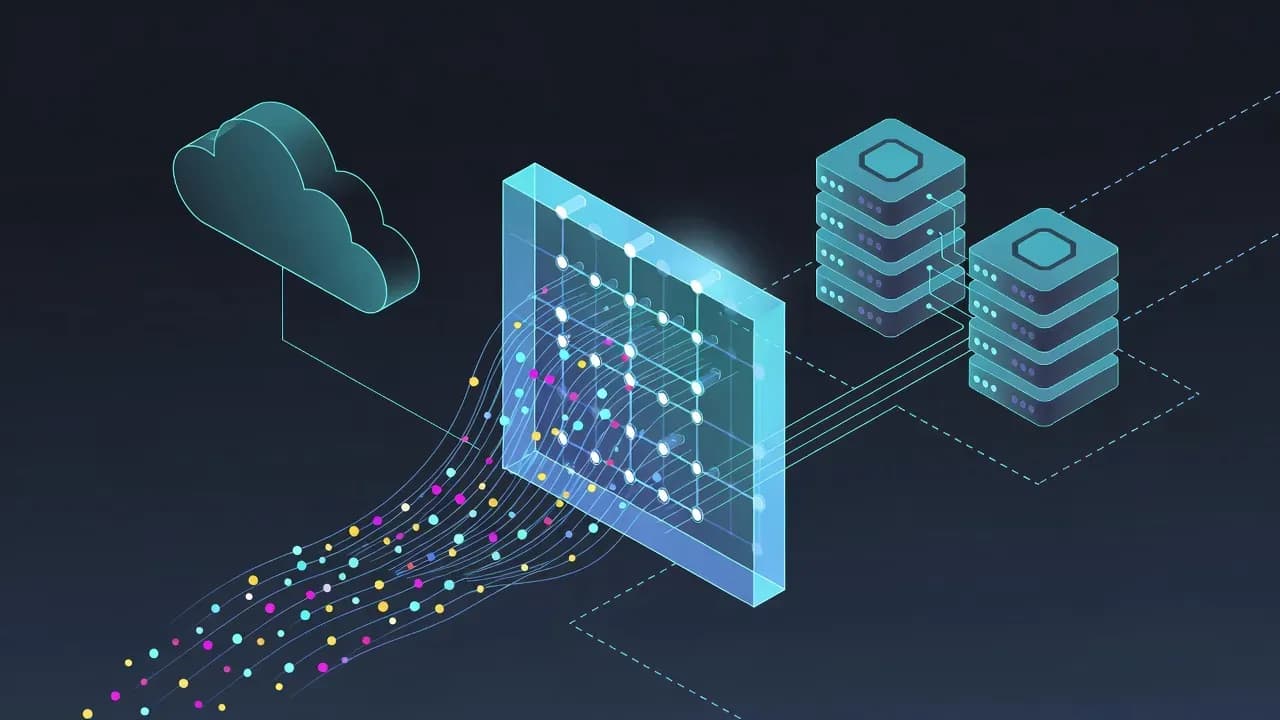
What Is a Firewall and How It Protects Networks
Firewalls remain a foundational security control for modern IT environments. From enterprise networks to cloud infrastructures, they regulate traffic, block malicious activity, and enforce security policies. This explanation breaks down what a firewall is, how it works, the main types in use today, and why it remains essential despite the rise of cloud services and zero trust architectures.

What Is a Firewall?
A firewall is a security system designed to monitor and control network traffic based on predefined rules. It acts as a barrier between trusted systems and untrusted networks, such as the internet. By inspecting data flows entering or leaving a network, a firewall allows legitimate communications while blocking malicious or unauthorized activity.
Firewalls are used across enterprise networks, cloud platforms, data centers, and endpoint devices. They are a core component of modern cybersecurity architectures and remain essential even as threats and infrastructures evolve.
How a Firewall Works
At a technical level, a firewall analyzes network traffic and applies a set of security rules to determine whether packets should be allowed, rejected, or logged.
Traffic Inspection
Firewalls inspect traffic using multiple attributes, including:
- Source and destination IP addresses
- Port numbers and protocols
- Connection state and session behavior
- Application-level metadata, depending on the firewall type
Based on this inspection, the firewall enforces policies that define what is permitted or denied.
Rule-Based Decision Making
Firewall rules are typically defined by administrators and follow a logical order. When traffic matches a rule, the associated action is applied. If no rule matches, traffic is usually blocked by default, following a “deny by default” security principle.
Main Types of Firewalls
Firewalls are not a single technology. Several types exist, each designed to address different security needs.
Packet-Filtering Firewalls
Packet-filtering firewalls are the most basic type. They examine individual packets and allow or block them based on simple criteria such as IP address and port number. They are fast but limited, as they do not understand connection context or application behavior.
Stateful Inspection Firewalls
Stateful firewalls track the state of active connections. Instead of evaluating packets in isolation, they understand whether traffic is part of an established, legitimate session. This approach significantly improves security compared to basic packet filtering.
Application-Layer Firewalls
Application-layer firewalls operate at higher layers of the network stack. They inspect traffic at the application level and can enforce granular rules based on specific services or protocols. This allows more precise control but requires greater processing resources.
Next-Generation Firewalls (NGFW)
Next-generation firewalls combine traditional firewall capabilities with advanced security features. These may include deep packet inspection, intrusion prevention, application awareness, and encrypted traffic analysis. NGFWs are commonly deployed in enterprise and cloud environments.
Firewall Deployment Models
Firewalls can be deployed in different ways depending on the infrastructure.
Network-Based Firewalls
Network firewalls protect entire segments of a network. They are typically positioned at the network perimeter or between internal zones to control east-west and north-south traffic.
Host-Based Firewalls
Host-based firewalls run directly on individual systems such as servers or workstations. They provide protection even when devices are outside the corporate network and are often used alongside network firewalls.
Cloud and Virtual Firewalls
In cloud environments, firewalls are implemented as virtual or managed services. They enforce security policies for cloud workloads and hybrid infrastructures without relying on physical hardware.
What Threats Do Firewalls Help Prevent?
Firewalls are designed to reduce exposure to a wide range of threats, including:
- Unauthorized network access
- Exploitation of exposed services
- Malware command-and-control communications
- Lateral movement within internal networks
- Certain types of denial-of-service activity
While firewalls are not a complete security solution, they significantly reduce attack surfaces when properly configured.
Limitations of Firewalls
Despite their importance, firewalls have limitations. They cannot protect against threats that bypass network controls, such as compromised credentials or malicious insiders. Encrypted traffic can also limit visibility if not properly inspected.
For this reason, firewalls are most effective when combined with additional controls such as identity management, endpoint protection, monitoring, and incident response capabilities.
Why Firewalls Still Matter Today
Even with the adoption of cloud computing and zero trust models, firewalls remain relevant. They enforce segmentation, control traffic flows, and provide visibility into network behavior. Modern architectures rely on firewalls as one layer within a broader, defense-in-depth security strategy.
Organizations that remove or misconfigure firewall controls often expose critical systems to unnecessary risk. When correctly deployed and maintained, firewalls continue to play a central role in protecting digital assets.
Frequently Asked Questions
A firewall monitors and controls incoming and outgoing network traffic. It applies security rules to allow legitimate communications and block unauthorized or potentially malicious connections between networks.
A firewall can be either. Hardware firewalls protect entire networks, while software firewalls run on individual systems such as servers or workstations. Many environments use both together.
No. A firewall reduces exposure by blocking unauthorized access and limiting attack surfaces, but it cannot prevent all threats. Attacks involving stolen credentials, insider activity, or malicious user actions require additional security controls.
A firewall controls network traffic and access, while antivirus software detects and removes malicious code on a system. They serve different purposes and are most effective when used together.

Comments
Want to join the discussion?
Create an account to unlock exclusive member content, save your favorite articles, and join our community of IT professionals.
New here? Create a free account to get started.