What Is a VPN and How It Protects Online Traffic
Virtual private networks are widely used to secure internet connections and protect data in transit. By encrypting traffic and masking IP addresses, VPNs reduce exposure to interception and unauthorized monitoring. This explanation details what a VPN is, how it operates, the different types in use today, and why VPNs remain relevant for both individuals and organizations.

What Is a VPN?
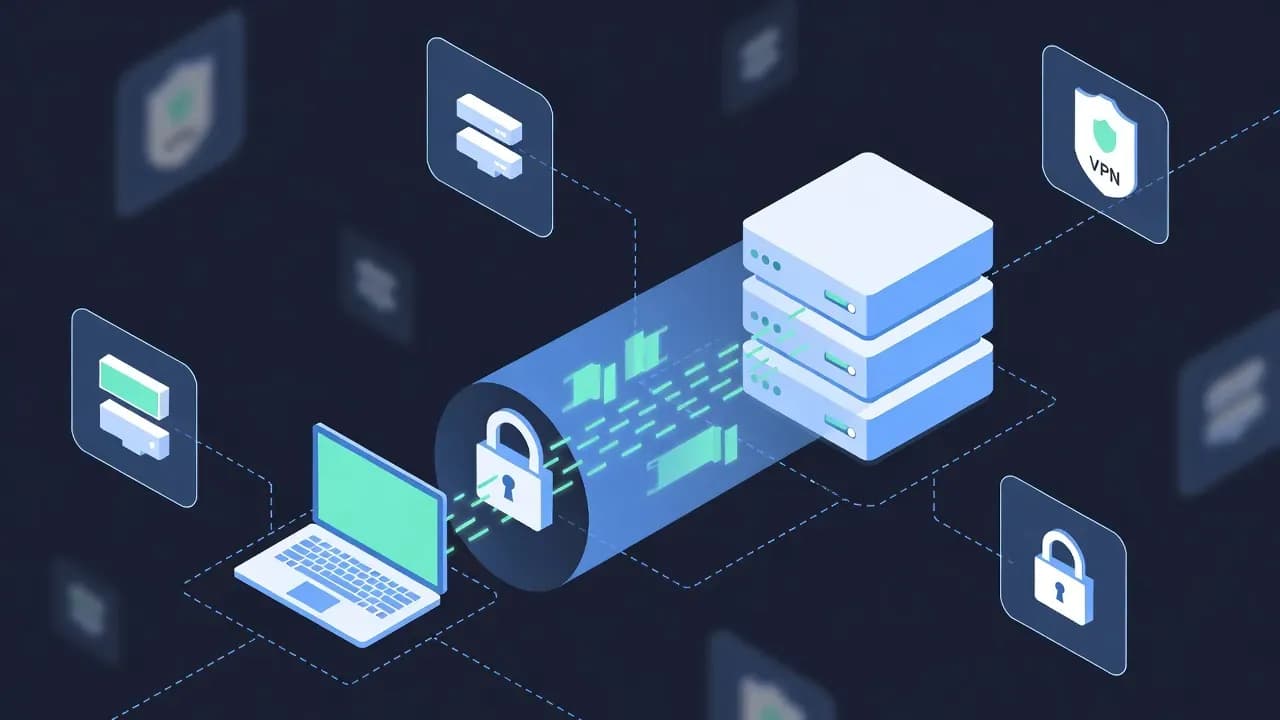
A virtual private network, or VPN, is a technology that creates an encrypted connection between a user’s device and a remote server. This secure tunnel protects data as it travels across untrusted networks such as the public internet.
VPNs are used to secure communications, protect sensitive data, and control access to private resources. They are commonly deployed by organizations to support remote access and by individuals to enhance privacy and security online.
How a VPN Works
A VPN functions by redirecting network traffic through a secure tunnel and applying encryption before data leaves the user’s device.
Encrypted Tunneling
When a VPN connection is established, traffic is encapsulated and encrypted. This process prevents third parties from reading or altering data while it is in transit. Even if traffic is intercepted, the encrypted content remains unreadable without the correct cryptographic keys.
IP Address Masking
VPN servers act as intermediaries between the user and the internet. External services see the VPN server’s IP address instead of the user’s real one. This limits exposure of the user’s network location and reduces tracking based on IP addresses.
Authentication and Access Control
VPNs require authentication before allowing connections. Depending on the configuration, authentication may rely on credentials, certificates, or multi-factor mechanisms. This ensures that only authorized users can access protected networks or services.
Common Types of VPNs
VPN technologies vary based on their intended use and deployment model.
Remote Access VPN
Remote access VPNs allow individual users to securely connect to a private network from outside locations. This model is widely used for remote work and secure access to internal systems.
Site-to-Site VPN
Site-to-site VPNs connect entire networks to each other over the internet. They are commonly used to link branch offices, data centers, or cloud environments securely.
Client-Based and Clientless VPNs
Client-based VPNs require dedicated software installed on the user’s device. Clientless VPNs rely on web browsers and are typically limited to specific applications or services.
What VPNs Protect Against
VPNs help reduce exposure to several risks, including:
- Network eavesdropping on public or untrusted networks
- Data interception during transmission
- Unauthorized access to internal resources
- IP-based tracking and profiling
VPNs are particularly useful on public Wi-Fi networks, where traffic is more vulnerable to interception.
Limitations of VPNs
While VPNs improve security, they are not a complete protection solution. VPNs do not prevent malware infections, phishing attacks, or data breaches caused by compromised credentials. Traffic is protected in transit, but endpoints and servers must still be secured.
Additionally, VPN performance depends on server capacity, encryption overhead, and network latency. Misconfiguration can also introduce security gaps.
Why VPNs Still Matter Today
Despite the adoption of cloud services and zero trust architectures, VPNs remain relevant. They provide encrypted transport, controlled access, and network-level protection for many use cases.
Modern security strategies often integrate VPNs with identity controls, monitoring, and endpoint protection. When properly configured, VPNs continue to play an important role in protecting data and enabling secure connectivity across distributed IT environments.
Frequently Asked Questions
A VPN encrypts internet traffic and routes it through a secure server, protecting data in transit and reducing exposure to interception on untrusted networks.
Yes. When connected to a VPN, external services see the IP address of the VPN server rather than the user’s original IP address.
No. A VPN secures data in transit and controls access to networks, while a firewall filters and blocks network traffic based on security rules. They serve different but complementary roles.
No. A VPN does not stop phishing attacks or malware infections. It protects network traffic but does not replace endpoint security or user awareness.
Yes. VPNs are widely used for remote access, site-to-site connectivity, and secure communication between on-premises and cloud environments.

Comments
Want to join the discussion?
Create an account to unlock exclusive member content, save your favorite articles, and join our community of IT professionals.
New here? Create a free account to get started.