

Microsoft ships out-of-band Windows updates to fix September Patch Tuesday bugs
The September 14 updates are cumulative, so admins can deploy them without installing the September 8 rollup first, but one audio symptom is still unfixed.

On this page
Key takeaways
- The out-of-band updates shipped on September 14, 2026: KB5129195 for Windows 11 24H2 and 25H2, KB5129194 for 26H1, KB5129242 for 23H2, KB5129236 for Windows 10 21H2 and 22H2, KB5129235 for Windows Server 2025 and KB5129237 for Windows Server 2022.
- They fix the Remote Desktop Services instability and the Hyper-V Plan9 host folder sharing failure introduced by the September 8 security updates.
- The USB Audio Class 1.0 regression is only partly fixed: 8-channel and 3D audio modes work again, but Code 10 errors and silent devices remain open.
- Each update is cumulative, so it supersedes the September 8 rollup and can be installed on its own.
- Windows 11 24H2, 25H2 and 26H1 get the update as a security update, with protections for CVE-2026-62721 and CVE-2026-85921 added on 26H1.
What to do now
High urgency- Deploy the September 14 out-of-band update for each affected branch, starting with RDS session hosts and Hyper-V hosts.
- Reinstate the September security updates on any machine where they were removed, by installing the cumulative out-of-band package.
- Retest RDP connectivity, the RDS Licensing Diagnoser and Plan9 shared folders after patching.
- Keep tracking the release health entry for the unresolved USB Audio Class 1.0 symptoms.
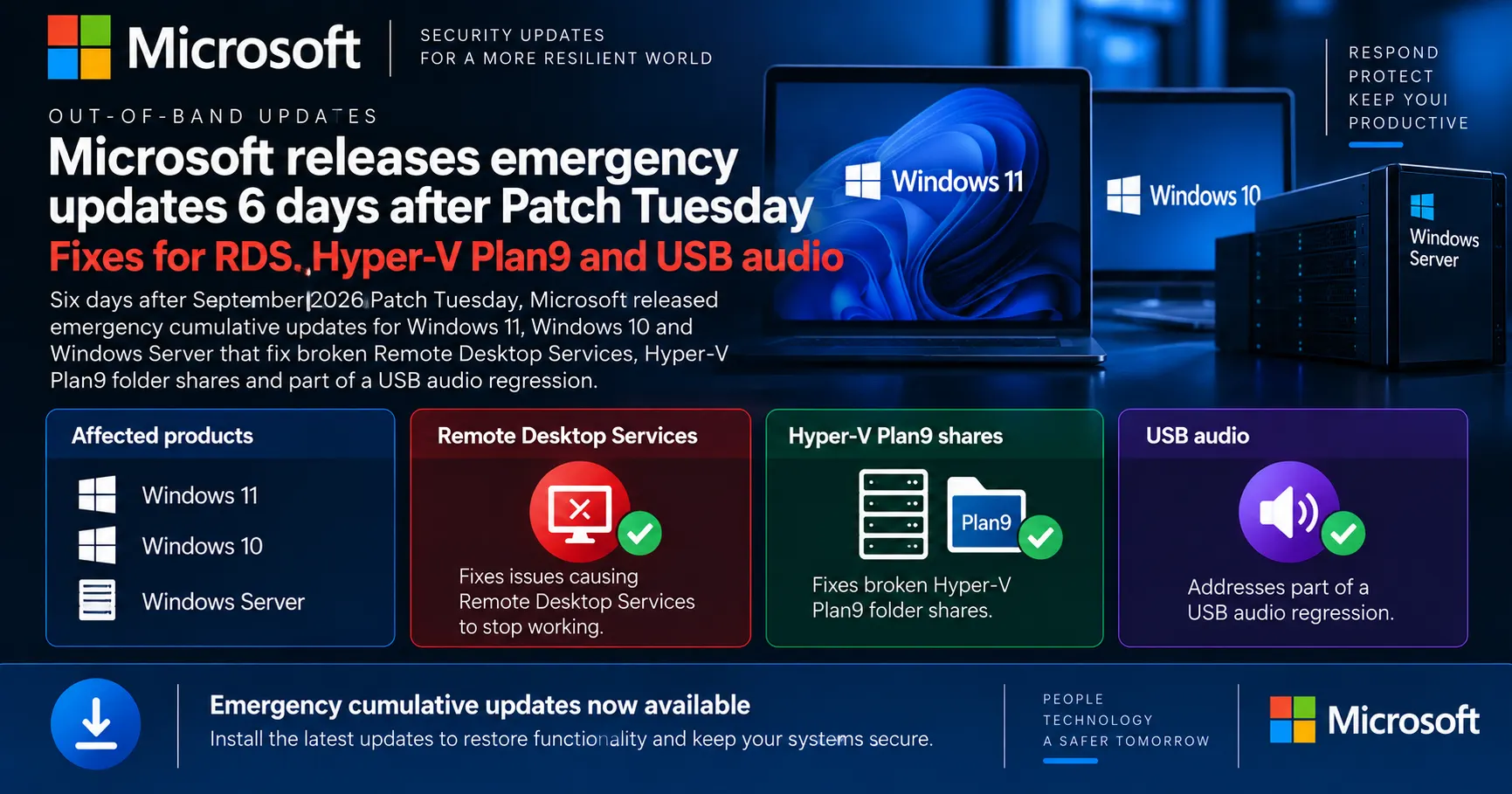
Microsoft released out-of-band cumulative updates for Windows 11, Windows 10 and Windows Server on September 14, 2026, six days after its September Patch Tuesday rollup broke Remote Desktop Services, host folder sharing in Hyper-V-based Linux virtual machines and some USB audio devices. The emergency updates are cumulative, so they can be installed directly on machines that never took the September 8 rollup, and they also carry a fresh security fix of their own.
For admins running session hosts or jump servers, this is the release that ends a week of choosing between working Remote Desktop and this month's security patches. Rolling back the September update was the only mitigation for the worst symptom, and rolling back meant sitting unpatched.
Microsoft has released emergency out-of-band updates across Windows client and server branches to repair Remote Desktop, Hyper-V and audio regressions caused by its September 2026 Patch Tuesday rollup.
Install the September 14 out-of-band update for your branch. It fixes the RDS hangs and the Plan9 folder sharing bug, replaces the September 8 rollup, and adds a fix for CVE-2026-62721. One USB audio symptom is still unresolved.
Affected & context
On September 14, 2026, Microsoft released out-of-band cumulative updates for supported Windows 11, Windows 10 and Windows Server branches to fix regressions introduced by the September 8, 2026 security updates, including Remote Desktop Services instability, broken Plan9 host folder shares in Hyper-V-based Linux VMs and USB Audio Class 1.0 failures.
The RDS regression hit session hosts and jump servers in production, and the only workaround before this release was to remove the September security updates, which left machines unpatched.
Organisations running Windows 11 (26H1, 25H2, 24H2, 23H2), Windows 10 (22H2, 21H2 and LTSC branches) and Windows Server 2012 through 2025, with the sharpest impact on RDS session hosts, Hyper-V hosts using Plan9 shares and users of USB Audio Class 1.0 devices.
- Vendors
- Microsoft
- Products
- Windows 11 26H1Windows 11 25H2Windows 11 24H2Windows 11 23H2Windows 10 22H2Windows Server 2025Windows Server 2022Remote Desktop ServicesHyper-V
- Geography
- global
- Industry
- IT servicesmanaged servicesenterprise IT
- CVEs
- CVE-2026-62721CVE-2026-85921
What Microsoft released on September 14
Microsoft published out-of-band cumulative updates for every serviced Windows branch on September 14, 2026, six days after the September Patch Tuesday rollup. The releases repair three regressions that the September 8 updates introduced: Remote Desktop Services instability, host folder shares failing in Hyper-V-based Linux virtual machines, and failures on USB Audio Class 1.0 devices.
An out-of-band update is any fix Microsoft ships outside the monthly Patch Tuesday cadence. These ones are cumulative, which means each supersedes the September 8 rollup for its branch. A machine that never installed the buggy update can take the September 14 one directly and still get the month's security content.
The Windows 11 24H2, 25H2 and 26H1 packages are classified as security updates and install automatically through Windows Update under default policies. Per Microsoft's KB5129195 article, they also include protections for CVE-2026-62721, a Windows User-Mode Power Service elevation of privilege flaw. Windows 11 26H1 gets one more: CVE-2026-85921, a Windows Secure Kernel Mode elevation of privilege issue.
Which KB applies to which branch
Microsoft shipped a separate package per servicing branch. The ones confirmed in its update history are:
- Windows 11 24H2 and 25H2: KB5129195, builds 26100.9457 and 26200.9457
- Windows 11 26H1: KB5129194, build 28000.2956
- Windows 11 23H2: KB5129242, build 22631.7584
- Windows 10 21H2 and 22H2: KB5129236, builds 19044.7727 and 19045.7727
- Windows Server 2025: KB5129235, build 26100.33451
- Windows Server 2022: KB5129237, build 20348.5631
The underlying RDS known issue reaches further than that list. Microsoft's release health entry marks it as affecting Windows 11 26H1 through 23H2, Windows 10 22H2 and 21H2, the LTSC 2019 and LTSC 2016 branches, and Windows Server from 2012 through 2025. If you run Server 2019 or 2016, check your branch's update history for the matching September 14 package rather than assuming the ones above apply.
Distribution is the usual set: Windows Update, Windows Update for Business, the Microsoft Update Catalog and WSUS.
The three bugs, in Microsoft's own terms
The Remote Desktop Services fault is the serious one. Per Microsoft's known issue entry, RDS could become unstable after the September update, with RDP connections dropping after several minutes, sign-in failures, and servers hanging at the Remote Desktop Configuration prompt. Management tools went down with it: MMC, the RDS Licensing Diagnoser and File Explorer could stop responding, and the Windows Update page could spin on a loading indicator.
The Hyper-V fault is narrower but awkward. Applications using HCS-managed virtual machines lost Plan9 host folder shares, so folders shared from the Windows host didn't appear in the Linux guest. Microsoft names WSL and Claude Cowork as two affected applications. Standard Hyper-V VMs that don't use Plan9 were never in scope.
The audio fault covers USB Audio Class 1.0 devices only. Symptoms ranged from a Code 10 error in Device Manager to no output at all, unresponsive volume controls and dead sound settings.
Why this one stung more than a typical regression
Breaking RDS breaks the tool admins use to fix everything else. Reports collected by gHacks on September 13 described Windows Server 2019, 2022 and 2025 hosts running normally for a few hours after patching, then refusing connections, with some machines needing a hard reset to recover.
That left a bad choice. Uninstalling the September update restored Remote Desktop, but it also removed the month's security fixes from a server that terminates user sessions. Keeping the update meant living with an unreliable session host. Microsoft's only documented interim step was a Group Policy mitigation.
If you applied the Group Policy mitigation
Microsoft's release health entry states that administrators who deployed the temporary Group Policy mitigation for the RDS issue don't need to undo it before installing the out-of-band update.
This is also the second bruising patch cycle of 2026. January's rollup forced two emergency updates in eight days after it broke shutdown, Remote Desktop sign-in and cloud-backed file access.
How to deploy it
Treat this like any expedited cumulative update, with one shortcut: because it supersedes the September 8 rollup, you don't need to stage that release first on machines you deliberately held back.
A reasonable order of operations:
- Patch RDS session hosts, jump servers and Hyper-V hosts first. They carry the symptoms with the widest blast radius.
- Pull the package from the Microsoft Update Catalog if you're deploying through WSUS or a third-party RMM rather than waiting on Windows Update for Business rings.
- Retest what broke: an RDP session through the gateway, the RDS Licensing Diagnoser, and a Plan9 share inside a WSL or HCS-managed Linux VM.
- Leave USB audio devices for last, since the fix there is only partial.
One detail worth checking before you approve it in WSUS: Windows Report says Windows 11 23H2 and Windows 10 22H2 ESU devices receive this as an optional non-security update rather than an automatic one, which changes how it flows through approval rules. Confirm the classification in your own catalog sync.
What's still open
The USB audio regression isn't finished. Microsoft states that the out-of-band update resolves the symptoms on devices using 8-channel or 3D audio modes, and that it's still working on the rest. Devices showing a Code 10 error, no output, or dead volume controls are still waiting. Some users restored sound by switching to 2-channel mode, and Microsoft points administrators who need an immediate workaround for the remaining symptoms to Microsoft Support for Business.
Microsoft's own KB references disagree
The KB5129195 page, which covers Windows 11 24H2 and 25H2, cites KB5122880 as the September security update behind the RDS issue, while the release health page for 24H2 cites KB5124008. The fix is the same either way, but don't treat these cross-references as authoritative when reconciling build numbers.
Watch for the October rollup to fold all of this in, and for a separate fix covering the remaining audio symptoms.
Timeline
September Patch Tuesday updates ship
Microsoft releases the September 2026 security updates across Windows client and server branches, including KB5124008 for Windows 11 24H2 and 25H2, KB5124012 for 26H1, KB5122880 for 23H2, KB5122871 for Windows Server 2025 and KB5122882 for Windows Server 2022.
Source: Microsoft Support update history
Confidence: High
Admins report Remote Desktop failures on production servers
Reports describe RDS breaking on Windows Server 2019, 2022 and 2025 a few hours after the update installs, with some hosts needing a hard reset. Microsoft says it is investigating, and rolling the update back restores RDS at the cost of the month's security fixes.
Source: gHacks Tech News
Confidence: Medium
Microsoft releases out-of-band updates
Emergency cumulative updates land for Windows 11 26H1, 25H2, 24H2 and 23H2, Windows 10 21H2 and 22H2, and Windows Server branches. They resolve the RDS and Hyper-V Plan9 issues and partially resolve the USB audio issue.
Source: Microsoft Support KB5129195
Confidence: High
Impact
Until September 14, organisations running the September rollup faced unstable Remote Desktop Services, missing Plan9 host folder shares in Linux VMs and non-functional USB audio devices, with no fix short of removing the month's security updates.
Business impact
Remote workers and hosted desktop users could lose access to session hosts, and recovery sometimes required a hard reset of a production server.
Technical impact
RDP connection and sign-in failures, unresponsive MMC and File Explorer, missing Plan9 shares in HCS-managed Linux VMs, and USB audio devices failing to start.
Security impact
The documented workaround before the fix was to uninstall the September security updates, leaving devices without that month's protections. The out-of-band packages also add CVE-2026-62721 protections, with CVE-2026-85921 on 26H1.
Affected audience: IT administrators managing RDS session hosts, MSPs patching mixed Windows client and server fleets, Developers using WSL or HCS-managed Linux VMs, End users with USB Audio Class 1.0 devices
Action required.
Technical details
- CVEs
- CVE-2026-62721, CVE-2026-85921
- Patched versions
- Windows 11 24H2 build 26100.9457, Windows 11 25H2 build 26200.9457, Windows 11 26H1 build 28000.2956, Windows 11 23H2 build 22631.7584, Windows 10 22H2 build 19045.7727, Windows Server 2025 build 26100.33451, Windows Server 2022 build 20348.5631
Mitigations
- Install the September 14, 2026 out-of-band cumulative update for the affected branch.
- For the remaining USB audio symptoms, some users restored output by switching the device to 2-channel mode.
Workarounds
- Microsoft published a Group Policy mitigation for the RDS issue; it does not need to be reverted before installing the out-of-band update.
Technical references
Response
Vendor statement
Microsoft documented the regressions as known issues on the Windows release health dashboard and in the September 8 KB articles, then published out-of-band cumulative updates on September 14, 2026. It says it is still working on the remaining USB Audio Class 1.0 symptoms.
Customer guidance
Microsoft recommends installing the latest available update, notes that the out-of-band packages are cumulative and include all prior security protections, and tells administrators who need an immediate workaround for the unresolved audio symptoms to contact Microsoft Support for Business.
Response status: Patched
Patch available: Yes
Workaround available: Yes
FAQ
Do I need to install the September 8 update before the out-of-band one?
No. The September 14 packages are cumulative, so each one supersedes the September 8 rollup for its branch. A device that skipped Patch Tuesday can install the out-of-band update directly and still receive the month's security content.
Which KB do I need for my Windows version?
KB5129195 covers Windows 11 24H2 and 25H2, KB5129194 covers 26H1, KB5129242 covers 23H2, KB5129236 covers Windows 10 21H2 and 22H2, KB5129235 covers Windows Server 2025 and KB5129237 covers Windows Server 2022. Other server branches should check their own update history for the September 14 package.
Does this fix the USB audio problem completely?
No. Microsoft says the update resolves the symptoms on devices using 8-channel or 3D audio modes only. Devices reporting a Code 10 error in Device Manager, producing no output, or showing unresponsive volume controls are still affected while Microsoft works on a further fix.
I removed the September update to get Remote Desktop working. What now?
Install the September 14 out-of-band update for that branch. Because it is cumulative, it restores the security fixes you removed and includes the Remote Desktop Services repair in the same package.
Do I have to undo the Group Policy mitigation first?
No. Microsoft's release health entry states that administrators who deployed the temporary Group Policy mitigation do not need to take any action before installing the out-of-band update.
The bottom line
Microsoft's September 14, 2026 out-of-band updates repair the Remote Desktop Services and Hyper-V Plan9 regressions from the September 8 rollup, add a fix for CVE-2026-62721, and partially address a USB audio bug.
Install the September 14 package for your branch as an expedited cumulative update, prioritising RDS session hosts and Hyper-V hosts, and verify the fixes rather than assuming them.
What happens next
Watch the release health dashboard for a fix covering the remaining USB Audio Class 1.0 symptoms, and expect the October rollup to carry all of these changes forward.
What to do
Identify the matching KB for every branch in your fleet, approve it in your patching tool, and retest Remote Desktop and shared folders afterwards.
Sources
Microsoft · Sep 14, 2026 · Primary source
Microsoft · Sep 14, 2026 · Primary source
Microsoft · Sep 14, 2026 · Primary source
Microsoft · Primary source
Microsoft · Primary source
gHacks Tech News · Sep 13, 2026
Neowin · Sep 14, 2026
Windows Report · Sep 14, 2026
Reader feedback
Written reviews
Loading reviews…