

Microsoft confirms August update causes 0xc0000409 errors on Windows Server 2016
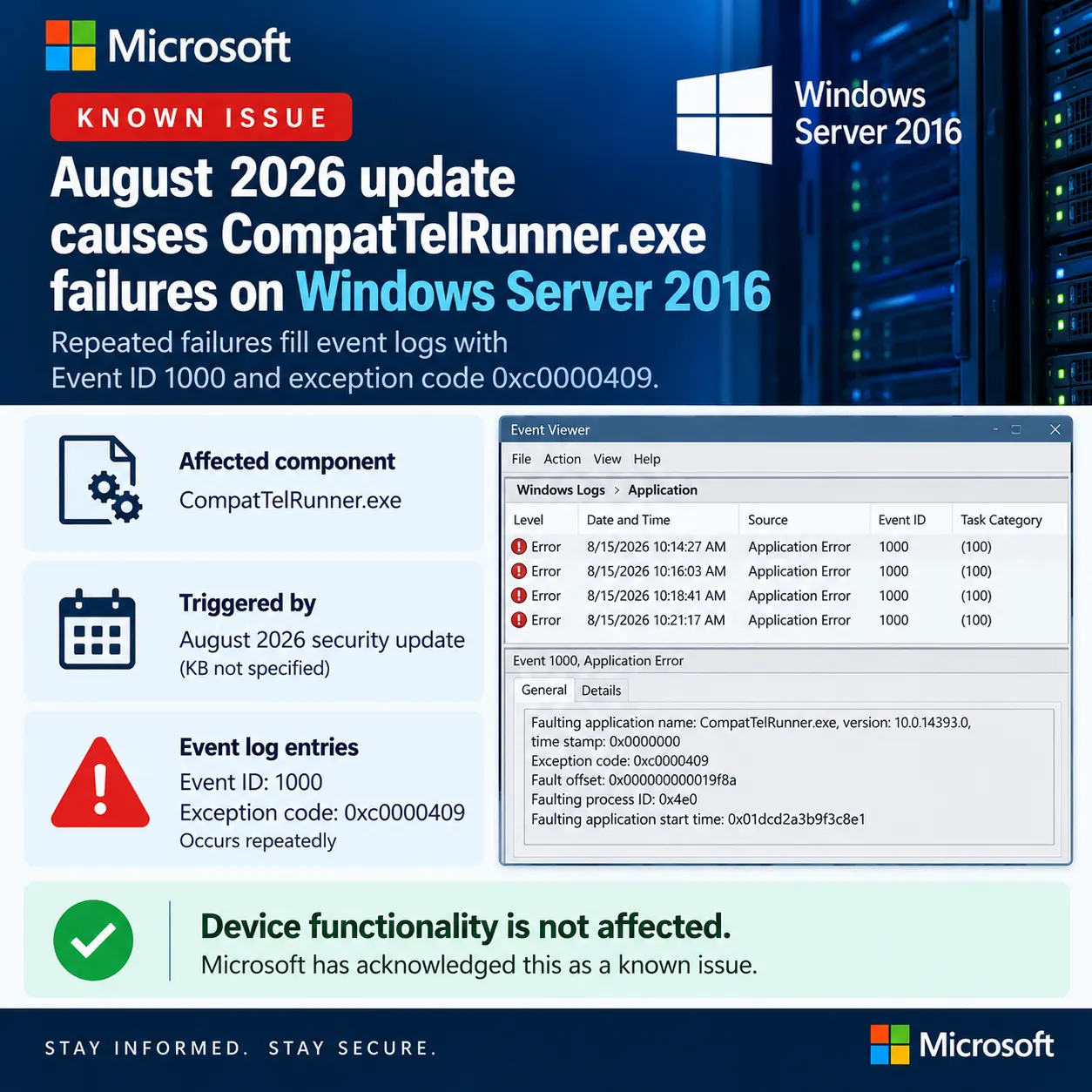
The August 2026 cumulative update leaves the Compatibility Appraiser telemetry process crashing on servers where that task is still enabled, and Microsoft has no fix date yet.

On this page
Key takeaways
- The originating update is KB5120418, released on 11 August 2026, taking Windows Server 2016 and Windows 10 version 1607 to OS build 14393.9418.
- Servers log Event ID 1000 with exception code 0xc0000409 against CompatTelRunner.exe, sometimes repeatedly.
- Only systems with the Compatibility Appraiser diagnostic task enabled are affected, on physical hosts and on VMware and Azure virtual machines alike.
- Microsoft says device functionality is unaffected and the events can be set aside until a resolution ships.
- No fix date has been given, and Windows Server 2016 reaches end of support on 12 January 2027.
What to do now
Low urgency- Check whether the Microsoft Compatibility Appraiser scheduled task is enabled on your Server 2016 hosts before investigating individual events.
- Scope monitoring suppression to Event ID 1000 where the faulting process is CompatTelRunner.exe, rather than muting Application Error events.
- Keep KB5120418 installed. Do not uninstall a security update to silence log entries.
- Track service alert WI1467310 in the Microsoft 365 admin center for the fix announcement.
- Factor the 12 January 2027 end of support date into migration planning for remaining Server 2016 workloads.
Microsoft has confirmed that the August 2026 security update leaves some Windows Server 2016 systems logging repeated 0xc0000409 application crashes. On affected servers, CompatTelRunner.exe fails again and again, writing Application Error events, Event ID 1000, into the Windows Application log. The trigger is the Compatibility Appraiser diagnostic task, and Microsoft says the failures don't affect how the server works. There is no fix yet, only a promise of one in a later update.
For anyone still running Server 2016, this lands as log noise rather than an outage. The practical cost is alert fatigue: a 0xc0000409 exception looks like memory corruption, monitoring platforms treat it as such, and someone has to decide it can be ignored.
Microsoft says the August 2026 Windows security update makes CompatTelRunner.exe crash repeatedly on Windows Server 2016 with error 0xc0000409, without affecting server functionality.
KB5120418 breaks the Compatibility Appraiser telemetry process on Server 2016. Expect recurring Event ID 1000 entries with code 0xc0000409, no functional impact, and a fix at an unspecified later date. Filter the alerts rather than rolling back a security update.
Affected & context
Microsoft has confirmed a known issue in which Windows Server 2016 devices that installed the August 2026 security update log recurring Application Error events, Event ID 1000 with exception code 0xc0000409, tied to the CompatTelRunner.exe process. The issue appears only where the Compatibility Appraiser diagnostic task is enabled.
The crash code looks severe in Event Viewer and will trip monitoring rules, but Microsoft says nothing on the server actually breaks. Admins need to know which alerts to suppress and which to keep investigating.
Organisations still running Windows Server 2016, on physical hardware and on virtual machines including VMware and Azure guests, where the Compatibility Appraiser task remains enabled.
- Vendors
- Microsoft
- Products
- Windows Server 2016Windows 10 version 1607
- Geography
- Global
- Industry
- IT operationsManaged services
What Microsoft has confirmed
Microsoft has confirmed a known issue in which Windows Server 2016 systems log repeated 0xc0000409 application crashes after installing the August 2026 security update. The failing process is CompatTelRunner.exe, and each failure writes an Application Error entry, Event ID 1000, into the Windows Application log.
The condition is narrow. It appears only where the Compatibility Appraiser diagnostic task is enabled, which is the task that starts CompatTelRunner in the first place. Microsoft says the crashes produce log entries but don't change how the server behaves, and that the warnings can be set aside until a resolution ships.
The originating update is KB5120418, published on 11 August 2026, which moves Windows Server 2016 and Windows 10 version 1607 to OS build 14393.9418. Microsoft's release notes for that build confirm the date and the servicing branch.
What 0xc0000409 means on Windows Server 2016
0xc0000409 is defined in Windows as STATUS_STACK_BUFFER_OVERRUN, and the name is misleading. Microsoft's own engineering blog noted in 2023 that the code covers fast-fail terminations in general, with a subcode naming the specific check that failed. It isn't restricted to a stack buffer being overrun.
That distinction matters when reading the raw event. The text talks about a stack-based buffer overrun and a malicious user potentially gaining control of the application. On the evidence Microsoft has published, this is a defensive abort inside a telemetry binary.
CompatTelRunner.exe is the Compatibility Appraiser Telemetry Runner. The scheduled task that starts it, Microsoft Compatibility Appraiser, sits under Task Scheduler Library, Microsoft, Windows, Application Experience. It inventories hardware, drivers and installed software so Windows can judge whether a machine is ready for a feature update or a major cumulative update.
Read the event carefully
The event text mentions a stack-based buffer overrun. Here that wording reflects the error code's legacy name, not a security incident.
Who sees it
Microsoft scopes the issue to Windows Server 2016 and states that physical devices and virtual machines are both affected, calling out VMware and Azure environments specifically. This is not a hypervisor-specific fault.
The gating factor is the Compatibility Appraiser task. Estates that stripped diagnostic and telemetry tasks out of their server build, a common hardening step, won't see the events at all. Servers running close to the default configuration are the ones filling their logs.
Windows 10 version 1607 shares the same servicing branch and the same update. Microsoft's alert names Server 2016 rather than the client LTSB edition, so treat client-side impact as unconfirmed for now.
Why an ignorable bug still costs time
Microsoft's position is that nothing breaks, so the operational impact is confined to the Application log. That is still work for the teams who watch those logs.
Application Error events carrying a 0xc0000409 code are standard content for SIEM detection rules and RMM alert templates, because the same code shows up in genuine crashes and in some exploitation attempts. A recurring, benign source of that signal degrades the rule, and every ticket it opens has to be closed by hand.
For an MSP running Server 2016 across a client base, that multiplies. The realistic response is a scoped suppression, filtering Event ID 1000 where the faulting process is CompatTelRunner.exe, rather than muting Application Error events outright.
Where Microsoft published this, and where it didn't
The acknowledgement sits in a Windows release health service alert in the Microsoft 365 admin center, tracked as WI1467310. That surface requires tenant admin sign-in, so it reaches Microsoft 365 administrators and not the general public.
At the time of writing, the issue was not listed on the public Windows release health page for Windows 10 version 1607 and Windows Server 2016. That page was last updated on 19 June 2026 and still shows a single open known issue, the Recycle Bin filename dialog bug from June's KB5094122.
The gap matters. Server 2016 fleets are often managed by teams without a Microsoft 365 admin role, and for them the public page is the reference. A patch review process that reads only that page would have missed this.
What to do now
Microsoft has not published a workaround. Its guidance is to disregard the event log warnings until a resolution ships, which makes alert tuning the sensible first move.
Don't uninstall KB5120418. It's a security update for a platform in extended support, and trading patch level for log hygiene is a bad exchange on a server that reaches end of support on 12 January 2027.
Disabling the Microsoft Compatibility Appraiser scheduled task does stop CompatTelRunner from running, and some estates disable it already. Microsoft has not offered that as a fix here, so treat it as a local decision with its own cost to upgrade-readiness data, not as vendor guidance.
Don't roll back the update
KB5120418 is a security update. Filter the alerts in your monitoring platform rather than uninstalling it to quiet the log.
What happens next
Microsoft says a resolution will arrive in a future Windows update and has not committed to a date. The realistic checkpoints are the monthly cumulative updates for build 14393, starting with September's.
The wider pattern is worth tracking. Server 2016 has taken repeated servicing hits this year: Microsoft fixed a June 2026 known issue that caused security update installs to fail on systems that weren't already current. Separately, it recently warned that memory management changes on Windows Server 2025 can crash applications using Address Windowing Extensions.
With Server 2016 support ending on 12 January 2027, each of these is a reminder that the migration window is now measured in months. If you hold a Microsoft 365 admin role, follow WI1467310 directly for the fix announcement rather than waiting for the public page to catch up.
Timeline
August 2026 security update ships for Windows Server 2016
Microsoft releases KB5120418, taking Windows Server 2016 and Windows 10 version 1607 to OS build 14393.9418. This is the originating update for the known issue.
Source: Microsoft Support, KB5120418 release notes
Confidence: High
Microsoft acknowledges the CompatTelRunner crashes
A Windows release health service alert in the Microsoft 365 admin center, tracked as WI1467310, documents the recurring 0xc0000409 events on Server 2016 and states that device functionality is not affected. The alert was picked up publicly the same day.
Source: Microsoft 365 admin center, Windows release health alert WI1467310
Confidence: Medium
Impact
Windows Server 2016 systems that installed KB5120418 and still run the Compatibility Appraiser task log recurring application crashes. Microsoft reports no effect on server functionality, so the practical impact falls on monitoring and alerting rather than on services.
Business impact
Low. Time lost triaging false-positive alerts across Server 2016 fleets, with no reported service disruption.
Technical impact
Repeated CompatTelRunner.exe process terminations write Event ID 1000 entries with exception code 0xc0000409 into the Windows Application log. Compatibility appraisal data may be incomplete on affected servers while the process keeps failing.
Security impact
None reported. The error code's legacy name references a stack buffer overrun, but Microsoft has described the behaviour as a functional known issue rather than a security flaw.
Affected audience: Windows Server administrators, MSPs managing legacy server estates, SOC and monitoring teams
Action required.
Technical details
- Affected versions
- Windows Server 2016, OS build 14393.9418
Detection methods
- Windows Application log: Event ID 1000, Application Error, faulting process CompatTelRunner.exe, exception code 0xc0000409
Technical references
Response
Vendor statement
Microsoft has acknowledged the issue in a Windows release health service alert. It states that the recurring CompatTelRunner.exe failures can produce Application event log entries but do not affect device functionality, and that the warnings can be dismissed temporarily until a resolution ships in a later update.
Customer guidance
Microsoft advises affected customers to disregard the associated event log warnings until a fix is released. No workaround has been published.
Response status: Acknowledged
Patch available: No
Workaround available: No
Updates
Initial report
First publication, based on Microsoft's Windows release health service alert as relayed publicly, plus direct verification of the originating KB and the public Windows release health page.
FAQ
Is the 0xc0000409 error on Windows Server 2016 dangerous?
Microsoft says no. According to its service alert, the recurring CompatTelRunner.exe failures write Application Error events but leave server functionality intact. The error code's name refers to a stack buffer overrun, which is why it looks alarming, but 0xc0000409 is used for fast-fail process termination in general.
Which update causes the CompatTelRunner.exe crashes?
The August 2026 Windows security update for Windows Server 2016 and Windows 10 version 1607, released on 11 August 2026 as KB5120418. It takes affected systems to OS build 14393.9418.
Should I uninstall KB5120418 to stop the errors?
No. KB5120418 is a security update, and removing it to quiet log entries leaves the server exposed for a problem Microsoft describes as cosmetic. Filter the alerts in your monitoring platform instead and wait for the fix.
Why don't I see this issue on all my Windows Server 2016 machines?
The issue only affects servers where the Compatibility Appraiser diagnostic task is enabled. Builds that had diagnostic and telemetry scheduled tasks disabled during hardening will not run CompatTelRunner.exe and will not log the events.
When will Microsoft fix it?
Microsoft says a resolution will come in a future Windows update but has not given a date. Administrators with a Microsoft 365 admin role can follow service alert WI1467310 in the admin center for updates.
The bottom line
Microsoft has confirmed that KB5120418 makes CompatTelRunner.exe fail repeatedly on Windows Server 2016 where the Compatibility Appraiser task is enabled, producing Event ID 1000 entries with exception code 0xc0000409.
This is a logging problem, not an outage. Tune the alert, keep the patch, and treat the noise as one more argument for finishing the Server 2016 migration before January 2027.
What happens next
Watch the monthly cumulative updates for build 14393 for the fix, and follow service alert WI1467310 in the Microsoft 365 admin center. If the issue reaches the public Windows release health page, it will carry a status and last-updated timestamp there as well.
What to do
Scope a suppression rule for Event ID 1000 on CompatTelRunner.exe across your Server 2016 estate rather than triaging each alert.
Sources
BleepingComputer · Sep 8, 2026
Claims supported
- Microsoft acknowledged the known issue in a Windows release health service alert tracked as WI1467310
- The crashes appear only where the Compatibility Appraiser diagnostic task is enabled
- Physical devices and virtual machines are affected, including VMware and Azure environments
- Microsoft says device functionality is not affected and a fix will ship in a future update
Microsoft · Aug 11, 2026 · Primary source
Claims supported
- The August 2026 security update for Windows Server 2016 and Windows 10 version 1607 is KB5120418
- KB5120418 takes affected systems to OS build 14393.9418
Microsoft · Jun 19, 2026 · Primary source
Claims supported
- Windows Server 2016 reaches end of support on 12 January 2027
- The CompatTelRunner issue was not listed on the public release health page at the time of writing
- The only open known issue listed publicly was the Recycle Bin filename dialog bug from KB5094122
Microsoft DevBlogs · Jul 31, 2023
Claims supported
- 0xC0000409 is defined as STATUS_STACK_BUFFER_OVERRUN but is used for fast-fail terminations generally
- The exception subcode identifies the specific fast-fail check that triggered