

September Windows Server updates are breaking RDS session hosts
KB5122876, KB5122882 and KB5122871 are all implicated. Microsoft says it is investigating, and rolling back means giving up the largest Patch Tuesday it has ever shipped.

On this page
Key takeaways
- Windows Server 2019 (KB5122876), 2022 (KB5122882) and 2025 (KB5122871) are all implicated.
- Failures appear hours after installation, not immediately, so a post-patch smoke test will pass.
- One admin's debugging points to a deadlock between the RDP service and the Local Session Manager at logoff. Microsoft has not confirmed it.
- Uninstalling the update is the only reported fix, and it removes fixes for 966 flaws including two exploited zero-days.
- Microsoft told BleepingComputer it is investigating. The KB pages carried no acknowledged RDS issue as this was written.
What to do now
High urgency- Pause or block the September cumulative update on RDS session hosts not yet patched
- Monitor already-patched session hosts for sessions that will not log off
- Consider a scheduled nightly reboot as a temporary reset on affected hosts
- If you roll back, restrict RDP to an RD Gateway or VPN with MFA and set a date to reinstall
- Record which host is missing which update so you can re-patch cleanly once a fix ships
- Watch the KB pages for a known issue entry or a Known Issue Rollback
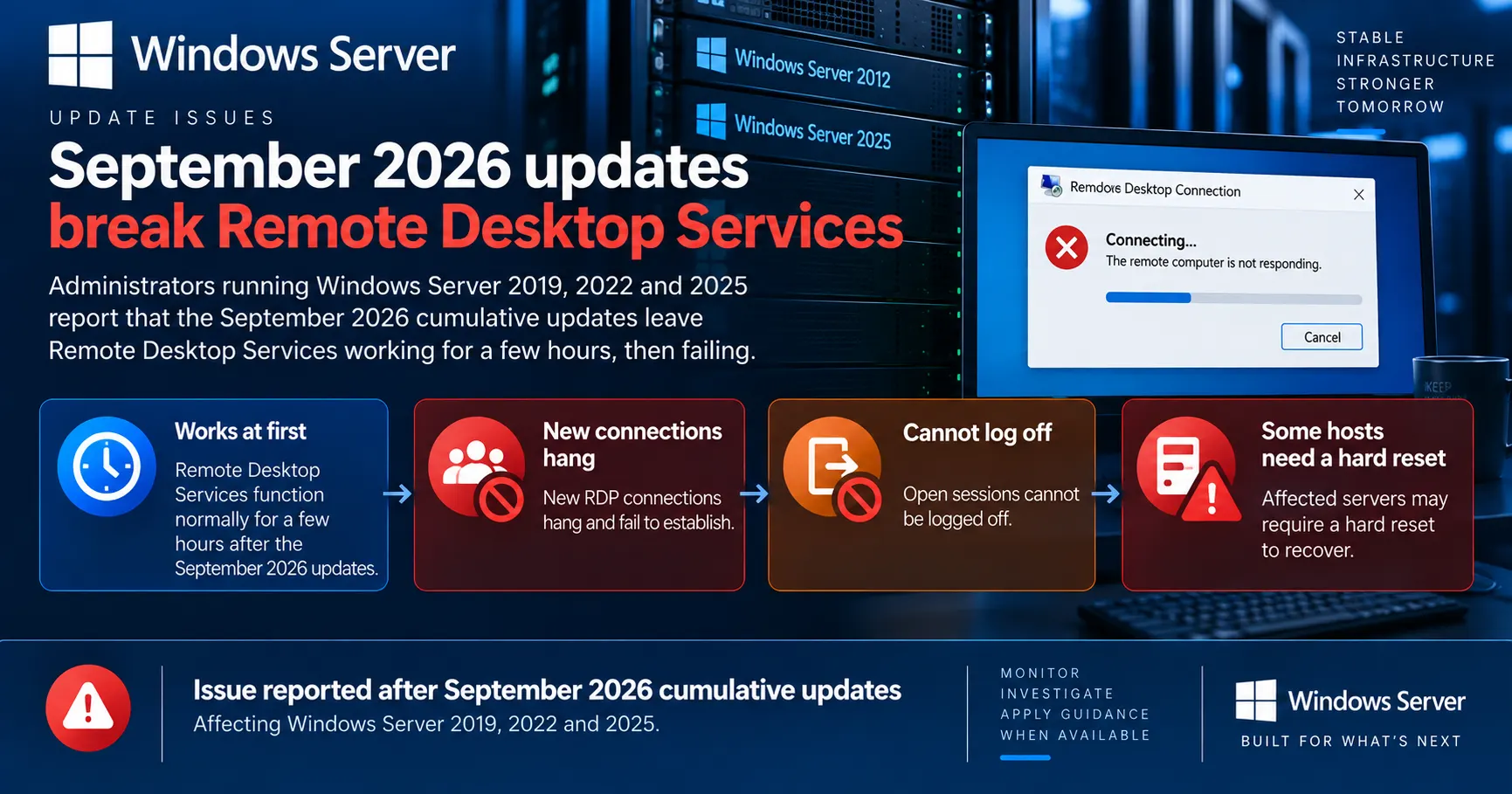
Administrators are reporting that the September 2026 cumulative updates break Remote Desktop Services on Windows Server 2019, 2022 and 2025. The pattern is consistent: the session host works normally for a few hours after the update, then new RDP connections hang at the sign-in stage and users already connected cannot disconnect or log off. Several admins say a normal reboot does not clear it and only a hard reset restores the service.
The updates in question are KB5122876, KB5122882 and KB5122871. Rolling them back restores Remote Desktop, and also strips out the largest Patch Tuesday Microsoft has ever shipped, including two zero-days that were already being exploited.
Microsoft's September 2026 cumulative updates for Windows Server 2019, 2022 and 2025 are causing Remote Desktop Services session hosts to hang a few hours after installation.
If you run RDS on Server 2019, 2022 or 2025, hold the September cumulative update on the rest of your session hosts and watch the ones you've already patched. Rolling back restores the service but removes this month's security fixes, so treat it as a decision with a security cost, not a free undo.
Affected & context
After Microsoft's 8 September 2026 Patch Tuesday, administrators on Reddit and elsewhere began reporting Remote Desktop Services failures on Windows Server 2019, 2022 and 2025. Session hosts run normally for a few hours, then new RDP connections hang and existing sessions cannot disconnect or log off. The implicated cumulative updates are KB5122876, KB5122882 and KB5122871. Microsoft has told BleepingComputer it is aware of the reports and is investigating.
RDS session hosts are the access layer for whole organisations, so the failure takes users offline rather than degrading a background service. The only reported fix removes a record-size set of security updates.
Organisations running Remote Desktop Services or Terminal Server roles on Windows Server 2019, 2022 or 2025 that installed the September 2026 cumulative updates.
- Vendors
- Microsoft
- Products
- Windows Server 2019 (KB5122876)Windows Server 2022 (KB5122882)Windows Server 2025 (KB5122871)Remote Desktop Services
- Geography
- Global
- Industry
- Enterprise ITManaged service providersHealthcareProfessional servicesPublic sector
- CVEs
- CVE-2026-81963CVE-2026-85880
Fine for a few hours, then nothing
Windows administrators report that the September 2026 cumulative updates are taking down Remote Desktop Services on Windows Server 2019, 2022 and 2025. The updates went out on 8 September, and reports started building on Reddit and in readers' mail to BleepingComputer within days.
The described pattern repeats across unrelated environments. The session host comes back from the update and works. A few hours later, new RDP connections hang during the connection phase and eventually fail, and users already signed in cannot disconnect or log off cleanly.
Several administrators say a normal restart does not clear the fault and that a hard reset is the only way to get the server back. Others report the service failing specifically after the first user logs out. Rolling back the September cumulative update restores Remote Desktop, according to admins who have done it.
Your post-patch check will pass
The failure surfaces hours after installation. If your validation is a single test connection after the reboot, this bug walks straight through it.
The deadlock theory
One administrator debugging a Windows Server 2022 host posted a more specific account. According to that analysis, the RDP service stops responding once users begin logging out, and the stack shows it hanging in a close routine inside the RDP server component with no timeout configured. The result is described as a deadlock between the RDP service and the Local Session Manager.
That lines up with what other admins see from the outside. The Local Session Manager is the component that tracks session state, so if it is waiting on a call that never returns, both the teardown of old sessions and the setup of new ones stall behind the same lock. It also explains why the host stays healthy until the first logoff.
This is one administrator's debugging on one machine, not a vendor finding. Microsoft has not confirmed it as the cause, and nothing in the KB documentation points at it.
Who should be worried
Reports cover Windows Server 2019, 2022 and 2025, which is every supported release carrying these three updates. That spread is itself a signal, since a fault in one servicing branch would not show up identically across three.
Windows Server 2019  ->  KB5122876
Windows Server 2022  ->  KB5122882  (OS build 20348.5622)
Windows Server 2025  ->  KB5122871
The exposure is anyone running the Remote Desktop Session Host role, whether that is a modern RDS farm or a single Terminal Server that nobody has renamed since 2012. Multi-user hosts are where the failure bites, because the trigger appears to involve users logging off.
MSPs are in an awkward spot here. Patch automation did its job on schedule across a customer base, and the failure lands hours later, often outside the maintenance window and usually on the one server every user connects through.
Microsoft is investigating, and that is all so far
Microsoft told BleepingComputer that it is aware of the reports, is investigating, and will share guidance when it has some. That is the extent of the official position at the time of writing.
The support pages for the September updates carry no acknowledged Remote Desktop Services defect. There is no entry in the known issues section, no Known Issue Rollback, and no out-of-band fix. Anyone hoping the KB page would quietly gain a line overnight has not seen one yet.
Microsoft's usual route for this class of regression is either a Known Issue Rollback pushed through policy or a fix folded into the next preview update, which would normally land in the last week of September. Neither has appeared so far.
What to do while you wait
Stop the bleeding first. Pause or block the September cumulative update on RDS session hosts that have not taken it yet, through your patch tool, WSUS approvals or an update ring. Leaving it deployed to everything else is fine; the reports are specific to session hosts.
For hosts already patched and behaving, treat them as suspect rather than clear. Watch for sessions that will not log off, and consider scheduling a nightly reboot as a crude reset while the fault is unexplained.
For hosts already failing, uninstalling the cumulative update is the only reported fix. It is also a security decision, not a free undo. This month's release covers 966 flaws including two zero-days that were already being exploited, so if you roll back, do it with compensating controls: no RDP exposed to the internet, access only through an RD Gateway or VPN, MFA in front of it, and a firm date to reinstall.
Rollback has a security price
Uninstalling the September cumulative update removes fixes for two actively exploited zero-days. Treat an unpatched session host as a temporary, controlled exception with an end date, and record which host is missing which update so you can re-patch cleanly.
A very large patch to be rolling back
September's Patch Tuesday was Microsoft's largest ever: 966 flaws, 105 of them rated critical, against 570 in July and 400 in August. Microsoft has attributed the rising volume to an AI-powered vulnerability discovery system finding more issues across its products.
The two actively exploited zero-days in the set are CVE-2026-81963, an elevation of privilege flaw in the Windows Update Stack, and CVE-2026-85880, a heap-based buffer overflow in Windows ALPC. Both give an attacker who already has a foothold a path to SYSTEM.
Updates this size raise the cost of a single regression. Rolling back to fix Remote Desktop means dropping several hundred fixes to recover one service, and that arithmetic gets worse every month the totals climb.
The precedent is not encouraging either. As betanews recalls, Microsoft pulled the January 2022 Windows Server updates outright after they broke Hyper-V, sent domain controllers into reboot loops and made ReFS volumes inaccessible.
What to watch next
The first thing to watch is the KB pages themselves. A known issue entry would confirm the scope and usually arrives with a Known Issue Rollback or a workaround, which is a far better outcome than uninstalling.
The second is whether Windows Server 2016 joins the list. Coverage so far names 2019, 2022 and 2025, and at least one write-up has pointed at a 2016 update as well without corroboration. If the fault sits in shared session management code, that would not be a surprise.
The third is the September preview update at the end of the month. That is the normal vehicle for a fix of this kind, and if it slips, affected estates are choosing between broken remote access and missing patches for several more weeks.
Timeline
September 2026 Patch Tuesday ships
Microsoft releases security updates for 966 flaws, its largest Patch Tuesday ever, including two actively exploited zero-days. Windows Server gets KB5122876, KB5122882 and KB5122871.
Source: BleepingComputer
Confidence: High
Reports of RDS failures reach the trade press
BleepingComputer reports administrator accounts from Reddit and its own readers describing session hosts that hang hours after patching. Microsoft says it is aware and investigating.
Source: BleepingComputer
Confidence: High
Deadlock theory circulates
An administrator debugging a Server 2022 host reports the RDP service hanging in a routine with no timeout, producing what looks like a deadlock with the Local Session Manager. Microsoft has not confirmed the root cause.
Source: Reddit, via BleepingComputer and IT-Connect
Confidence: Medium
Still no acknowledged known issue
As checked on 12 September 2026, the KB support pages for the September updates carry no acknowledged Remote Desktop Services defect, and Microsoft has issued no fix or mitigation.
Source: Microsoft Support
Confidence: High
Impact
A failing RDS session host takes every user on it offline at once, and the failure surfaces hours after the maintenance window closed. The only reported remedy removes the largest set of security fixes Microsoft has ever shipped in a month, so both options carry a cost.
Business impact
Remote and hybrid users lose access to the session host they work from. Recovery often needs a hard reset, and in reported cases the fault returns later the same day.
Technical impact
New RDP connections hang and fail, existing sessions cannot disconnect or log off, and a normal restart may not clear the state.
Security impact
Rolling back the September cumulative update removes fixes for 966 flaws, including two zero-days that were already being exploited, leaving the host exposed until it is patched again.
Privacy impact
No data exposure has been reported. This is an availability problem rather than a confidentiality one.
Affected audience: Windows Server and RDS administrators, MSPs running patch automation across customer estates, Service desk teams handling the resulting tickets, Security teams owning patch compliance
Action required.
Technical details
- CVEs
- CVE-2026-81963, CVE-2026-85880
- Exploitation
- Exploited in the wild
- Attack vector
- Not applicable to the RDS failure itself. The two CVEs listed are the actively exploited elevation of privilege flaws fixed by the September 2026 updates, and they are what a server loses if the cumulative update is uninstalled.
- Affected versions
- Windows Server 2019 with KB5122876, Windows Server 2022 with KB5122882 (OS build 20348.5622), Windows Server 2025 with KB5122871
- Patched versions
- No fix published for the RDS failure as of 12 September 2026
Detection methods
- Remote Desktop sessions that cannot disconnect or log off
- New RDP connections hanging during the connection phase
- Session host unresponsive to a normal restart
- Session management queries stalling on the affected host
Mitigations
- Hold the September cumulative update on Remote Desktop Session Hosts until Microsoft ships guidance
- Restrict RDP to an RD Gateway or VPN with MFA on any host rolled back
Workarounds
- Uninstall the September 2026 cumulative update on affected session hosts, with compensating controls
- Pause deployment of the update to session hosts not yet patched
- Schedule a nightly reboot on affected hosts as a temporary reset
Technical references
Response
Vendor statement
Microsoft told BleepingComputer that it is aware of the reports, is investigating, and will share guidance as it becomes available. It has not confirmed a root cause, and the support pages for the September updates carry no acknowledged Remote Desktop Services issue.
Customer guidance
No official workaround has been published. Administrators who uninstalled the September cumulative update report that Remote Desktop Services returns to normal, at the cost of this month's security fixes.
Response status: Investigating
Patch available: No
Workaround available: No
FAQ
Which updates are causing the RDS failures?
Administrators point to the September 2026 cumulative updates: KB5122876 on Windows Server 2019, KB5122882 on Windows Server 2022 and KB5122871 on Windows Server 2025. All three shipped on 8 September 2026.
What are the symptoms?
The session host works normally for a few hours after the update. Then new Remote Desktop connections hang during the connection phase and fail, and users already signed in cannot disconnect or log off. Several administrators report that a normal restart does not help and only a hard reset restores the service.
Has Microsoft acknowledged the problem?
Microsoft told BleepingComputer it is aware of the reports and is investigating, and will share guidance when it has some. As of 12 September 2026 there is no known issue entry on the KB pages, no Known Issue Rollback and no fix.
Should I uninstall the update?
It is the only fix reported to work, but it removes this month's security updates, which cover 966 flaws including two actively exploited zero-days. If you roll back on a production session host, pair it with compensating controls such as access only through an RD Gateway or VPN with MFA, and set a date to reinstall.
What is causing it?
The leading theory comes from one administrator's debugging on a Server 2022 host, which points to a deadlock between the RDP service and the Local Session Manager triggered when users log off. Microsoft has not confirmed this, so treat it as a working hypothesis rather than a root cause.
The bottom line
The September 2026 cumulative updates for Windows Server 2019, 2022 and 2025 are reported to break Remote Desktop Services a few hours after installation, with a suspected deadlock between RDP and the Local Session Manager as the leading unconfirmed explanation.
Hold the update on session hosts that have not taken it, and treat a rollback on the ones that have as a security trade-off with an expiry date.
What happens next
Watch for a known issue entry on the KB pages, a Known Issue Rollback, or a fix in the late-September preview update. Microsoft has said only that it is investigating.
What to do
Pause the September cumulative update on your RDS hosts, monitor the ones already patched, and document any rollback per server.
Sources
Microsoft · Sep 8, 2026 · Primary source
Claims supported
- KB5122882 is the September 2026 cumulative update for Windows Server 2022, OS build 20348.5622
- The KB page carries no acknowledged Remote Desktop Services issue
BleepingComputer · Sep 10, 2026
Claims supported
- Symptom pattern, affected KB numbers and the rollback behaviour
- Microsoft's statement that it is aware and investigating
- The administrator debugging report describing a deadlock between RDP and the Local Session Manager
BleepingComputer · Sep 8, 2026
Claims supported
- 966 flaws fixed, 105 critical, largest Patch Tuesday to date
- The two actively exploited zero-days CVE-2026-81963 and CVE-2026-85880
- Comparison with 570 fixes in July and 400 in August
IT-Connect · Sep 11, 2026
Claims supported
- Corroborates the symptom pattern and the affected KB numbers
- Notes that Microsoft had not acknowledged the issue on the KB pages
BetaNews · Sep 11, 2026
Claims supported
- The January 2022 precedent of pulled Windows Server updates
- Microsoft did not respond to a separate request for comment
Reader feedback
Written reviews
Loading reviews…