

Passkey-Themed Phishing Hits Microsoft 365 Accounts
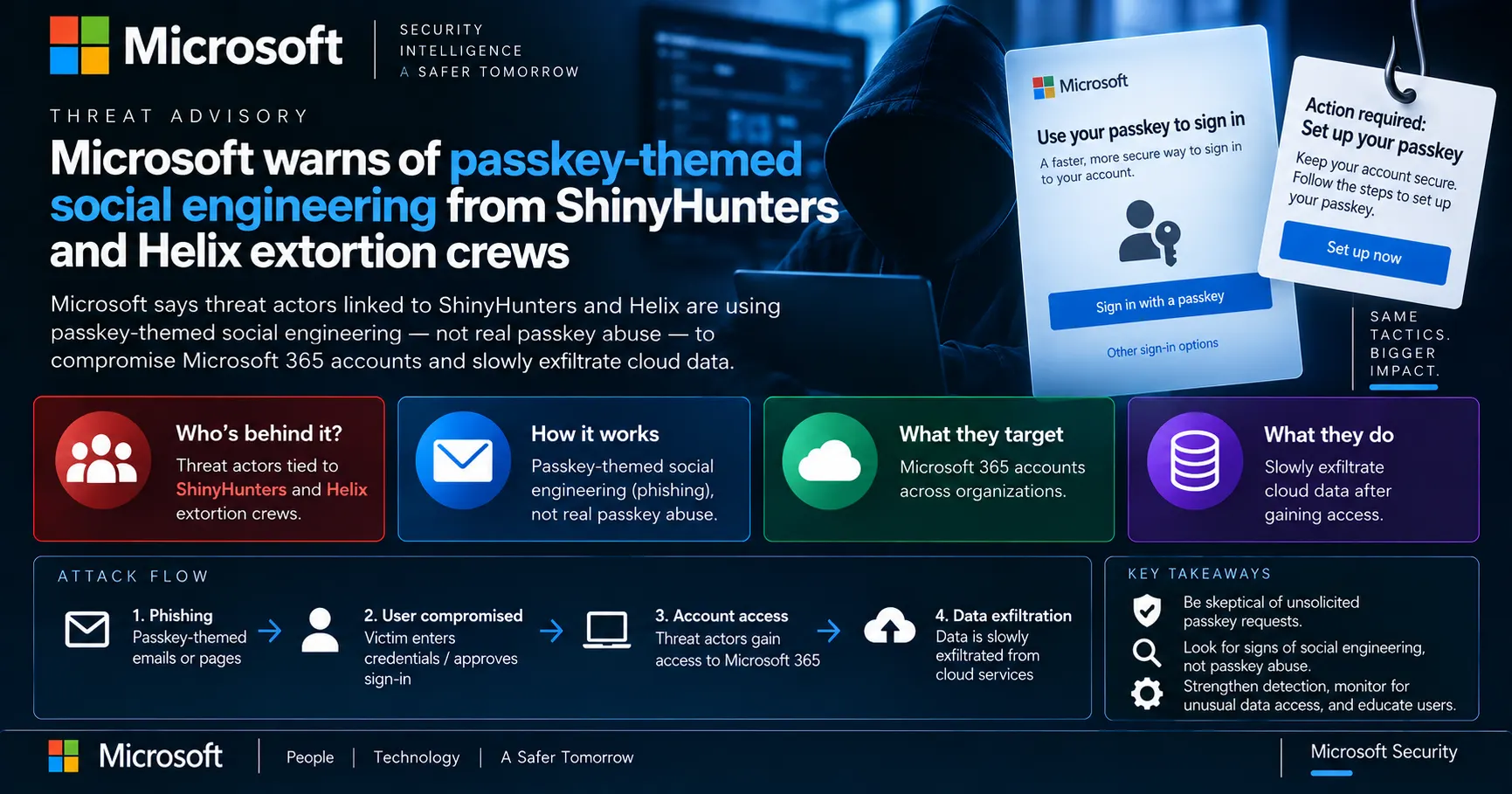
Microsoft says extortion crews linked to ShinyHunters and Helix are using fake IT help desk calls about passkeys to trick employees into handing over Microsoft 365 access, then quietly draining SharePoint, OneDrive, and Exchange.

On this page
What happened
Microsoft says threat actors linked to the ShinyHunters and Helix extortion crews are running passkey-themed social engineering attacks against corporate Microsoft 365 accounts. The activity has been observed since May 2026 and combines phone or message impersonation of IT help desks with phishing pages that mimic Microsoft's sign-in experience.
Attackers tell employees they must urgently update a passkey, multi-factor authentication (MFA), or single sign-on (SSO) setting to avoid losing access. Victims are pushed to phishing sites, sometimes via links sent to their personal phones by SMS, that look like legitimate Microsoft login pages.
The passkey angle is a lure, not an exploit
Microsoft says the attackers are not actually trying to enroll a passkey on the victim's account. The passkey framing is used to make the phishing pretext feel routine and urgent, while the real goal is to push the victim into adversary-in-the-middle phishing or device-code authentication.
Why it matters
The campaign shows that even organizations pushing toward phishing-resistant authentication remain exposed if an employee can be talked into approving the wrong prompt over the phone. ShinyHunters and the Helix crew (formerly BlackFile) both have a track record of large-scale corporate data theft and extortion, so a working initial-access technique in their hands tends to scale fast.
The timing lines up with Microsoft's own push to make passkeys the default Entra ID sign-in method starting September 1, 2026. As more organizations roll out real passkey enrollment prompts, a fake one asking an employee to "set up your passkey" looks exactly like something their own IT department would send, which is likely part of why this pretext is proving effective.
How the attack works
The threat actors register phishing domains that combine a target company's name with passkey, SSO, or identity-verification terms, such as company-name.secure-passkey[.]com. Microsoft has observed domains including passkeyhelpdesk[.]com, setupmypasskey[.]com, integratedsso[.]com, and oskeysync[.]com used in these campaigns.
Once a victim reaches the phishing page, two techniques do the actual account takeover. Adversary-in-the-middle (AiTM) phishing captures credentials and the session token after the victim completes MFA. Device-code phishing convinces the victim to enter an attacker-supplied code into Microsoft's own legitimate device authentication page, which then issues an access token to an attacker-controlled OAuth application without another MFA challenge.
In one investigated case, Microsoft observed a sign-in from an unmanaged device to the Microsoft 365 "OfficeHome" service. After completing MFA, the attacker's session was used within minutes to check My Apps, My Profile, Microsoft Approval Management, and My Sign-Ins, then moved into SharePoint Online, Outlook Web, and an internal business application. That session stayed active for about an hour while the attacker mapped what the account could reach.
Reconnaissance and persistence after compromise
Once inside, attackers commonly register a new phone number, authenticator app, or software OTP token they control, which preserves their access even after a password reset. Microsoft notes this persistence does not survive a full credential and session reset, which is why that step matters for recovery.
- Organizations, licenses, and enabled services
- Users, groups, and group membership
- Directory roles and privileged accounts
- Registered authentication methods
- Applications, service principals, and OAuth permissions
- SharePoint sites, document libraries, and files
- OneDrive resources and mail folders, messages, and attachments
Microsoft observed attackers using an automated Node.js system and Microsoft Graph to enumerate all of the above. Individual Graph calls like /users or /groups are common in normal enterprise traffic, so Microsoft says what stands out is the same account or token rapidly moving across resources and privilege checks before it starts touching email and files.
A deliberately slow data theft pattern
For the actual data theft, Microsoft observed high-volume access and download activity against SharePoint Online and OneDrive for Business, with some intrusions extending into Exchange Online mailbox content through REST API access. The activity generated large volumes of FileAccessed and FileDownloaded events consistent with systematic document retrieval, often using a python-httpx user agent.
Rather than a fast smash-and-grab, Microsoft says the theft typically runs from a few hours to multiple days, with attackers touching fewer than 1,000 files or emails in a single hour to stay under the radar of volume-based detection.
What Microsoft recommends
Microsoft recommends phishing-resistant MFA, restricting sensitive cloud resources to managed devices, and disabling device-code authentication where it isn't operationally needed. Security teams should watch for unusual sign-ins followed by new MFA method registrations, unexpected Microsoft Graph reconnaissance patterns, and abnormal access to SharePoint, OneDrive, or Exchange.
- Revoke the affected account's active sessions and refresh tokens
- Reset the account's credentials
- Remove any authentication methods or mailbox rules the attacker added
- Require the user to re-register their own authentication methods
- Review Graph and sign-in logs for the access pattern described above, not just isolated suspicious calls
Part of a wider trend
This isn't the only passkey-themed campaign reported this year. Okta separately documented a vishing cluster it tracks as O-UNC-066 (Palo Alto Networks Unit 42 calls it Pink) that had been convincing victims to help attackers enroll their own passkey on Entra accounts since around April 2026, targeting food and beverage, healthcare, and other industries. Google Threat Intelligence has also linked overlapping activity to a cluster it tracks as UNC6671, connected to the same extortion brands Microsoft names here.
Whether these turn out to be closely related operations sharing playbooks, or several independent crews converging on the same pretext because it currently works, is the open question. Either way, the trend is now well enough documented across Microsoft, Google, and Okta that "passkey setup" requests over the phone deserve the same skepticism IT teams already apply to urgent password-reset calls.
Response
Response status: No response
Patch available: No
Workaround available: No
FAQ
Is this attack actually exploiting a flaw in passkeys?
No. Microsoft says the attackers use passkeys only as a social engineering pretext, telling employees they must urgently update a passkey, MFA, or SSO setting. The actual goal is to push victims into adversary-in-the-middle phishing pages or device-code authentication flows, not to exploit any weakness in passkey technology itself.
Which threat actors are behind this campaign?
Microsoft attributes the initial-access activity to multiple threat actors in the same extortion ecosystem, including Storm-3121 (linked to ShinyHunters and Falcon extortion) and Storm-3032 (tied to former BlackFile members now operating as Helix). The activity also overlaps with the UNC6671 cluster previously documented by Google Threat Intelligence.
What is the difference between AiTM phishing and device-code phishing here?
In adversary-in-the-middle (AiTM) phishing, a fake login page sits between the victim and the real Microsoft sign-in page, capturing both credentials and the session token once the victim completes MFA. In device-code phishing, the victim is tricked into entering an attacker-supplied code into Microsoft's own legitimate authentication page, which then issues an access token to an attacker-controlled application without another MFA prompt.
How can organizations defend against this campaign?
Microsoft recommends adopting phishing-resistant MFA, restricting sensitive cloud resources to managed devices, and disabling device-code authentication where it isn't needed. Security teams should also watch for unusual sign-ins followed by new MFA method registrations and unusual Microsoft Graph activity.
What should an organization do if an account is already compromised?
Revoke the account's active sessions and tokens, reset its credentials, remove any authentication methods or mailbox rules the attacker added, and require the user to re-register their own authentication methods. Microsoft notes that attacker persistence through added MFA methods does not survive a full credential and session reset.
Sources
BleepingComputer · Sep 11, 2026
Claims supported
- Campaign overview, threat actor attribution, attack chain, post-compromise Graph reconnaissance, exfiltration pattern, Microsoft's mitigation guidance
Channel Insider · Sep 15, 2026
Claims supported
- Confirms Microsoft's September 9, 2026 publication date and MSP-relevant framing
eSecurity Planet · Sep 14, 2026
Claims supported
- Corroborates persistence-via-MFA-method detail and slow, low-volume exfiltration pattern
Reader feedback
Written reviews
Loading reviews…