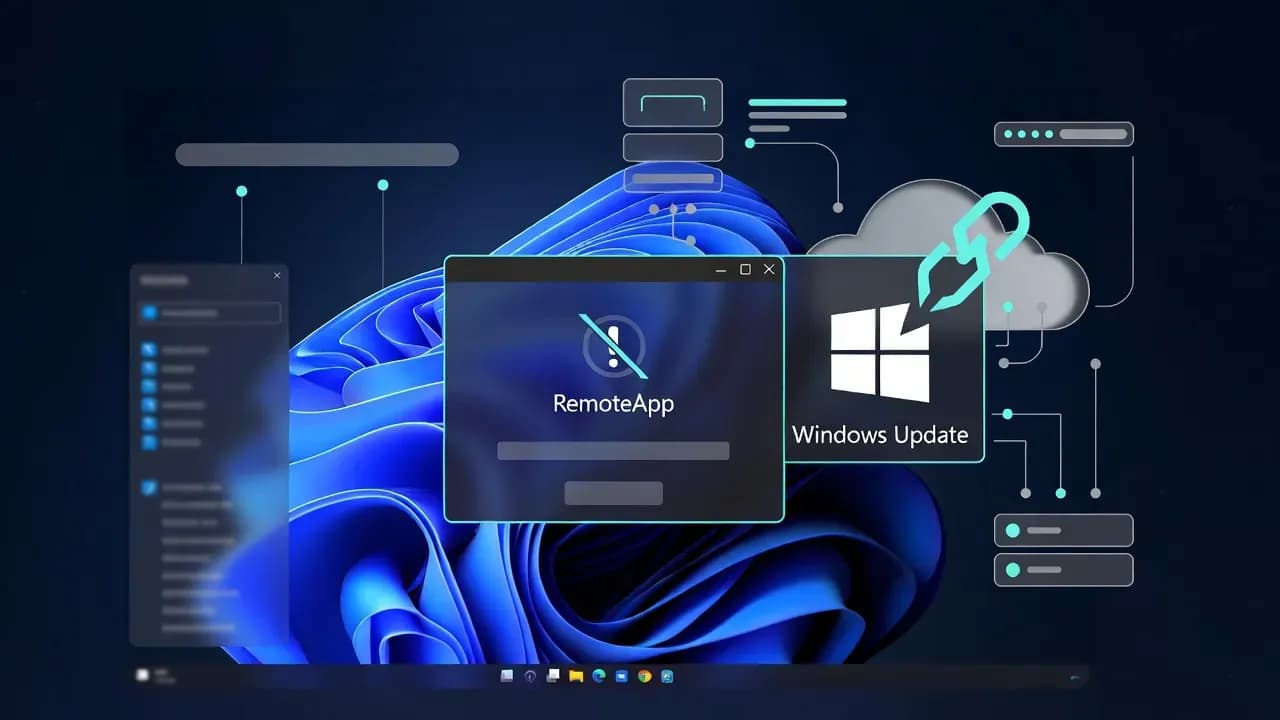
Microsoft Windows update triggers Windows 365 Cloud PC sign-in failures in the Windows App
The January 2026 Windows security update (KB5074109) introduced credential prompt failures in the Windows App, preventing users from connecting to Azure Virtual Desktop sessions and Windows 365 Cloud PCs. Microsoft has published workarounds including web client access and Known Issue Rollback (KIR) for managed devices.

Originating Windows security update
Affected Windows 11 build
Affected client platforms
Opening: when a patch breaks remote access at scale
The fastest way to turn a routine Patch Tuesday into a business continuity incident is to break remote access at scale. That is effectively what some organizations experienced this week: a Windows security update introduced credential prompt failures in the Windows App, preventing users from connecting to Azure Virtual Desktop sessions and Windows 365 Cloud PCs. This is not a niche edge case. For many enterprises, Cloud PCs are a primary workstation, and any disruption cascades immediately into helpdesk load, stalled operations, and time-sensitive workarounds that bypass the organization's preferred access model.
This Windows 365 Cloud PC access issue is also a textbook example of modern risk concentration. The endpoint update cadence, the remote access client, identity prompts, and the virtualization stack all intersect in one user action: connect. When that chain fails, teams must triage quickly without sacrificing security controls that were put in place for a reason. The good news is that Microsoft has published clear workaround paths and is coordinating mitigation, but the operational burden remains squarely on IT administrators to reduce impact, communicate safe alternatives, and prevent repeat disruption across managed fleets.
What happened: the technical breakdown
Microsoft's Windows release health notes describe a confirmed issue where installing the January 2026 Windows security update can cause credential prompt failures during Remote Desktop connections when using the Windows App. In practical terms, users attempt to open a Cloud PC or an AVD desktop in the Windows App and hit repeated authentication prompts or sign-in failures that block access. The behavior is particularly disruptive because it presents like an identity problem, yet the trigger is a client-side regression introduced by an OS update. That distinction matters, because many organizations will initially chase Conditional Access, MFA, or token issuance as the suspected root cause, burning valuable time while the real fix is elsewhere.
From an engineering perspective, the phrasing "credential prompt failures" is a signal that the connection orchestration between the client and identity flow is not completing as expected. Whether the regression sits in authentication UI handling, token handoff, or negotiation between the Windows App and the remote desktop stack, the operational outcome is the same: users cannot establish sessions, and standard self-service troubleshooting steps will not resolve it. That also explains why workaround guidance focuses on alternate clients and web access rather than asking end users to reset passwords or re-enroll MFA.
A second important detail is scope. Microsoft lists both Windows 11 24H2 and 25H2 as affected client platforms and also flags impact spanning multiple Windows Server versions. That server mention is easy to misread. In practice, it indicates the issue can manifest across environments where the Windows App is used on specific Windows builds, including scenarios where server OS is used as a client jump box or administrative workstation. The key operational takeaway is that you should not treat this as a single ring or single device class problem. You should assume broad exposure where the affected update has been deployed and the Windows App is the primary connection method.
Impacted organizations and why the blast radius is larger than it looks
The obvious impact is end-user downtime: a Cloud PC that cannot be reached is a workstation that effectively does not exist. For frontline and distributed teams, the result is an immediate halt to ticket handling, customer operations, and any workflows that rely on cloud-hosted desktops. The less obvious impact is what happens next inside IT. When users cannot connect, they look for any working path, including unmanaged alternatives. That creates a governance risk: a well-intentioned workaround can easily drift into inconsistent configurations, unsupported clients, and ad hoc access routes that are not aligned with the organization's security posture.
This is where the Windows 365 Cloud PC access issue becomes a security and compliance concern, not only an availability issue. Identity controls such as Conditional Access and device compliance are often tuned around the Windows App experience, especially in environments that have standardized on it after Microsoft's broader push toward Windows App adoption for cloud resources. If users switch to other tools or personal devices to regain access, you may lose consistent enforcement of device-based policy, logging, and supportability. In regulated environments, the operational instinct to "get people back online" must be balanced with controlled, documented alternatives that preserve authentication expectations and audit trails.
The incident also carries a change-management lesson for Cloud PC programs. Many organizations treat Windows 365 as a service with independent reliability from endpoint updates. In reality, user access to Cloud PCs remains client-mediated. If the local OS update breaks the access client flow, the service can be healthy while users still cannot connect. That distinction is critical when communicating with stakeholders. It determines whether you open an identity incident, a Windows servicing incident, or a Windows 365 service incident. Your internal taxonomy should reflect that connection chains can fail at the client layer while upstream services are functioning.
How organizations can respond: workarounds, mitigation, and safe operational steps
Microsoft's recommended workarounds prioritize two connection options: use the Windows App web client and use the Remote Desktop client for Windows to connect to Azure Virtual Desktop. For most organizations, the web client option is the fastest to standardize in the moment because it requires minimal local changes and can be communicated quickly with a single approved URL and a short user guide. It is also easier to wrap with existing browser controls, such as conditional access based on compliant browsers, session controls, or enterprise-managed profiles.
For IT administrators, the first response action should be containment through deployment control. If KB5074109 is in your current servicing ring, pause further rollout to prevent the incident from expanding. In parallel, identify affected devices by update installation state and Windows build level, then prioritize mitigation for high-impact populations: call centers, executives, finance, and operationally critical roles. This is where staged deployment discipline pays off. If your rings are designed well, you should be able to isolate impact to early adopters and prevent broad disruption.
Microsoft also points to Known Issue Rollback (KIR) as the mitigation mechanism for managed devices, which is consistent with how Windows regressions are frequently handled when a change needs to be reverted without uninstalling the entire cumulative update. In enterprise environments, KIR deployment typically becomes a race between two teams: endpoint engineering pushing the rollback policy and support teams triaging active incidents. Your best outcome is achieved when you treat KIR like an emergency configuration change with clear ownership, rapid validation, and tight communications. If you do not already have a KIR playbook, this is the kind of incident that justifies writing one.
Prevention and detection strategies: hardening your Cloud PC access path
You cannot eliminate regressions, but you can reduce their business impact. Start by treating Cloud PC access as a critical dependency similar to VPN, identity, or email. That means you should monitor connectivity success rates and authentication failure trends, not only service health dashboards. A surge in Windows App sign-in failures is operational telemetry that should trigger incident response quickly, even if Windows 365 service status appears normal.
From a preventive standpoint, organizations should implement explicit "break-glass access paths" for Cloud PCs. That does not mean bypassing security. It means pre-approving an alternate access method that preserves identity controls and logging. For example, you can standardize the Windows App web client as an emergency access path and ensure it is validated with your Conditional Access policies and user training before you need it. When an incident hits, you are not improvising access policy in production. You are activating a documented fallback.
You should also revisit update governance for endpoints that serve as Cloud PC gateways. If your operational workforce depends on Cloud PCs, those endpoints are effectively remote access terminals. In many environments, the right model is to apply more conservative servicing rings or additional pre-production testing for these devices, not fewer controls. The cost of delayed patching must be weighed against the cost of a mass connectivity outage. This is not an argument to skip security updates. It is an argument to treat access-critical endpoints as a distinct class with a validation pipeline that matches the business risk.
Finally, use this incident to strengthen internal communications. Users will search for fixes and share tips in chats. If you provide a clear, secure workaround early, you reduce the likelihood of risky behavior. Your helpdesk script should explicitly tell users what not to do, such as installing unofficial clients, changing identity settings, or attempting to disable MFA. In a crisis, simplicity wins: one approved workaround, one validation step, and one place to report if the workaround fails.
Key numbers
| Label | Value | Severity |
|---|---|---|
| Originating update | KB5074109 (January 2026 Windows security update) | critical |
| Affected Windows build referenced | OS Build 26100.7623 | warning |
| Impacted services | Azure Virtual Desktop and Windows 365 | critical |
| Listed workarounds | Windows App Web Client and Remote Desktop client (MSI) | success |
| Affected platforms listed | Windows 11 24H2, 25H2; Server 2019, 2022, 2025 | warning |
FAQ
Is this a Windows 365 service outage or a Windows update regression?
Operationally it behaves like an outage because users cannot connect, but Microsoft's release health notes describe it as a regression triggered by a Windows security update that affects the Windows App connection flow. Treat it as a client access path failure with service impact.
Which users are most likely to be affected?
Users connecting to Azure Virtual Desktop or Windows 365 Cloud PCs using the Windows App on specific Windows builds after installing the January 2026 security update are the primary risk group. If your organization standardized on Windows App as the default client, assume broad exposure until you validate deployment scope.
What is the fastest safe workaround to restore access?
The most universally deployable workaround is to connect via the Windows App web client, because it avoids changes to the local installation and can be communicated quickly. A second workaround is using the Remote Desktop client (MSI) for AVD connections where that path fits your environment.
Should we uninstall the update to fix the problem?
For most enterprises, mass uninstall of a security cumulative update is an operational and security tradeoff that should be tightly controlled. Microsoft points to workaround paths and KIR-based mitigation for managed devices, which is typically safer than broad uninstalls.
How should IT admins validate that mitigation worked?
Validate at two levels: user-level connection success in the Windows App and fleet-level reduction in sign-in failure tickets. For managed devices, confirm KIR policy application and require a restart where applicable, then test representative AVD and Cloud PC connections.
What should we change in our patching process after this incident?
If Cloud PCs are business-critical, your endpoint rings should include access-path validation as a gating check. That includes testing Windows App connections to AVD and Windows 365 as part of pre-production signoff for monthly security updates.
Affected organizations
| Organization Type | Impact | Industry | Severity |
|---|---|---|---|
| Enterprises using Windows 365 Cloud PCs as primary workstations | Users may be unable to sign in or may face repeated credential prompts when connecting via Windows App | Enterprise | high |
| Organizations running Azure Virtual Desktop at scale | Windows App connection failures can block AVD session access and disrupt productivity and support operations | Enterprise / Tech | high |
| IT teams with rapid Patch Tuesday rollout policies | Accelerated deployment increases the chance that a client regression becomes a wide outage before mitigation is available | Other | medium |
Closing
This Windows 365 Cloud PC access issue is a high-signal reminder that cloud desktops remain tightly coupled to the endpoint access path, especially when the Windows App is the primary client. The operational response should prioritize controlled workarounds, ring-based rollout discipline, and KIR-ready mitigation for managed fleets. Longer term, organizations should treat Cloud PC connectivity as a monitored dependency with an approved fallback that preserves identity controls and auditability. When the next regression arrives, speed matters, but controlled speed matters more.
Frequently Asked Questions
The sign-in failures are caused by a known issue in KB5074109 that affects the Windows App when connecting to Windows 365 Cloud PCs. The update introduces a compatibility problem with the authentication flow, causing connections to fail or hang during the sign-in process.
The issue primarily affects users running the Windows App on devices that have received the KB5074109 update. Both the Microsoft Store version and the standalone Windows App installer can be impacted. The problem occurs specifically when connecting to Windows 365 Cloud PCs, not traditional Remote Desktop connections.
Microsoft has deployed a Known Issue Rollback (KIR) to automatically resolve the problem on most devices. If you are still experiencing issues, you can try accessing your Cloud PC through the web browser at windows365.microsoft.com as a temporary workaround. Enterprise administrators can also manually deploy the KIR policy through Group Policy if automatic rollback has not yet reached affected devices.
Comments
Want to join the discussion?
Create an account to unlock exclusive member content, save your favorite articles, and join our community of IT professionals.
New here? Create a free account to get started.