ANAVEM
Languagefr
Windows server administration workspace showing PowerShell remoting and WinRM authentication configuration
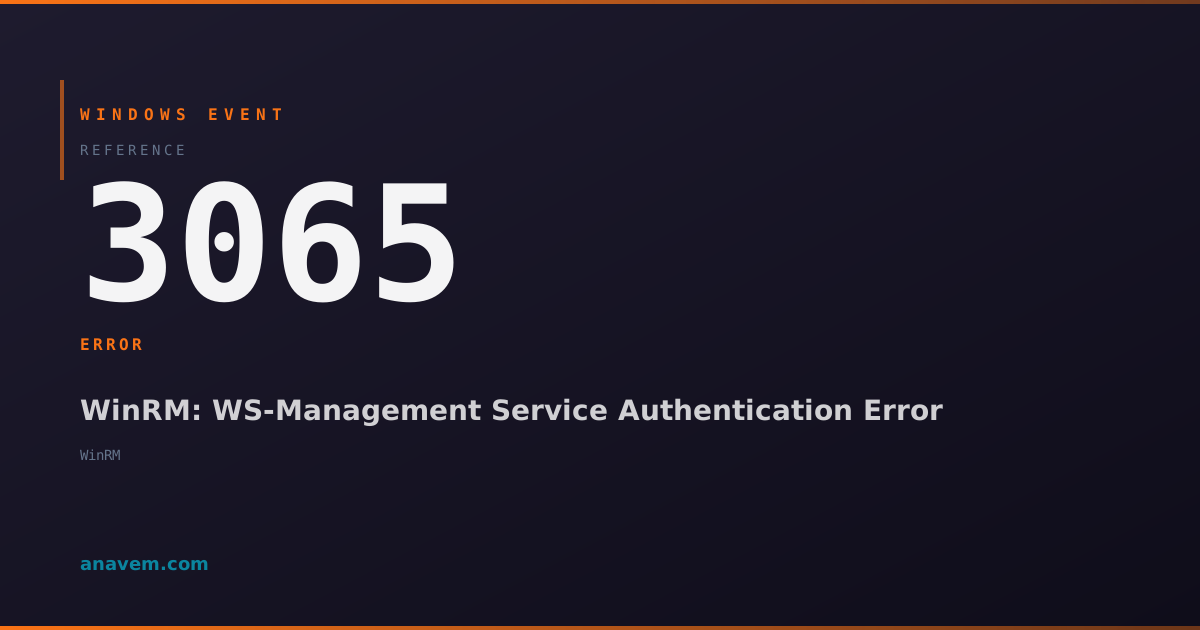
Event ID 3065ErrorMicrosoft-Windows-WinRMWindows

Windows Event ID 3065 – WinRM: WS-Management Service Authentication Error

Event ID 3065 indicates WinRM authentication failures when clients attempt to connect to the WS-Management service, typically due to credential issues or configuration problems.

Emanuel DE ALMEIDAEmanuel DE ALMEIDA
18 March 20269 min read 0
Event ID 3065Microsoft-Windows-WinRM 5 methods 9 min
Event Reference

What This Event Means

Windows Remote Management (WinRM) is Microsoft's implementation of the WS-Management protocol, enabling remote management of Windows systems through PowerShell, WMI, and other administrative tools. Event ID 3065 specifically tracks authentication failures that occur when clients attempt to establish connections to the WinRM service.

The authentication process in WinRM involves multiple layers including transport security (HTTPS/HTTP), authentication protocols (Kerberos, NTLM, Certificate-based), and authorization checks. When any of these layers fail, Event ID 3065 is logged with specific error codes that help identify the root cause. The event data typically includes the client's IP address, the requested authentication method, and detailed error information.

In Windows Server 2025 and Windows 11 24H2, Microsoft enhanced WinRM logging to provide more granular authentication failure details, including certificate chain validation errors and Kerberos ticket inspection results. These improvements make Event ID 3065 more valuable for troubleshooting complex authentication scenarios in hybrid cloud environments.

The event is particularly important in environments using PowerShell Desired State Configuration (DSC), System Center Operations Manager, or third-party monitoring tools that rely on WinRM for remote connectivity. Authentication failures can cascade into broader system management issues if not addressed promptly.

Applies to

Windows 10Windows 11Windows Server 2019/2022/2025
Analysis

Possible Causes

  • Expired or invalid SSL certificates used for HTTPS WinRM listeners
  • Incorrect username or password credentials provided by the client
  • Kerberos authentication failures due to time synchronization issues or SPN problems
  • NTLM authentication blocked by security policies or domain settings
  • Client certificate authentication failures when using certificate-based auth
  • Network connectivity issues preventing proper authentication handshake
  • WinRM service configuration changes that affect authentication methods
  • Domain trust relationship problems in multi-domain environments
  • Firewall rules blocking authentication traffic on required ports
  • Group Policy settings that restrict remote management authentication
Resolution Methods

Troubleshooting Steps

01

Check WinRM Event Logs and Configuration

Start by examining the detailed event information and current WinRM configuration:

  1. Open Event ViewerApplications and Services LogsMicrosoftWindowsWinRMOperational
  2. Locate Event ID 3065 and note the error code, client IP, and authentication method
  3. Check current WinRM configuration:
winrm get winrm/config
winrm enumerate winrm/config/listener
  1. Verify WinRM service status:
Get-Service WinRM
Get-WinEvent -FilterHashtable @{LogName='Microsoft-Windows-WinRM/Operational'; Id=3065} -MaxEvents 10
  1. Review authentication methods enabled:
winrm get winrm/config/service/auth
02

Test Remote Connectivity and Credentials

Verify that remote connections work with known good credentials:

  1. Test basic WinRM connectivity from the client machine:
Test-WSMan -ComputerName [TargetServer] -Port 5985
Test-WSMan -ComputerName [TargetServer] -Port 5986 -UseSSL
  1. Attempt a PowerShell remote session with explicit credentials:
$cred = Get-Credential
Enter-PSSession -ComputerName [TargetServer] -Credential $cred
  1. Check if the issue is specific to certain authentication methods:
Enter-PSSession -ComputerName [TargetServer] -Authentication Kerberos
Enter-PSSession -ComputerName [TargetServer] -Authentication NTLM
  1. Verify time synchronization between client and server:
w32tm /query /status
w32tm /resync
03

Examine SSL Certificate and HTTPS Configuration

If using HTTPS listeners, verify certificate validity and configuration:

  1. Check SSL certificate binding for WinRM:
netsh http show sslcert
winrm enumerate winrm/config/listener
  1. Verify certificate validity and chain:
Get-ChildItem Cert:\LocalMachine\My | Where-Object {$_.Subject -like "*[ServerName]*"}
$cert = Get-ChildItem Cert:\LocalMachine\My\[Thumbprint]
$cert | Format-List *
  1. Test certificate chain validation:
$chain = New-Object System.Security.Cryptography.X509Certificates.X509Chain
$chain.Build($cert)
  1. If certificate is expired or invalid, create a new HTTPS listener:
winrm delete winrm/config/listener?Address=*+Transport=HTTPS
$cert = New-SelfSignedCertificate -DnsName [ServerFQDN] -CertStoreLocation Cert:\LocalMachine\My
winrm create winrm/config/listener?Address=*+Transport=HTTPS @{Hostname="[ServerFQDN]"; CertificateThumbprint="$($cert.Thumbprint)"}
04

Troubleshoot Kerberos Authentication Issues

Resolve Kerberos-specific authentication problems:

  1. Check Service Principal Names (SPNs) for the target server:
setspn -L [ServerName]
setspn -Q HTTP/[ServerFQDN]
  1. Verify Kerberos ticket cache on the client:
klist
klist purge
  1. Check domain controller connectivity and time sync:
nltest /dsgetdc:[DomainName]
w32tm /query /peers
  1. Enable Kerberos logging for detailed troubleshooting:
auditpol /set /subcategory:"Kerberos Authentication Service" /success:enable /failure:enable
auditpol /set /subcategory:"Kerberos Service Ticket Operations" /success:enable /failure:enable
  1. Register missing SPNs if needed:
setspn -S HTTP/[ServerFQDN] [ServerName]
setspn -S HTTP/[ServerName] [ServerName]
05

Advanced Troubleshooting with Network Traces

Perform deep network analysis for complex authentication issues:

  1. Enable WinRM analytic and debug logging:
wevtutil sl Microsoft-Windows-WinRM/Analytic /e:true
wevtutil sl Microsoft-Windows-WinRM/Debug /e:true
  1. Capture network traffic during authentication attempts:
netsh trace start capture=yes tracefile=winrm_auth.etl provider=Microsoft-Windows-WinRM
# Reproduce the authentication failure
netsh trace stop
  1. Analyze authentication flow with PowerShell cmdlets:
Get-WinEvent -FilterHashtable @{LogName='Microsoft-Windows-WinRM/Analytic'} | Where-Object {$_.Id -eq 3065}
Get-WinEvent -FilterHashtable @{LogName='Security'; Id=4624,4625} | Where-Object {$_.TimeCreated -gt (Get-Date).AddHours(-1)}
  1. Check registry settings for authentication behavior:
Get-ItemProperty -Path "HKLM:\SOFTWARE\Microsoft\Windows\CurrentVersion\WSMAN\Service" -Name auth_*
Get-ItemProperty -Path "HKLM:\SOFTWARE\Microsoft\Windows\CurrentVersion\WSMAN\Client" -Name auth_*
  1. Reset WinRM configuration if all else fails:
winrm invoke restore winrm/config @{}
Enable-PSRemoting -Force
Restart-Service WinRM

Overview

Event ID 3065 fires when the Windows Remote Management (WinRM) service encounters authentication failures during client connection attempts. This event appears in the Microsoft-Windows-WinRM/Operational log when the WS-Management service cannot authenticate incoming requests, whether from PowerShell remoting, Windows Admin Center, or other management tools.

The event typically includes details about the authentication method attempted, the client IP address, and the specific error code that caused the failure. Common scenarios include expired certificates, incorrect credentials, Kerberos authentication issues, or misconfigured WinRM listeners. This event is critical for diagnosing remote management connectivity problems in enterprise environments.

WinRM authentication errors can impact automated scripts, monitoring systems, and administrative workflows that rely on remote PowerShell sessions or WMI connections. The event often correlates with network connectivity issues, domain trust problems, or security policy changes that affect remote authentication mechanisms.

Frequently Asked Questions

What does Event ID 3065 mean in Windows?+
Event ID 3065 indicates that the Windows Remote Management (WinRM) service encountered an authentication failure when a client attempted to connect. This error occurs when credentials are invalid, certificates are expired, or authentication protocols like Kerberos or NTLM fail during the connection handshake. The event provides specific error codes and client information to help diagnose the root cause of the authentication problem.
How do I fix WinRM authentication errors causing Event ID 3065?+
Start by verifying the credentials being used and checking the WinRM configuration with 'winrm get winrm/config'. Test connectivity using Test-WSMan and ensure time synchronization between client and server. For HTTPS connections, verify SSL certificate validity. Check Kerberos SPNs with 'setspn -L [ServerName]' and ensure proper domain trust relationships. Enable detailed WinRM logging to identify specific authentication method failures.
Can expired SSL certificates cause Event ID 3065?+
Yes, expired or invalid SSL certificates are a common cause of Event ID 3065 when using HTTPS WinRM listeners. The authentication process fails during the SSL handshake phase before credentials can be validated. Check certificate validity with 'Get-ChildItem Cert:\LocalMachine\My' and verify the certificate binding with 'netsh http show sslcert'. Replace expired certificates and update the WinRM HTTPS listener configuration accordingly.
Why does Event ID 3065 occur with PowerShell remoting?+
PowerShell remoting relies on WinRM for transport, so Event ID 3065 appears when Enter-PSSession or Invoke-Command fail to authenticate. Common causes include incorrect credentials, Kerberos ticket issues, or disabled authentication methods. The error often occurs in cross-domain scenarios or when using IP addresses instead of FQDNs. Enable CredSSP authentication or use explicit credentials with Get-Credential to resolve many PowerShell remoting authentication issues.
How do I prevent Event ID 3065 from recurring?+
Implement proper certificate lifecycle management for HTTPS listeners, ensure consistent time synchronization across all systems, and maintain proper Kerberos SPN registration. Configure Group Policy settings to standardize WinRM authentication methods and regularly audit domain trust relationships. Use monitoring scripts to check certificate expiration dates and automate credential rotation for service accounts. Consider implementing certificate-based authentication for enhanced security and reduced password-related failures.
Documentation

References (2)

Emanuel DE ALMEIDA
Written by

Emanuel DE ALMEIDA

Senior IT Journalist & Cloud Architect

Microsoft MCSA-certified Cloud Architect | Fortinet-focused. I modernize cloud, hybrid & on-prem infrastructure for reliability, security, performance and cost control - sharing field-tested ops & troubleshooting.

Discussion

Share your thoughts and insights

You must be logged in to comment.

Loading comments...