ANAVEM
Languagefr
Windows Event Viewer showing system event logs on a monitoring dashboard
Event ID 6006InformationEventLogWindows

Windows Event ID 6006 – EventLog: Event Log Service Stopped

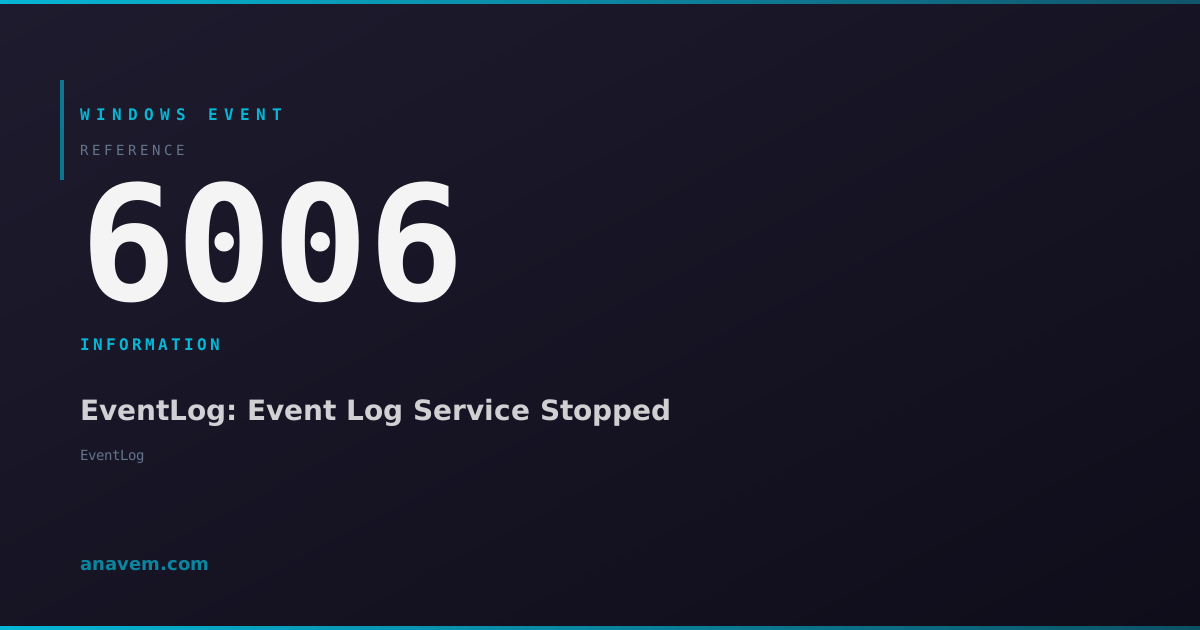
Event ID 6006 indicates the Windows Event Log service has stopped. This informational event fires during normal system shutdown or when the EventLog service is manually stopped.

Emanuel DE ALMEIDAEmanuel DE ALMEIDA
18 March 20268 min read 0
Event ID 6006EventLog 5 methods 8 min
Event Reference

What This Event Means

Event ID 6006 represents the orderly shutdown of the Windows Event Log service. This service, running as part of the Windows operating system core, manages all event logging functionality across the system. When the service stops, it generates this final informational event before ceasing all logging operations.

The event contains minimal data but serves as a timestamp marker indicating when the EventLog service terminated. This information proves invaluable for forensic analysis, troubleshooting unexpected shutdowns, and maintaining audit trails. System administrators use this event to differentiate between planned maintenance shutdowns and unexpected system failures.

In Windows 2025 and later versions, Microsoft enhanced the EventLog service with improved reliability and faster startup times. However, the fundamental behavior of Event ID 6006 remains consistent across all Windows versions. The event appears in the System log with a simple message indicating the service has stopped, typically followed by no further events until the next system boot when Event ID 6005 signals the EventLog service restart.

Understanding Event ID 6006 patterns helps administrators identify systems with frequent unexpected shutdowns, plan maintenance windows effectively, and troubleshoot applications that may be causing system instability. The absence of this event before a system restart often indicates hardware failures, power issues, or critical system errors that prevented normal shutdown procedures.

Applies to

Windows 10Windows 11Windows Server 2019/2022/2025
Analysis

Possible Causes

  • Normal system shutdown initiated by user or administrator
  • Scheduled system restart for Windows Updates or maintenance
  • Manual stop of the EventLog service via Services console or PowerShell
  • System shutdown triggered by Group Policy or scheduled tasks
  • Remote shutdown commands executed via PowerShell or command line tools
  • Application-initiated shutdown requests processed by Windows
  • Planned maintenance operations requiring system restart
Resolution Methods

Troubleshooting Steps

01

Check Event Viewer for Shutdown Patterns

Navigate to Event Viewer to analyze shutdown patterns and verify normal EventLog service behavior.

  1. Open Event Viewer by pressing Windows + R, typing eventvwr.msc, and pressing Enter
  2. Navigate to Windows LogsSystem
  3. Filter events by clicking Filter Current Log in the Actions pane
  4. Enter Event ID 6006 in the Event IDs field and click OK
  5. Review the timestamps to identify shutdown patterns and frequency
  6. Check for corresponding Event ID 6005 entries after each 6006 to confirm normal service restarts
Pro tip: Look for gaps between Event ID 6006 and the next 6005 to identify unexpected shutdowns or extended downtime periods.
02

Use PowerShell to Query EventLog Service Events

Query Event ID 6006 occurrences using PowerShell for detailed analysis and reporting.

  1. Open PowerShell as Administrator
  2. Run the following command to retrieve recent Event ID 6006 entries:
Get-WinEvent -FilterHashtable @{LogName='System'; Id=6006} -MaxEvents 20 | Format-Table TimeCreated, Id, LevelDisplayName, Message -AutoSize
  1. For more detailed analysis, export results to CSV:
Get-WinEvent -FilterHashtable @{LogName='System'; Id=6006} -MaxEvents 100 | Select-Object TimeCreated, Id, LevelDisplayName, Message | Export-Csv -Path "C:\Temp\EventID6006.csv" -NoTypeInformation
  1. Analyze shutdown frequency with this command:
$Events = Get-WinEvent -FilterHashtable @{LogName='System'; Id=6006} -MaxEvents 50
$Events | Group-Object {$_.TimeCreated.Date} | Sort-Object Name | Format-Table Name, Count
Pro tip: Use -StartTime and -EndTime parameters to analyze specific time periods for maintenance planning.
03

Monitor EventLog Service Status and Configuration

Verify EventLog service configuration and monitor its operational status to ensure proper logging functionality.

  1. Check EventLog service status using PowerShell:
Get-Service -Name EventLog | Format-List Name, Status, StartType, ServiceType
  1. View detailed service configuration:
Get-WmiObject -Class Win32_Service -Filter "Name='EventLog'" | Format-List Name, State, StartMode, PathName, ProcessId
  1. Monitor service dependencies:
Get-Service -Name EventLog -DependentServices
Get-Service -Name EventLog -RequiredServices
  1. Check EventLog service registry configuration at:
  2. HKLM\SYSTEM\CurrentControlSet\Services\EventLog
  3. Verify the Start value is set to 2 (Automatic startup)
Warning: Never manually stop the EventLog service in production environments as it will halt all event logging until restart.
04

Correlate with System Shutdown Events

Analyze Event ID 6006 in context with other shutdown-related events to understand system behavior patterns.

  1. Query multiple shutdown-related events simultaneously:
$ShutdownEvents = @(1074, 1076, 6005, 6006, 6008, 6009)
Get-WinEvent -FilterHashtable @{LogName='System'; Id=$ShutdownEvents} -MaxEvents 50 | Sort-Object TimeCreated -Descending | Format-Table TimeCreated, Id, LevelDisplayName, Message -Wrap
  1. Create a comprehensive shutdown analysis report:
$StartDate = (Get-Date).AddDays(-30)
$Events = Get-WinEvent -FilterHashtable @{LogName='System'; Id=@(1074,6006,6008); StartTime=$StartDate}
$GroupedEvents = $Events | Group-Object Id
foreach ($Group in $GroupedEvents) {
    Write-Host "Event ID $($Group.Name): $($Group.Count) occurrences"
}
  1. Identify unexpected shutdowns by finding Event ID 6008 (unexpected shutdown) without preceding 6006:
Get-WinEvent -FilterHashtable @{LogName='System'; Id=6008} -MaxEvents 10 | Format-Table TimeCreated, Message -Wrap
  1. Generate a timeline of shutdown events for the past week:
$LastWeek = (Get-Date).AddDays(-7)
Get-WinEvent -FilterHashtable @{LogName='System'; Id=@(6005,6006); StartTime=$LastWeek} | Sort-Object TimeCreated | Format-Table TimeCreated, Id, Message
05

Advanced EventLog Service Troubleshooting

Perform advanced diagnostics when Event ID 6006 patterns indicate potential EventLog service issues.

  1. Enable EventLog service debug logging by modifying registry:
New-ItemProperty -Path "HKLM:\SYSTEM\CurrentControlSet\Services\EventLog\Parameters" -Name "Debug" -Value 1 -PropertyType DWORD -Force
  1. Check EventLog service memory usage and performance:
Get-Process -Name "svchost" | Where-Object {$_.Modules.ModuleName -contains "wevtsvc.dll"} | Format-List ProcessName, Id, WorkingSet, PagedMemorySize
  1. Analyze EventLog service crash dumps if available:
  2. Navigate to %SystemRoot%\Minidump or %SystemRoot%\MEMORY.DMP
  3. Use Windows Debugging Tools to analyze dump files for EventLog service issues
  4. Verify event log file integrity:
$LogFiles = Get-ChildItem "$env:SystemRoot\System32\winevt\Logs" -Filter "*.evtx"
foreach ($Log in $LogFiles) {
    try {
        $Events = Get-WinEvent -Path $Log.FullName -MaxEvents 1 -ErrorAction Stop
        Write-Host "$($Log.Name): OK" -ForegroundColor Green
    } catch {
        Write-Host "$($Log.Name): CORRUPTED" -ForegroundColor Red
    }
}
  1. Reset EventLog service configuration if corruption is detected:
Stop-Service -Name EventLog -Force
Start-Service -Name EventLog
Warning: Stopping the EventLog service will temporarily halt all event logging. Perform this operation only during maintenance windows.

Overview

Event ID 6006 from the EventLog source fires when the Windows Event Log service stops. This is typically the last event recorded in the System log before a clean shutdown or restart. The event appears in the System log and indicates normal termination of the EventLog service, which manages all event logging on Windows systems.

This event occurs during planned shutdowns, restarts, or when an administrator manually stops the EventLog service. The timing of this event helps administrators determine if a system shutdown was planned or unexpected. If Event ID 6006 is missing from logs before a system restart, it suggests an unplanned shutdown such as a power failure or system crash.

The EventLog service is critical for Windows logging infrastructure. When it stops, no further events can be written to any Windows event logs until the service restarts. This makes Event ID 6006 a crucial marker for system administrators tracking shutdown patterns and investigating system stability issues.

Frequently Asked Questions

What does Event ID 6006 mean and when does it occur?+
Event ID 6006 indicates that the Windows Event Log service has stopped. This informational event occurs during normal system shutdowns, restarts, or when an administrator manually stops the EventLog service. It represents the last event typically recorded before the system stops logging events. The event serves as a timestamp marker showing when the EventLog service terminated, which helps administrators distinguish between planned and unplanned shutdowns.
Is Event ID 6006 a sign of a problem with my Windows system?+
No, Event ID 6006 is not a problem indicator. It's a normal informational event that occurs during every planned shutdown or restart. The event simply documents when the EventLog service stopped as part of the normal shutdown sequence. However, if you notice this event occurring frequently without corresponding planned shutdowns, it might indicate unexpected system restarts that warrant investigation. The absence of Event ID 6006 before a system restart is more concerning as it suggests an unexpected shutdown.
How can I use Event ID 6006 to troubleshoot unexpected shutdowns?+
Event ID 6006 serves as a key marker for planned shutdowns. To troubleshoot unexpected shutdowns, look for Event ID 6008 (unexpected shutdown) entries that are not preceded by Event ID 6006. This pattern indicates the system shut down without properly stopping the EventLog service first. You can also analyze the time gaps between Event ID 6006 and the subsequent Event ID 6005 (EventLog service started) to identify extended downtime periods. Use PowerShell to query these events and create timeline reports for pattern analysis.
Can I prevent Event ID 6006 from appearing in my event logs?+
You cannot and should not prevent Event ID 6006 from appearing in event logs. This event is generated automatically by the Windows EventLog service as part of its normal shutdown procedure and serves important administrative and forensic purposes. Attempting to suppress this event would require disabling critical logging functionality, which would compromise system monitoring and troubleshooting capabilities. The event is informational only and does not indicate any issues requiring resolution.
What should I do if Event ID 6006 appears very frequently in my logs?+
Frequent Event ID 6006 entries indicate your system is shutting down or restarting often. First, determine if these shutdowns are planned by checking for corresponding shutdown initiation events like Event ID 1074. Review your system's restart schedule, Windows Update settings, and any automated maintenance tasks. Use PowerShell to analyze the frequency and timing patterns. If the shutdowns are unplanned, investigate hardware issues, power problems, overheating, or software conflicts. Check for Event ID 6008 entries which indicate unexpected shutdowns, and review the System and Application logs for error events preceding the shutdowns.
Documentation

References (2)

Emanuel DE ALMEIDA
Written by

Emanuel DE ALMEIDA

Senior IT Journalist & Cloud Architect

Microsoft MCSA-certified Cloud Architect | Fortinet-focused. I modernize cloud, hybrid & on-prem infrastructure for reliability, security, performance and cost control - sharing field-tested ops & troubleshooting.

Discussion

Share your thoughts and insights

You must be logged in to comment.

Loading comments...