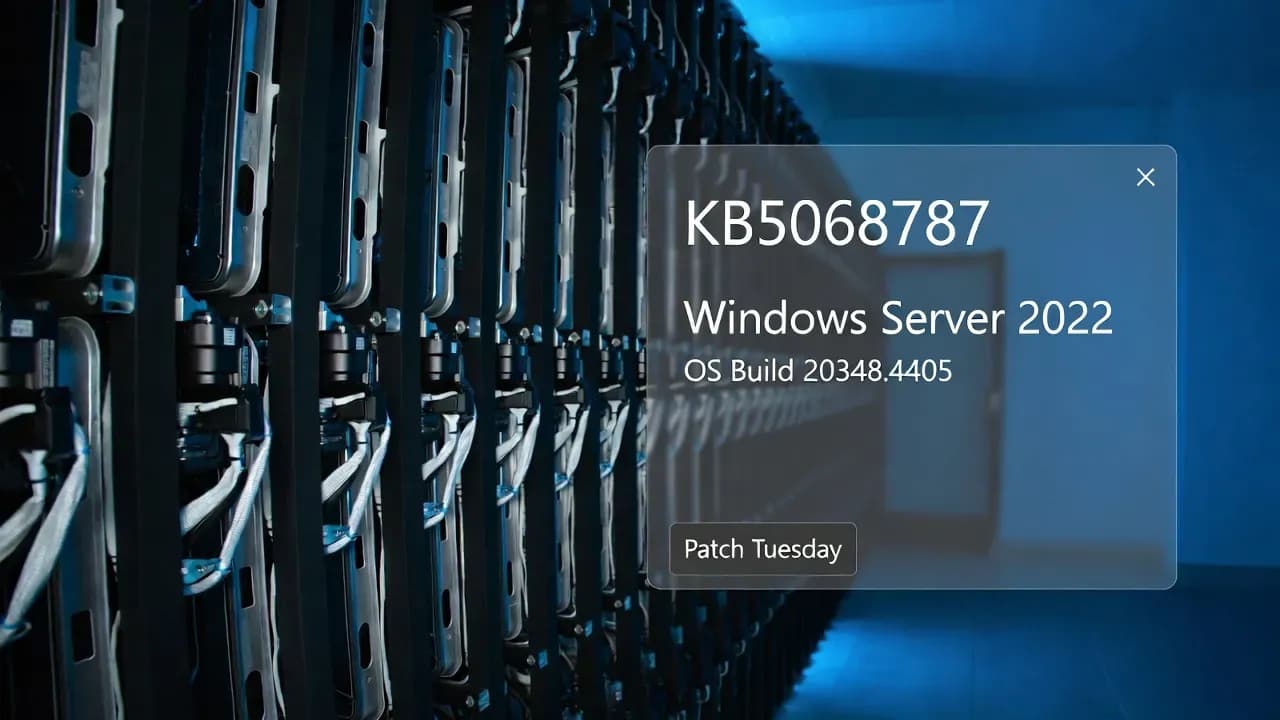
KB5068787 for Windows Server 2022: What Changed, Who It Affects, and How to Deploy Safely
KB5068787 is the November 2025 cumulative security update for Windows Server 2022, bringing systems to OS Build 20348.4405. Beyond routine security servicing, it resolves a domain controller communication problem tied to Microsoft Defender for Endpoint after DC promotion, and tightens behavior around HTTP.sys request parsing in proxy-heavy environments. This guide breaks down what changed, what to validate, and how to deploy with minimal operational risk.

What is KB5068787?
KB5068787 is Microsoft's cumulative security update released on November 11, 2025 for Windows Server 2022, advancing the platform to OS Build 20348.4405. As with standard monthly servicing for Windows Server, it bundles security fixes together with quality improvements and also rolls in non-security changes previously shipped in the prior optional preview release.
For most enterprises, the practical takeaway is simple: this is a servicing baseline update that should be treated as part of normal Patch Tuesday operations. However, KB5068787 contains a few items that are operationally significant for specific server roles, particularly domain controllers and environments that rely heavily on reverse proxies or layered HTTP request handling.
At-a-glance summary
| Item | Value |
|---|---|
| Product | Windows Server 2022 |
| Update | KB5068787 (cumulative security update) |
| Release date | November 11, 2025 |
| OS build after install | 20348.4405 |
| Includes | Latest LCU plus servicing stack update (SSU) in the combined package |
| Notable fixes | DC + MDE communication after promotion, HTTP.sys parsing behavior, app compatibility/UAC prompts |
| Known issue note | WSUS does not display synchronization error details after certain updates |
Why KB5068787 matters operationally
Most monthly LCUs are "install and move on" for general-purpose file servers, application servers, and infrastructure nodes that are already in a stable patch cadence. KB5068787 stands out for two reasons:
Neither of these items will affect every server. But for the environments that do match the profile, this update is worth a more deliberate validation cycle rather than a purely routine deployment.
What's fixed in KB5068787
1) App compatibility: unexpected UAC prompts during MSI repair (fixed)
Microsoft documents a fix for an app compatibility problem that triggered unexpected User Account Control (UAC) prompts for some applications, including Autodesk AutoCAD, in scenarios involving MSI repair operations.
If you manage packaged applications at scale, this category of issue can manifest as helpdesk noise that looks like "random UAC prompts," "repairs failing," or "self-healing prompts appearing after patching." Even if you do not run AutoCAD on servers, it is a useful signal that the servicing stack and MSI repair pathways were impacted by prior updates and are now corrected.
2) Domain controllers: MDE cloud communication regression after DC promotion (fixed)
KB5068787 includes a fix for an issue affecting Windows Server domain controllers using Microsoft Defender for Endpoint. Microsoft's description indicates that after domain controller promotion, changes to registry permissions disrupted cloud-based communication.
This is the kind of failure mode that can be easy to miss because the server is "up," AD services appear healthy, and authentication works. Meanwhile, your security tooling can become partially blind on a role that is highly sensitive and frequently targeted.
What to validate after installing KB5068787 on DCs:
- Confirm the MDE sensor is healthy and reporting to the tenant
- Check for abrupt drops in telemetry or device health signals in your security portal
- Review Windows Event Logs tied to the MDE agent, onboarding, or connectivity (your exact log sources vary by configuration and agent version)
- If you are promoting new DCs as part of a project, patching before promotion (or immediately after) becomes more important than usual
3) Networking: HTTP.sys request parser behavior and strict parsing option
KB5068787 fixes an issue in HTTP.sys, specifically in the HTTP.sys request parser that reads and processes HTTP requests. Microsoft notes that the parser allowed a single line break within HTTP/1.1 chunk extensions, while RFC 9112 requires a CRLF sequence to terminate each chunk. In real deployments, this can create parsing discrepancies when front-end proxies are part of the request path.
Microsoft also provides a registry-based option to enable strict parsing:
- Registry Key:
HKEY_LOCAL_MACHINE\SYSTEM\CurrentControlSet\Services\Http\Parameters - Registry value:
HttpAllowLenientChunkExtParsing(DWORD) - Set to:
0(to turn on strict parsing)
Known issues and caveats
WSUS does not display synchronization error details
Microsoft documents that after installing KB5070884 or later updates, Windows Server Update Services (WSUS) may stop displaying synchronization error details within its error reporting UI. Microsoft states this functionality was temporarily removed to address a remote code execution vulnerability (CVE-2025-59287).
This is important because it can change the operator experience during WSUS troubleshooting. Sync issues may still occur, but the UI may provide less diagnostic detail, pushing admins to rely more on WSUS logs and server-side investigation instead of the console's error pane.
Operational recommendation: if your patch operations depend heavily on WSUS console error detail, ensure your runbooks include the relevant log paths and troubleshooting steps so your team is not blocked by a reduced UI signal during an incident.
Servicing stack and packaging notes (SSU + LCU behavior)
KB5068787 is delivered in the modern combined servicing model where Microsoft pairs the latest servicing stack update (SSU) with the cumulative update package. For this release, Microsoft references Windows Server 2022 servicing stack update KB5068786 (version 20348.4400).
Two implications matter to administrators:
-
Uninstall behavior is different. If you attempt to remove the update, Microsoft notes that using
wusa.exe /uninstallon the combined package does not work because the SSU is included. Instead, removal is performed via DISM with the LCU package name. -
Offline servicing prerequisites exist. If you service images offline (golden images, templates, WIM maintenance), Microsoft states your image must include KB5030216 (September 12, 2023) or later before applying the latest update. This ensures the SSU version is new enough to avoid the servicing error
0x800f0823(CBS_E_NEW_SERVICING_STACK_REQUIRED).
How to get and install KB5068787
KB5068787 is available through the standard enterprise channels:
- Windows Update / Microsoft Update: installs automatically (depending on policy)
- Windows Update for Business: installs automatically in accordance with configured rings
- WSUS: syncs when Products/Classifications are configured appropriately
- Product: Microsoft Server operating system-21H2
- Classification: Security Updates
- Microsoft Update Catalog: standalone package for manual download and import workflows
How to confirm KB5068787 is installed
Use one of these checks:
Confirm OS build:
- Target build after install: 20348.4405
Confirm the KB is present (example approaches):
wmic qfe | find "5068787"- PowerShell:
Get-HotFix | Where-Object {$_.HotFixID -eq "KB5068787"} - DISM package inventory:
DISM /online /get-packages
In hardened environments, DISM-based validation is often the most reliable because it reflects the servicing state even when certain inventory layers are delayed or filtered.
Deployment strategy for enterprise environments
Recommended rings and sequencing
A practical rollout approach looks like this:
- Pilot ring (24 to 72 hours): a small set of representative servers, including at least one that sits behind your common proxy stack.
- Role-based validation ring: domain controllers, management servers, and any hosts exposed to complex inbound HTTP patterns (IIS, API gateways, reverse proxies).
- Broad deployment: remaining server fleet.
Specific validation checklist
For domain controllers running MDE:
- Validate sensor health and cloud communication
- Verify no policy drift or permission errors emerged after patching
- Monitor for authentication anomalies and security telemetry continuity
For HTTP-facing workloads:
- Validate application behavior under real traffic patterns
- If enabling strict parsing, test with every upstream component in the chain (WAF, reverse proxy, load balancer, CDN, API gateway)
- Watch for increased 4xx/5xx rates or unusual connection resets that correlate with chunked transfers
For WSUS-driven shops:
- Ensure your operational playbooks do not depend solely on WSUS console error detail
- Validate synchronization health via logs and server-side checks
Important forward-looking note: Secure Boot certificate expirations in 2026
In the KB5068787 documentation, Microsoft highlights an important broader platform item: Secure Boot certificates used by most Windows devices are set to expire starting in June 2026. For Windows Server fleets, this is less about "this month's patch" and more about long-range serviceability and boot trust continuity.
If your organization manages firmware-level Secure Boot configuration tightly, treat this as a project, not a footnote. Inventory affected devices, understand the certificate update paths, and align timelines with maintenance windows well ahead of mid-2026.
Is KB5068787 still relevant if you're already patched later?
In most environments today, KB5068787 is likely superseded by later Windows Server 2022 cumulative updates. For example, Microsoft's December 9, 2025 update (KB5071547, OS Build 20348.4529) explicitly states it contains fixes and quality improvements from KB5068787.
That said, KB5068787 still matters in these scenarios:
- You are validating a historical incident window tied to November 2025 patching
- You are analyzing build-level differences between rings or sites
- You are servicing offline images that are pinned to a specific monthly baseline
- You need to understand when the DC + MDE and HTTP.sys items entered your environment
Bottom line
KB5068787 is a standard cumulative security update for Windows Server 2022, but it includes fixes that are meaningful for real-world enterprise operations: domain controller security telemetry continuity (MDE after promotion) and more deterministic HTTP parsing behavior in proxy-heavy architectures. Deploy it with the same disciplined ring strategy you use for monthly patching, but give extra attention to DC validation and to any application path that relies on chunked HTTP semantics.
Frequently Asked Questions
After installing KB5068787, Windows Server 2022 will be updated to OS Build 20348.4405. You can verify this by running winver or checking System Properties.
You cannot use the standard wusa.exe /uninstall command because KB5068787 is a combined package that includes the servicing stack update (SSU). Instead, use DISM: DISM /online /remove-package /packagename:[LCU-package-name]. Note that the SSU portion cannot be removed after installation.
Your offline image must include KB5030216 (September 12, 2023) or a later cumulative update before applying KB5068787. This ensures the servicing stack version is at least 20348.1960, which is required to prevent error 0x800f0823 (CBS_E_NEW_SERVICING_STACK_REQUIRED).
Microsoft temporarily removed the WSUS synchronization error detail display functionality to address a remote code execution vulnerability (CVE-2025-59287). This affects KB5070884 and later updates, including KB5068787. You should use WSUS logs and server-side investigation for troubleshooting instead.
KB5068787 actually fixes an issue where Microsoft Defender for Endpoint cloud communication was disrupted after domain controller promotion due to registry permission changes. After installing this update, MDE should communicate properly with cloud services on newly promoted DCs.
KB5068787 introduces a registry option to enable strict HTTP parsing. Set HKEY_LOCAL_MACHINE\SYSTEM\CurrentControlSet\Services\Http\Parameters\HttpAllowLenientChunkExtParsing (DWORD) to 0 to enforce RFC 9112 compliance requiring CRLF sequences in chunk extensions. Test in pre-production before enabling.
No. If you have installed KB5071547 (December 9, 2025, OS Build 20348.4529) or any later cumulative update, KB5068787 is already superseded. Those updates contain all fixes and improvements from KB5068787.
KB5068787 addresses 63 vulnerabilities including CVE-2025-62215 (kernel privilege escalation with CVSS 7.0) and CVE-2025-59287 (WSUS remote code execution). It also fixes the HTTP.sys parsing vulnerability that could cause issues with proxy and load balancer configurations.
Comments
Want to join the discussion?
Create an account to unlock exclusive member content, save your favorite articles, and join our community of IT professionals.
New here? Create a free account to get started.