Basics of Cybersecurity (2026): A Premium Beginner Explainer (That Actually Teaches You)
A complete beginner explainer: how cyberattacks really happen, CIA triad, the 6-step attack chain, Zero Trust basics, cloud responsibility, mistakes to avoid, and a practical glossary.

Cybersecurity is one of those topics people "know they should learn", but most beginner pages fail at the same place: they describe concepts as a checklist, then move on. The result is frustration. You don't learn how attacks work, you don't understand why some protections matter more than others, and you can't prioritize.
This explainer fixes that. It's written to give you a mental model you can keep forever: what cybersecurity really protects, how attackers actually move, and which controls prevent small problems from becoming a full-blown incident.
A narrative intro: how a real attack starts (and why it feels "normal")
It's Monday morning. You open your laptop, coffee in hand, and your inbox has a "Microsoft 365" email that doesn't look suspicious at all. The subject is something plausible like "Action required" or "Storage warning". The branding is clean. The tone is urgent but polite. You click because you want to clear it and move on.
The page looks exactly like the real Microsoft sign-in. You enter your email, password, and then your phone prompts you for MFA. You approve. Nothing happens. You assume the site bugged out and you go back to work.
What you don't see is that you just gave an attacker the two things they need to ruin your week: valid credentials and a confirmed authentication flow. From there, the attacker doesn't need "Hollywood hacking." They log in like you. They browse your mailbox, search for invoices, contracts, password reset emails, and messages that reveal internal systems. Then they target your cloud storage and your coworkers—because internal trust makes phishing ten times easier.
Hours later, the symptoms show up: you're logged out, files start changing, your team receives emails "from you", and suddenly you're dealing with the final stage of the story: data theft or ransomware.
That's what cybersecurity is trying to stop. Not the ransom note. The earlier steps that made it possible.
What cybersecurity actually protects (the concept most guides oversimplify)
A beginner mistake is thinking cybersecurity is about "protecting a computer." In reality, cybersecurity protects four core pillars:
Identity is the first pillar because accounts are the new perimeter. If someone controls your identity (password + session + MFA), they can access everything you can access.
Data is the second pillar because data is what attackers monetize: customer information, financial documents, internal IP, authentication secrets, private emails.
Systems are the third pillar: endpoints, servers, applications, browsers, and cloud services. Systems run your work and store the things you care about.
Availability is the fourth pillar: if systems go down, business stops. For many organizations, downtime is as damaging as a data leak.
A security program is "good" when it protects all four pillars in a coherent way—without pretending that one tool will do everything.
The CIA triad (the foundation that keeps you grounded)
The CIA triad is not theory. It's a practical lens to understand what kind of failure you're dealing with.
+--------------------------- CIA TRIAD ---------------------------+
| Confidentiality  -> prevent unauthorized access to data         |
| Integrity        -> prevent unauthorized changes to data/systems|
| Availability     -> keep systems and services usable            |
+-----------------------------------------------------------------+
Here's why this matters: when something breaks, you can instantly ask: Is this a confidentiality problem (leak)? Integrity (tampering)? Availability (outage)? Most major incidents hit more than one.
Ransomware is a perfect example: it's availability (systems unusable), often integrity (data altered/encrypted), and frequently confidentiality (data stolen first).
How cyberattacks really happen: the "6-step attack chain" explained in plain English
Most pages list "phishing, malware, ransomware" as if they were separate planets. In reality, they're often chapters of the same story. Attackers typically progress through stages, because a single foothold is rarely enough to do maximum damage.
+--------------------------- ATTACK CHAIN -------------------------+
| 1) Initial Access      -> phishing, stolen creds, exposed service |
| 2) Execution           -> running code, scripts, loaders          |
| 3) Persistence         -> staying after reboot, hidden access     |
| 4) Privilege Escalation-> becoming admin                          |
| 5) Lateral Movement    -> moving to other machines/accounts       |
| 6) Impact              -> data theft, ransomware, disruption      |
+------------------------------------------------------------------+
This model is "premium" because it gives you a real advantage: you can defend earlier. If you stop step 1 or 2, you're dealing with a minor event. If you only notice at step 6, you're in incident response mode with business pressure, reputational risk, and potentially legal obligations.
The core threats beginners must understand (with real explanations)
Phishing is not "spam" — it's identity theft with psychology
Phishing is effective because it uses context and urgency. Modern phishing doesn't always look cheap. Attackers copy real login pages, use compromised mailboxes, and craft messages that match your daily workflow (HR forms, document sharing, invoice updates, security alerts).
The goal is simple: make you authenticate on a fake page or approve a sign-in you didn't initiate. Once identity is compromised, the attacker often doesn't need malware at all. They can live "in the cloud" using legitimate access—harder to detect and easier to scale.
Malware is usually a delivery mechanism, not "the hack"
Malware is an umbrella term: trojans, remote access tools, stealers, loaders, ransomware. What matters is not the label—it's what it enables. Malware commonly exists to steal credentials, disable defenses, maintain persistence, or deploy the final payload.
Beginners often ask, "How do I avoid malware?" The most honest answer is: you reduce the probability of execution (safe sources, patching, application control) and you reduce impact if it does run (least privilege, EDR, segmentation).
Ransomware is often the end of an intrusion, not the beginning
The popular myth is that ransomware is a single file that encrypts everything instantly. In many real intrusions, ransomware is deployed after the attacker has already: mapped your network, harvested credentials, found backups, and identified critical systems.
That's why "anti-ransomware" alone isn't a strategy. The strategy is: make it hard to get in, hard to move, hard to become admin, and easy for you to recover.
Misconfiguration is the silent breach generator (especially in cloud)
Misconfiguration is boring and extremely common: overly permissive sharing links, admin roles granted too broadly, exposed services, weak conditional access, "temporary" exceptions that never get removed.
Cloud platforms are robust, but they are also flexible. Flexibility without governance becomes exposure. Most "cloud breaches" are actually customer-side configuration failures.
What actually works: the few controls that change outcomes
Patching: why updates are the most underestimated security control
Patching closes vulnerabilities that attackers already know about. Once a vulnerability becomes public, scanning and exploitation attempts often surge because automation makes it cheap. If you delay patches on exposed systems, you're essentially accepting a measurable risk window.
A realistic patch mindset is not "patch everything instantly." It's patch what is exposed or high-impact first, test in a small ring, then roll out widely. That's how you balance security and uptime.
Authentication: because passwords are no longer a control by themselves
Passwords fail through reuse, phishing, database leaks, and malware. This is why modern security places identity at the center. MFA helps massively, but the quality of MFA matters. Push approvals can be abused (fatigue), and some phishing kits can steal session tokens. That's why high-value accounts benefit from phishing-resistant methods like security keys or passkeys.
If you secure only one thing first, secure your email account, because email is the reset key to your entire digital life.
Least privilege: the "blast radius" killer
Least privilege is not sexy, but it is one of the most reliable defenses. The reason is simple: attackers rely on overpowered accounts. If one compromised identity can administer everything, compromise becomes total. If identities are constrained, attackers get stuck, make noise, and become easier to catch.
Least privilege is also an operational improvement: fewer accidental changes, less configuration drift, less shadow admin behavior.
Backups: you're not safe until you have restored successfully
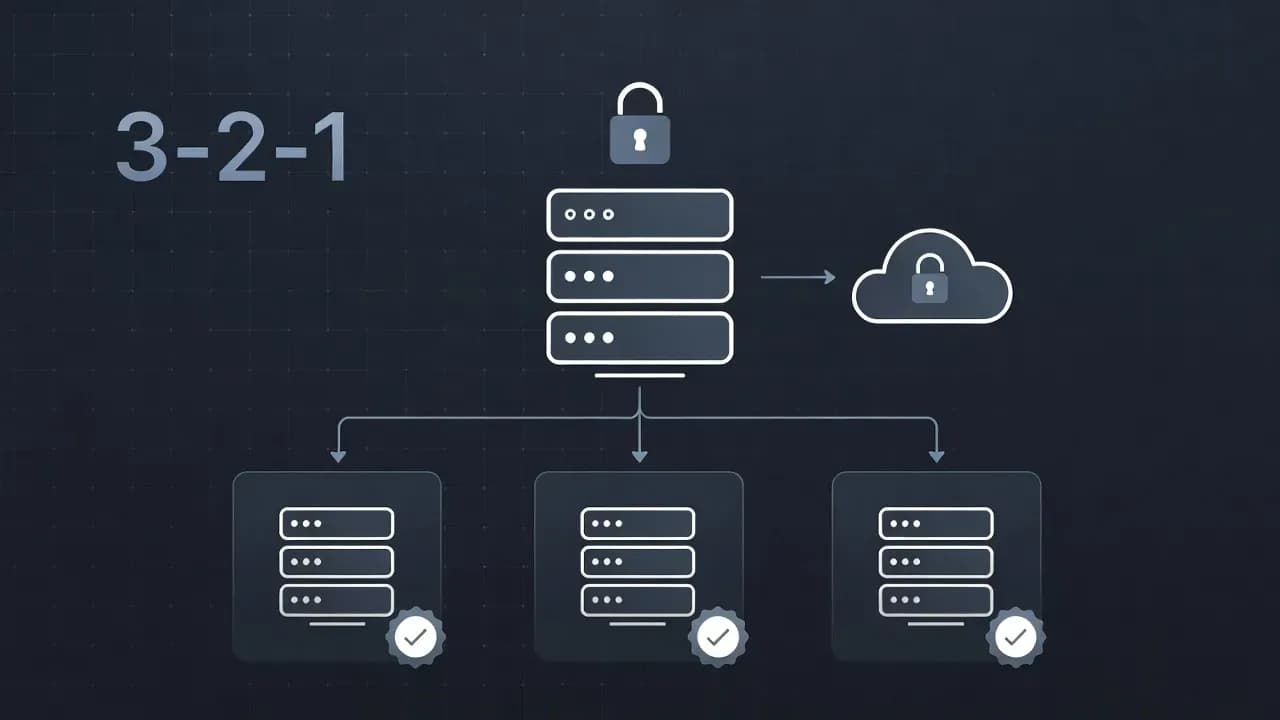
Backups are not a checkbox. They are a recovery system. A backup strategy is only credible if it includes isolation (offline/immutable), protection from the same admin credentials, and regular restore testing. Without restore testing, you don't have confidence—you have hope.
This is the difference between "we had backups" and "we recovered in 2 hours."
Monitoring and response: because prevention is not perfect
Even with good hygiene, something can slip through. Monitoring matters because it reduces time-to-detect. The earlier you detect suspicious sign-ins, privilege changes, or mass file modifications, the smaller the impact. Response matters because you don't want to improvise in a crisis; you want a simple playbook.
Zero Trust (premium explanation, no marketing)
Zero Trust is often summarized as "never trust, always verify," which is catchy but incomplete. The real idea is that trust should not come from being "inside a network." It should come from evidence: who the user is, what device they are using, how risky the context is, and what they are trying to access.
A practical Zero Trust posture means you design access so that:
- authentication is strong,
- permissions are minimal,
- and compromise doesn't spread silently.
Zero Trust isn't a product. It's a design stance: assume breach, verify explicitly, minimize privilege.
Common mistakes beginners make (and how to avoid them)
Mistake 1: "Antivirus = cybersecurity"
Antivirus is one layer. It doesn't prevent credential phishing, cloud account takeover, or misconfiguration. If your identity is compromised, attackers can bypass many endpoint controls by logging in legitimately.
Avoid it by: prioritizing identity security (password manager + MFA), patching, and backups before shopping for additional tools.
Mistake 2: "I'll do backups later"
This is the mistake that turns ransomware into a catastrophe. Attackers count on poor recovery readiness. If you can't restore fast, they control the timeline.
Avoid it by: implementing one isolated backup method and performing one real restore test. The first test is where you discover missing data, permissions issues, or corrupted archives.
Mistake 3: "I used a strong password, so reuse is fine"
Reuse is the multiplier. One leak becomes dozens of account compromises because attackers try the same password everywhere.
Avoid it by: using a password manager and unique passwords for every service, starting with email and cloud storage.
Mistake 4: "MFA means I can't be phished"
MFA reduces risk, but it's not magic. Some MFA flows can be manipulated (fatigue), and some attacks steal session tokens.
Avoid it by: using phishing-resistant MFA for critical accounts and treating unexpected prompts as a red flag.
Mistake 5: "Cloud means the provider handles security"
Providers secure the platform; you secure identity, access rules, sharing, and configuration. Many cloud incidents are misconfiguration incidents.
Avoid it by: restricting admin roles, enabling audit logs, tightening sharing defaults, and applying conditional access.
Mistake 6: "If something happens, we'll figure it out"
In incidents, stress kills decision quality. Without a plan, teams waste time arguing about what to do.
Avoid it by: writing a one-page incident plan: who is responsible, what to isolate first, what evidence to preserve, and how to restore.
Mini glossary (beginner-friendly)
| Term | Definition |
|---|---|
| Asset | Anything worth protecting: accounts, devices, servers, data, uptime |
| Threat | Something that can cause harm (a phishing campaign, a ransomware group) |
| Vulnerability | A weakness that can be exploited (unpatched software, weak configs) |
| Exploit | The technique or code that abuses a vulnerability |
| Attack surface | All exposed paths an attacker can target: logins, ports, apps, APIs |
| Credential stuffing | Using leaked credentials at scale to break into accounts |
| Least privilege | Giving only the minimum access needed to do the job |
| Lateral movement | Moving from one compromised system/account to others |
| Persistence | Keeping access after reboot or password changes |
| Exfiltration | Stealing data out of an environment |
| Immutable backup | Backup that cannot be modified or deleted during its retention window |
Conclusion
Cybersecurity becomes manageable when you stop thinking in tools and start thinking in chains and impact. The attacker's job is to find the easiest path. Your job is to make that path noisy, constrained, and recoverable. That's why identity security, patching, least privilege, backups, and monitoring consistently outperform "random security purchases."
If you internalize the CIA triad and the six-step attack chain, you'll read security news differently: you'll immediately see where the breach began, why it escalated, and which control would have stopped it earlier.
Frequently Asked Questions
The CIA triad stands for Confidentiality (preventing unauthorized access), Integrity (preventing unauthorized changes), and Availability (keeping systems usable). It's a foundational model for understanding what security controls protect.
Zero Trust is a security design approach where trust is never assumed based on network location. Instead, every access request is verified based on identity, device, context, and what is being accessed. It's a stance, not a product.
While MFA significantly reduces risk, some attacks can bypass it. Attackers can steal session tokens after you authenticate, or use MFA fatigue attacks where they spam push notifications until you approve. Phishing-resistant MFA (security keys, passkeys) provides stronger protection.
The attack chain describes the typical stages of a cyberattack: Initial Access, Execution, Persistence, Privilege Escalation, Lateral Movement, and Impact. Understanding this helps defenders intervene early before attackers reach their final goal.
Securing your email account with a strong unique password and MFA. Email is the reset key to your digital life—if compromised, attackers can reset passwords to other services. After email, prioritize a password manager, backups, and keeping software updated.

Comments
Want to join the discussion?
Create an account to unlock exclusive member content, save your favorite articles, and join our community of IT professionals.
New here? Create a free account to get started.