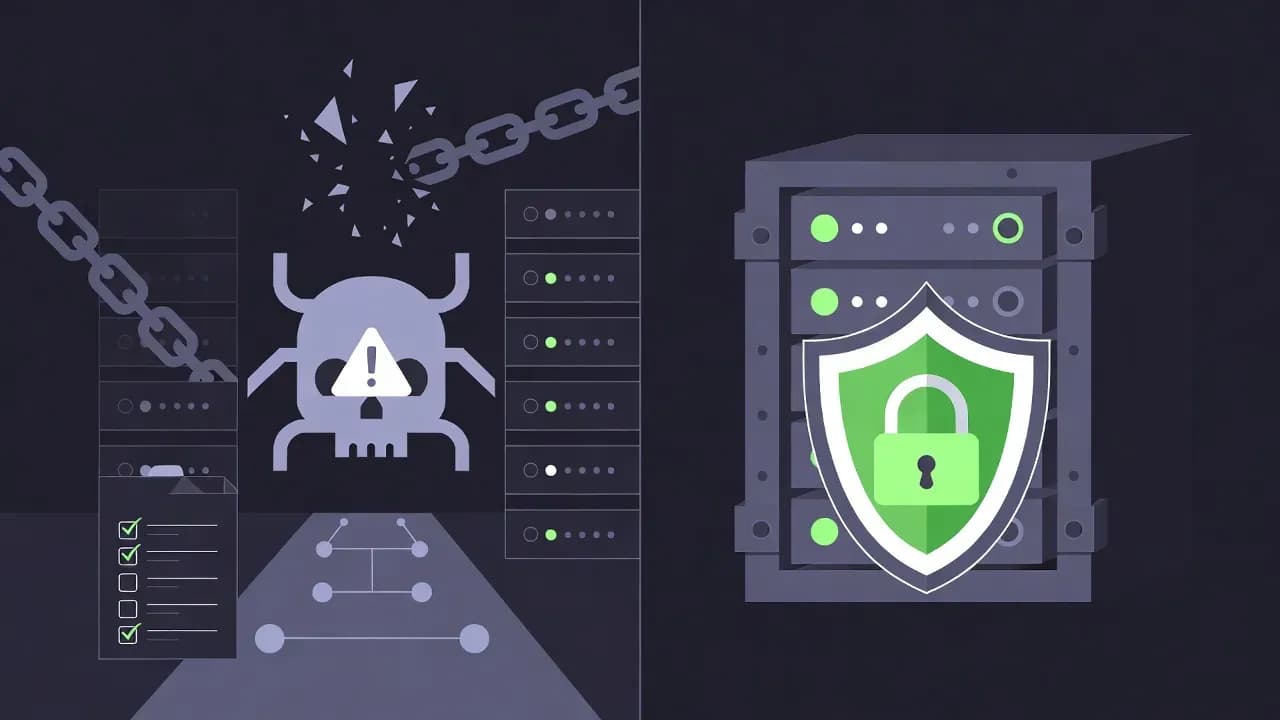
Why Your Backups Fail During Ransomware: 12 Postmortem Patterns (and Fixes)
Most ransomware recoveries fail for predictable, repeating reasons—not because backups are fundamentally broken, but because the backup plane shares the same security perimeter as production. This guide breaks down the 12 most common postmortem patterns from real incidents and the fixes that reduce blast radius.

The Kill Chain: A Backup-Centric View
Attackers follow a repeating sequence. If you want to survive ransomware, you must make step 4 fail:
- Initial Access — Phishing, exposed RDP, stolen credentials, vendor access
- Privilege Escalation — Domain admin, token theft, lateral movement to backup tier
- Reconnaissance — Map backup servers, NAS, cloud buckets, credentials, runbooks
- BACKUP SABOTAGE — Stop jobs, delete snapshots, purge repositories, disable retention
- Encryption — File shares, endpoints, VMs, hypervisors, databases
- Extortion — Data leak threats, pressure, repeat encryption, destruction
The uncomfortable truth: In many ransomware incidents, encryption is not the first objective. Removing your ability to recover is the first objective.
Organizations often experience a double failure:
- Production is encrypted
- Backups are unusable, deleted, or compromised
12 Postmortem Patterns: Why Backups Fail During Ransomware
Pattern 1: The Backup System Shares the Same Identity Plane as Production
What Happens: The backup server is domain-joined, managed by the same admins, and service accounts have broad rights. Once attackers get domain admin, they inherit the keys to the backup kingdom.
Why It Fails: Backups are treated as infrastructure. In ransomware, backups must be treated as a separate security domain.
Early Warning Signs:
- Backup console is accessible with standard domain credentials
- Backup service accounts are domain admins or have broad delegated rights
- Backup administrators are also daily workstation admins
- No MFA on backup management interfaces
- Backup admins login from standard corporate networks
The Postmortem Finding: "We found admin credentials in a text file on the attacker's staging server. They used those to disable backup retention, delete the 30-day snapshots, and modify the immutable retention lock."
Fix That Works:
- Create dedicated backup operator roles (not domain admins)
- Require MFA for all backup console access
- Restrict console access to hardened admin networks only (VPN + allowlists)
- Use separate service accounts with minimal rights (separation of duties)
- Audit admin actions with immutable logs (backup platform must log deletions)
- Require approval workflow for any retention reduction or snapshot deletion
Implementation Priority: Week 1 (fastest ROI)
Pattern 2: Backup Repositories Are Reachable as Writable Network Shares
What Happens: Repositories are exposed as SMB/NFS shares or network endpoints that attackers can reach after lateral movement. Ransomware encrypts backup data as if it were just another file share.
Why It Fails: A backup repository that looks like a file server behaves like a file server under attack. Standard ransomware scanners and encryption tools will happily encrypt it.
Early Warning Signs:
- Repository appears in
net viewor network discovery - Backup share is accessible from user VLANs or general networks
- No network segmentation between production and backup infrastructure
- Backup share permissions are loosely defined ("Everyone" can see it)
- Backup data is on standard NAS shares with standard SMB access controls
The Postmortem Finding: "We found the ransomware sample had a hardcoded exclusion list for backup shares, but the attackers also had a secondary payload that explicitly targeted those shares once they gained access to the file server management account."
Fix That Works:
- Segment backup traffic on dedicated VLAN with firewall isolation
- Remove general network reachability to repositories (no SMB broadcast)
- Use repository designs that are not "a writable share" (object storage, deduplication appliances)
- Implement network access controls: only backup servers can write, only restore workflows can read
- Use storage-level access controls (object lock, WORM, bucket policies)
- Monitor for unusual access patterns (mass deletes, bulk overwrites)
Implementation Priority: Week 2-3 (requires network planning)
Pattern 3: No Immutability, or Immutability Can Be Disabled by Normal Admins
What Happens: Backups exist offsite, but attackers purge them because retention controls are weak, reversible, or tied to compromised accounts.
Why It Fails: If an attacker can delete backups with one compromised admin account, you don't have ransomware resilience—you have a convenience copy.
Early Warning Signs:
- Offsite bucket exists but has no retention lock or WORM mode
- Retention policies can be reduced via API or console
- Same account manages both production and backup storage
- No separation between "delete" and "write" permissions
- No automated immutability verification
The Postmortem Finding: "The backup was there, but the administrator account that synchronized to the cloud had 'full control' permissions including deletion. The attacker, using stolen credentials, issued a DeleteObject on the entire S3 bucket using a lifecycle rule. The data was gone before we even knew there was an incident."
Fix That Works:
- Enforce immutable retention (WORM-style, minimum 30 days for tier-1 data)
- Use cloud provider object lock, bucket policies, or equivalent
- Separate permissions: operators can write backups but CANNOT delete
- Use a dedicated cloud account/tenant for backup storage
- Implement "break glass" procedures with separate credentials and audit trails
- Enforce minimum retention periods in policy (cannot reduce below threshold)
- Verify immutability settings are read-only (audit against policy drift)
Implementation Priority: Week 1-2 (critical for offsite strategy)
Pattern 4: Replication or Sync Overwrites Clean Data with Encrypted Data
What Happens: Teams rely on replication (NAS replication, file sync, Synology replication) as "backup". When encryption hits, replication faithfully replicates the damage and overwrites clean copies.
Why It Fails: Replication is designed for availability, not recovery. It is a real-time mirror, not a time-traveling restore point.
Early Warning Signs:
- "Backup" is described as "it replicates to the other NAS"
- No versioned retention or historical snapshots
- No isolated restore workflow (data is live-synced)
- Replication lag is minutes to hours, not days
- Single restore point (the current state)
The Postmortem Finding: "Our Synology was configured with snapshot replication every 4 hours. We had what we thought was three weeks of backups. But on day two of the incident, we realized all three weeks were encrypted—the replication had synced the encrypted snapshots across all our replicas."
Fix That Works:
- Maintain versioned backups with retention (multiple historical restore points)
- Implement versioning with immutability at each point in time
- Keep at least one longer-term retention tier (weekly or monthly)
- Design restore workflows that break the replication chain
- Monitor for change-rate anomalies (bulk renames, sudden deltas → detection signal)
- Segregate production snapshots from long-term backup tiers
- Test restore from older snapshots to verify chain is unbroken
Implementation Priority: Week 3 (architecture redesign, medium effort)
Pattern 5: Overreliance on Snapshots Without Protected Admin Model
What Happens: Snapshots are the main recovery plan. Attackers compromise NAS management, delete snapshots, then encrypt shares. Recovery is impossible.
Why It Fails: Snapshots are excellent for speed and RPO, but they are not a last line of defense if the attacker can delete them with one compromised admin.
Early Warning Signs:
- Snapshot admin is a shared IT admin account
- NAS admin UI is reachable beyond admin networks
- No immutable or offline backup copy exists
- Snapshots have short retention (< 7 days)
- No automated snapshot verification
The Postmortem Finding: "The NAS admin password was in a shared keepass database. The attacker accessed it, logged into the NAS web interface, and deleted all snapshots. By the time our monitoring alert fired, we had no recovery points left."
Fix That Works:
- Keep snapshots (they are fast and efficient)
- Add immutable offsite backups as second line of defense
- Harden NAS management access: MFA where supported, IP restrictions, separate service accounts, disable default SSH access
- Restrict snapshot deletion rights with approval workflows
- Audit snapshot operations aggressively (log every delete)
- Keep one immutable offline copy beyond NAS admin reach
- Test restore from non-NAS backups regularly
Implementation Priority: Week 2 (hardening + immutable backup pairing)
Pattern 6: Backups Are "Successful", But Restores Were Never Validated End-to-End
What Happens: Job logs look green. During the incident, restores fail due to missing application consistency, permissions corruption, encryption key issues, or undocumented dependencies.
Why It Fails: Success in backup software ≠ recoverability in the real world. A "successful" backup of a dirty database state might restore, but not function.
Early Warning Signs:
- Restore tests are ceremonial or non-existent ("we assume it works")
- No documented restore order or runbook
- No one has timed a restore from start to service-running
- Backup verification only checks "can we read the backup file"
- Encryption keys or restore credentials are not accessible during incident
- No rehearsal of actual restore to test environment
The Postmortem Finding: "The backup software said 'successful' every night for two years. When we tried to restore a server during the incident, we discovered the backup had been corrupting database transaction logs. We could restore the file, but the application would not start. By the time we figured that out, we had spent 36 hours with no service."
Fix That Works:
- Implement restore testing at three levels:
- File level: Can we extract a single file? (monthly)
- System level: Can we restore a full server to working state? (quarterly)
- Service level: Can we restore a critical app stack and have it function? (annual for tier-1)
- Measure and document RTO for each tier-1 service
- Create a "minimum viable core" restore order (AD, DNS, DHCP first)
- Store recovery credentials in a vault (not in tickets, runbooks, or email)
- Store encryption keys with your backup (HSM, vault, not on backup server)
- Run at least one isolated full restore of a tier-1 service annually
- Document application-specific consistency requirements
- Test restores from "offline" or isolated backups to catch reintroduction issues
Implementation Priority: Week 2 (ongoing, highest impact)
Pattern 7: Monitoring Exists, But Failures Are Not Operationally Owned
What Happens: Backups fail silently—storage is full, jobs are disabled, connectivity is broken. During ransomware, you discover the last clean restore point is weeks old.
Why It Fails: Backups are not treated like a production service with SLAs and escalation. Alerts go to inboxes no one owns. Warnings are accepted indefinitely.
Early Warning Signs:
- Alerts routed to a general IT inbox with no owner
- "Warning" status is acceptable for extended periods
- Capacity alerts are not tied to action items
- No escalation path for backup failures
- No dashboard showing "days since last verified restore"
- No SLA defined for backup failure detection and fix time
The Postmortem Finding: "We had alerts configured, but they went to a distribution list that no one monitored. The backup job had been failing for 12 days. The daily 'failed job' email was just noise in a crowded inbox. We only found out during the incident."
Fix That Works:
- Define SLAs for backup service (e.g., restore within 24 hours of failure)
- Route alerts to on-call rotation with escalation
- Track "last verified restore date" as primary health metric (not just "last job success")
- Dashboard must show: job success/failure rate, repository capacity, restore point age, time since last tested restore
- Treat backup failures like production incidents (page on-call, not email)
- Weekly review of backup status in IT operations meeting
- Monthly trend analysis and capacity planning
- Establish ownership: someone is accountable for backup SLA
Implementation Priority: Week 1 (process and monitoring only)
Pattern 8: Backup Encryption Keys or Repository Secrets Are on the Compromised Plane
What Happens: Backups are encrypted (good), but the keys are accessible from the backup server or the domain that gets compromised. Attackers steal or destroy the keys, making backups unrecoverable.
Why It Fails: Encryption without key separation creates a single point of failure. If the backup server is compromised, the encryption key is in the attacker's pocket.
Early Warning Signs:
- Keys stored in local files or shared admin vault with broad access
- Same admin who manages backups also controls encryption keys
- No separation between backup operators and key custodians
- No documented key recovery procedure
- Keys are backed up with the data (defeating the purpose)
The Postmortem Finding: "The backup encryption password was stored in a text file on the backup server itself. When the attacker compromised the NAS, they had the password in minutes. They couldn't decrypt the data, but they could delete everything."
Fix That Works:
- Use a proper secrets vault with access controls and audit trails
- Separate duties: Operators can run backups, Key Custodians manage master keys, Auditors view access logs
- Store keys outside the backup plane: AWS KMS, Azure Key Vault, HashiCorp Vault, separate cloud account
- Test key recovery as part of restore drills
- Audit every key access in logs
- Implement break-glass procedures with approval and notification
- Rotate keys regularly, maintain recovery procedures
Implementation Priority: Week 3-4 (security hardening)
Pattern 9: The Restore Dependency Trap (AD, DNS, Certificates, Identity)
What Happens: Teams restore servers, but the environment doesn't function because identity and name resolution are broken, certificates are missing, or the restore order is wrong. Service takes 48+ hours to recover.
Why It Fails: Recovery is a system problem. Restoring a VM is not restoring a service. Services have dependencies.
Early Warning Signs:
- No restore runbook for core dependencies (AD, DNS, DHCP)
- Certificates managed manually with no inventory
- No documented restore order for tier-1 services
- AD recovery procedures are not rehearsed
- Dependencies are "understood by the engineer who left"
- No baseline configs stored offline
The Postmortem Finding: "We restored the file server successfully, but we forgot to restore the domain controller first. The file server came up but couldn't authenticate. Then we restored AD but the restore lost the FSMO roles. DNS was pointing to the wrong IP. It took two days to untangle the dependency mess."
Fix That Works:
- Define a dependency map for tier-1 services: Identity (AD, LDAP), Name resolution (DNS), DHCP, PKI, Time sync (NTP)
- Document the "minimum viable core" restore order
- Create application dependency inventory per service
- Keep offline copies of: AD schema docs, DNS zone configs, certificate inventory, DHCP scope configs, network documentation
- Rehearse AD restore specifically (includes FSMO roles, replication)
- Test restore with clean environment simulation
- Store recovery credentials in a vault
Implementation Priority: Week 4-5 (documentation and rehearsal)
Pattern 10: SaaS Data Assumed Safe Without Backup Strategy
What Happens: Teams assume Microsoft 365 or Google Workspace is "backed up by the provider". During incidents, deletions, retention gaps, or admin compromise creates data loss that cannot be reversed.
Why It Fails: Provider availability ≠ customer-level backup and restore guarantees. Accidental deletion, malicious admin, compliance hold disputes—these are your problems.
Early Warning Signs:
- No SaaS backup product or export policy in place
- Retention policies not documented or too short
- Admin accounts not protected with conditional access
- No test restore of mailboxes or file libraries
- Assumption: "Microsoft says we can recover for 93 days"
The Postmortem Finding: "A compromised admin account deleted the entire shared mailbox. The retention hold was only 30 days. By the time we discovered it, the data was gone forever. The backup was 'in the cloud' but we had no way to recover it."
Fix That Works:
- Treat SaaS as a data source with its own RPO/RTO
- Implement SaaS-specific backup: Exchange/M365 with Veeam, Backupify, AvePoint; Google Workspace with Spanning
- Protect admin identities aggressively: MFA required, conditional access, separate break-glass accounts, monitor admin actions
- Set retention policies to match recovery requirements
- Test restore workflows for single mailbox recovery, full tenant export, permission restoration
- Keep local exports of critical data (email archives, shared files)
Implementation Priority: Week 2 (SaaS backup product evaluation)
Pattern 11: Endpoint and Identity Scope Gaps
What Happens: Servers restore successfully, but the business can't operate because endpoint state, local profiles, secrets, and developer credentials are destroyed. Users can't login, applications can't authenticate.
Why It Fails: Recovery planning focuses on servers and ignores how modern work actually runs: VPN certificates, SSH keys, local secrets, browser data, MDM enrollment.
Early Warning Signs:
- No endpoint backup or profile redirection strategy
- Secrets live in browser password managers and local machines
- No device re-provisioning runbook
- Developers hardcode credentials locally
- No MDM or device baseline configuration
- SSH keys not backed up or centrally managed
The Postmortem Finding: "The servers were back up, but every developer's laptop was destroyed. All their SSH keys, API tokens in environment variables, docker credentials—all gone. We couldn't rebuild services because the teams couldn't authenticate to git or cloud APIs."
Fix That Works:
- Standardize endpoint re-provisioning flows: MDM enrollment (Intune, Jamf), Autopilot-style automated setup, config baseline deployment
- Centralize secrets management: Developers use vaults, not local files; AWS Secrets Manager, Azure Key Vault, HashiCorp Vault; SSH keys in identity provider
- For user data, decide: backup or rehydrate from cloud (OneDrive/SharePoint profiles)
- Create device baseline images with standard tooling
- Test endpoint recovery flow (provision fresh, verify apps work)
- Educate developers: "Secrets don't live on laptops"
Implementation Priority: Week 5 (identity and endpoint focus)
Pattern 12: The Backup Platform Becomes Part of the Blast Radius
What Happens: Attackers exploit exposed management interfaces, weak patching, or third-party access to compromise the backup plane directly.
Why It Fails: Backup platforms are high-value targets. They require security posture similar to identity systems, but are often treated as infrastructure that "just works."
Early Warning Signs:
- Management interfaces exposed to the internet (port 443 accessible from anywhere)
- Patching lags significantly (backup server on 6-month-old OS)
- Vendor or MSP remote access is not controlled and audited
- Default credentials still active
- No security scanning or vulnerability management for backup systems
The Postmortem Finding: "The backup appliance had a known remote code execution vulnerability that was patched three months prior. We hadn't patched it. The attacker used a public PoC to get shell access to the backup server, and from there they deleted all restore points."
Fix That Works:
- Restrict management exposure: VPN or bastion host only, IP allowlists, strong MFA, disable unnecessary protocols
- Patch backup infrastructure with urgency: monthly patching window, backup platform = identity-tier criticality
- Review third-party access: vendor access must be logged and time-limited, use zero-trust tools for access mediation
- Vulnerability scanning: include backup infrastructure in regular scans, prioritize critical findings
- Monitor for suspicious activity: unexpected logins, mass delete operations, API calls from unusual IPs
Implementation Priority: Week 1-2 (ongoing security practice)
A Practical Recovery Scorecard
Stop asking "Do we have backups?" Start measuring these metrics:
| Metric | Target | Measurement Method |
|---|---|---|
| Last Verified Restore Date (File Level) | Monthly | Test restore single file per backup tier |
| Last Verified Restore Date (System Level) | Quarterly | Restore full VM/server to test environment |
| Immutable Retention Enabled | Yes | Audit cloud bucket policy, NAS settings |
| Minimum Retention Period | ≥30 days | Check backup retention policy |
| Separation of Duties | Yes | Audit permissions: ops vs delete vs key mgmt |
| Repository Network Reachability | Isolated | Network scan from compromised endpoint |
| Backup Platform Exposed to Internet | No | Port scan of management interfaces |
| Tier-1 Service Measured RTO | <4 hours | Timed restore drill, doc results |
| Backup SLA Defined | Yes | Review IT service agreement |
| Admin MFA on Backup Console | Yes | Audit login config, test access |
| Encryption Keys Separated from Data | Yes | Audit key storage location |
| Restore Runbook Exists | Yes | Review and sign-off document |
| SaaS Backup Strategy Defined | Yes | Audit M365/GWS backup product |
30-Day Hardening Plan (Minimum Viable Changes)
Week 1: Identity & Monitoring (Highest Impact)
Day 1-2:
- Separate backup admin accounts from domain admins
- Enable MFA on backup console
- Create backup operation alerts in on-call system
- Map out admin access to backup infrastructure
Day 3-4:
- Restrict backup management to VPN + admin network only
- Audit and document all accounts with backup admin rights
- Set up "last restore date" metric on dashboard
- Schedule first restore test (target: Day 7 or 8)
Day 5:
- Patch backup platforms if any vulnerabilities exist
- Change all default credentials
- Review vendor/MSP remote access, disable standing access
- Audit logs for suspicious activity in past 30 days
Week 1 Outcome: Backup admin identity hardened, monitoring in place, first restore test scheduled.
Week 2: Immutable Offsite Storage (Resilience)
Day 6-7:
- Provision immutable offsite backup storage (AWS S3 Object Lock, Azure Blob immutability, or dedicated appliance)
Day 8-9:
- Configure replication/sync to offsite with immutability enabled
- Verify immutable retention: attempt delete, confirm failure
- Test restore from offsite tier (manual, to verify chain works)
- Document offsite restore procedure
Day 10:
- Run first timed restore drill (system level)
- Document actual RTO and any blockers
- Set immutability retention to minimum 30 days (tier-1 data)
- Schedule weekly verification that immutability is enforced
Week 2 Outcome: Immutable offsite backup in place, validated, RTO measured.
Week 3: Network & Access Segmentation (Blast Radius Reduction)
Day 11-12:
- Map backup repository network connectivity
- Plan network segmentation: separate VLAN for backup infrastructure
- Audit SMB/NFS share permissions (remove "everyone" access)
- Plan IP allowlist for backup server access
Day 13-14:
- Implement network segmentation (firewall rules, VLAN)
- Restrict repository access: only backup servers can write
- Enable network monitoring/alerting on backup VLAN
- Test: confirm production endpoint cannot reach backup repos
Day 15:
- Document network architecture for backup tier
- Review third-party vendor access, implement controls
- Set up lateral movement detection
Week 3 Outcome: Backup infrastructure network-isolated, access controls in place.
Week 4: Restore Validation & Documentation (Operational Readiness)
Day 16-17:
- Run second full system restore test (different tier, different method)
- Time the restore, document dependencies and blockers
- Create/update restore runbook: restore order, pre-restore checklist, post-restore validation, escalation contacts
Day 18-19:
- Test SaaS backup (M365/Google Workspace)
- Verify you can restore a mailbox, user files, permissions
- Document SaaS recovery procedure and timelines
- Set up SaaS backup alerts
Day 20:
- Schedule monthly restore drill (automated reminder)
- Brief leadership on restore RTO and any gaps
- Add restore testing to IT operations calendar
- Review scorecard: how many metrics improved?
Week 4 Outcome: Restores validated and documented, team trained, ongoing cadence started.
Post-30 Days: Ongoing Hardening
Month 2:
- Monthly restore drill (at least one tier-1 service)
- Quarterly full-stack restore simulation
- Ongoing patch management for backup platforms
- Encryption key rotation (if applicable)
- Review and tune alert thresholds
Month 3+:
- Annual disaster recovery exercise (full incident simulation)
- Capacity trending and long-term retention planning
- Security audit of backup infrastructure
- Review of any backup failures and root cause
- Update runbooks based on lessons learned
Conclusion: Treating Backups Like Identity Systems
Treat your backup plane like an identity system. Both are:
- High-value targets for attackers
- Last line of defense if perimeter fails
- Difficult to recover if compromised
- Requiring separate security domain from production
- Worthy of constant testing and validation
If you apply identity-tier security to backups, you will:
- Stop the "double failure" (production + backup both gone)
- Reduce ransomware negotiation leverage (you can always restore)
- Recover faster (tested procedures, not panic improvisation)
- Detect attacks earlier (immutability violation = alert)
- Keep business running (validated RTO, predictable)
Your ransomware recovery won't fail because you don't have backups. It will fail because you didn't separate, isolate, test, and validate them.
Frequently Asked Questions
No. Immutability protects restore points from deletion, but you still face other risks: encryption key compromise, untested restores, restore reinfection, and slow detection. Immutability is one layer—you need immutability + isolation + tested restores + clean restore procedures.
Long enough to reach back to a clean point even with delayed detection. Minimum 30 days for tier-1 data. Better: 60 days. Best practice: tiered retention with 30-day snapshots + 90-day incremental + 1-year monthly archives.
They solve similar problems differently. Air gaps offer strongest protection (offline, unreachable) but are operationally heavy. Immutability is scalable and automated but depends on cloud provider guarantees. Many mature orgs use both: immutable cloud for active recovery, air-gapped offline for break-glass scenarios.
Usually identity and backup infrastructure: domain backups (delete AD backups), backup repositories (delete or encrypt offsite), credential vaults (steal passwords), shadow admin accounts (create persistence). Breaking recovery means they control the negotiation.
Backup recovers individual files/data when convenient. Disaster recovery recovers entire services with dependencies within an RTO. For ransomware, you need DR, not just backup. Backup gets you files; DR gets you service.
Comments
Want to join the discussion?
Create an account to unlock exclusive member content, save your favorite articles, and join our community of IT professionals.
New here? Create a free account to get started.