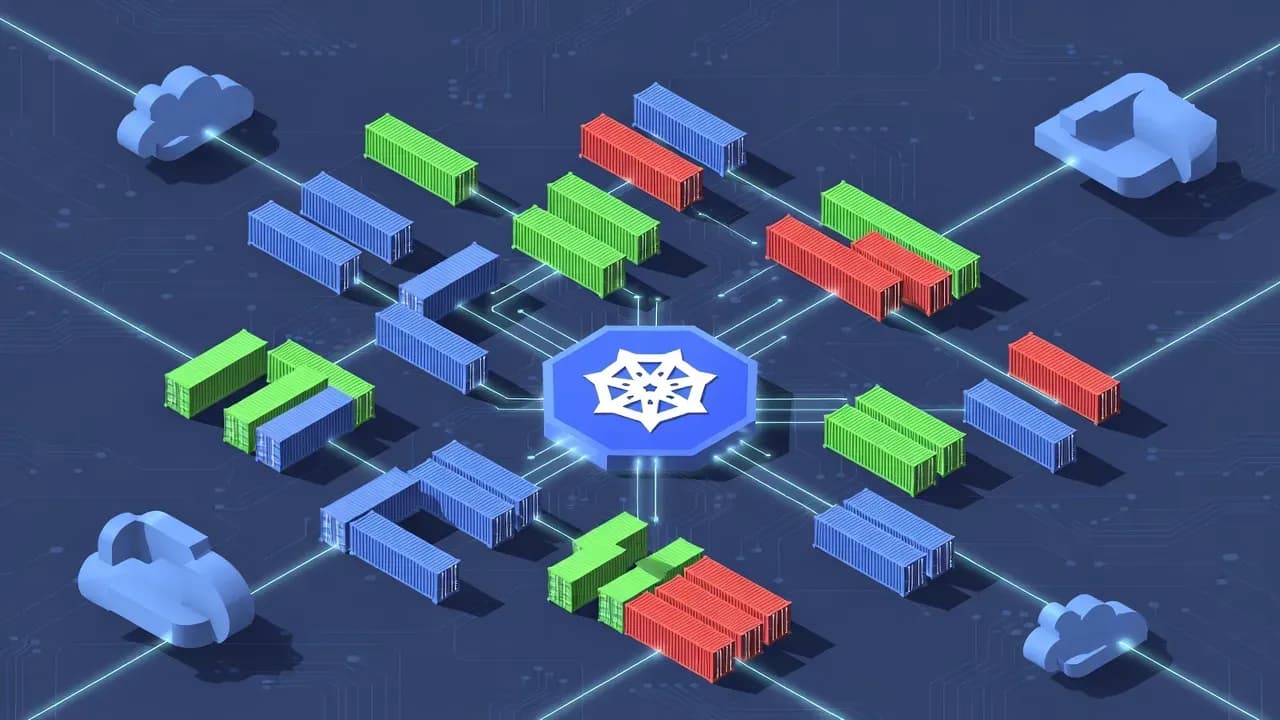
What Is Kubernetes (K8s) Explained Simply
Kubernetes is an open-source container orchestration platform that automates deploying, scaling, and managing containerized applications. This guide explains K8s architecture, core components, and why enterprises choose it for production workloads.

of organizations surveyed by CNCF are using or evaluating Kubernetes - it has become the de facto standard for container orchestration
Docker solved packaging. It made containers practical by standardizing how applications and their dependencies get bundled into portable units that run consistently everywhere. But Docker alone does not answer the harder questions: How do you run hundreds of containers across dozens of servers? How do you ensure applications stay running when servers fail? How do you scale from ten containers to ten thousand without manual intervention?
Kubernetes answers those questions. It is the operating system for your datacenter, turning a collection of machines into a unified platform that manages applications automatically.
What Kubernetes Actually Does
At its core, Kubernetes is a system for automating deployment, scaling, and operations of application containers across clusters of hosts. That definition, while accurate, obscures the practical value.
Kubernetes handles the operational complexity that would otherwise require armies of operations engineers:
| Traditional Operations | Kubernetes Operations |
|---|---|
| Manual server provisioning | Automatic pod scheduling |
| SSH to servers for deployments | Declarative rolling updates |
| Load balancer configuration | Service discovery built-in |
| Manual failover procedures | Automatic self-healing |
| Capacity planning spreadsheets | Horizontal auto-scaling |
| Server-by-server monitoring | Unified cluster metrics |
Architecture: Control Plane and Worker Nodes
A Kubernetes cluster consists of two types of machines: those that make decisions and those that execute them.
Control Plane Components
The control plane hosts the brain of the cluster. Understanding its components helps troubleshoot when things go wrong.
| Component | Function | Failure Impact |
|---|---|---|
| API Server | Front door for all cluster operations | Total cluster unavailability |
| etcd | Distributed key-value store for all cluster state | Data loss, cluster failure |
| Scheduler | Assigns pods to nodes based on resources | New pods stuck pending |
| Controller Manager | Runs controllers that reconcile state | Self-healing stops working |
| Cloud Controller | Integrates with cloud provider APIs | Load balancers, storage fail |
Worker Node Components
Worker nodes run your actual applications. Each node runs:
kubelet - The agent that receives instructions from the API server and ensures containers are running as expected. It reports node status and executes pod lifecycle operations.
Container Runtime - The software that actually runs containers. Usually containerd or CRI-O in modern clusters. Docker is no longer required.
kube-proxy - Maintains network rules that allow communication to pods from inside or outside the cluster.
Pods: The Fundamental Unit
The pod is the smallest deployable unit in Kubernetes. Understanding pods is essential for working with the platform effectively.
Most pods run a single application container. Multi-container pods are for tightly coupled helper processes only - not general application architecture.
A pod represents a group of one or more containers that share storage and network resources. While most pods contain a single application container, multi-container pods serve specific purposes:
| Multi-Container Pattern | Use Case | Example |
|---|---|---|
| Sidecar | Extend or enhance the main container | Log shipper, proxy, metrics agent |
| Ambassador | Proxy connections to outside services | Service mesh proxy, API gateway |
| Adapter | Transform output for consumption | Log format converter, metrics aggregator |
Pod Lifecycle
Pods are ephemeral by design. They are created, run, and eventually terminate - they are never repaired in place.
| Phase | Description |
|---|---|
| Pending | Pod accepted but containers not yet created |
| Running | At least one container is running |
| Succeeded | All containers terminated successfully |
| Failed | At least one container terminated with failure |
| Unknown | Pod state cannot be determined |
Pod Networking
Every pod gets its own IP address. Containers within a pod share that IP and can communicate via localhost. This flat network model simplifies application architecture significantly compared to traditional VM networking.
Services and Networking
Pods receive IP addresses, but these addresses are ephemeral - they change when pods restart or move. Services provide stable networking that survives pod lifecycle events.
Service Types
| Type | Accessibility | Use Case |
|---|---|---|
| ClusterIP | Internal only | Default. Internal service communication |
| NodePort | External via node ports | Testing, simple external access |
| LoadBalancer | External via cloud LB | Production external traffic |
| ExternalName | CNAME redirect | Accessing external services |
How Services Work
Services use label selectors to find their backend pods. When you create a service targeting pods with label "app=api", Kubernetes automatically tracks all pods matching that label and load balances traffic across them.
apiVersion: v1
kind: Service
metadata:
  name: api-service
spec:
  selector:
    app: api
  ports:
    - port: 80
      targetPort: 8080
  type: ClusterIP
Ingress: HTTP/HTTPS Routing
For HTTP workloads, Ingress provides sophisticated routing, TLS termination, and virtual hosting. A single LoadBalancer can serve multiple services through intelligent path and host-based routing.
| Feature | Service LoadBalancer | Ingress |
|---|---|---|
| Cost | One LB per service | One LB for many services |
| TLS | External termination | Built-in TLS management |
| Routing | Port-based only | Path and host-based |
| HTTP features | None | Headers, redirects, rewrites |
Storage and Persistence
Containers by default have ephemeral filesystems. When a container restarts, its filesystem resets. Kubernetes provides abstractions for persistent storage that survives pod lifecycle events.
Storage Abstractions
| Concept | Purpose | Managed By |
|---|---|---|
| Volume | Storage attached to a pod | Pod definition |
| PersistentVolume (PV) | Cluster-wide storage resource | Admin |
| PersistentVolumeClaim (PVC) | Request for storage | Developer |
| StorageClass | Dynamic provisioning templates | Admin |
Volume Types
| Type | Persistence | Use Case |
|---|---|---|
| emptyDir | Pod lifetime | Scratch space, cache |
| hostPath | Node lifetime | System agents, testing |
| PVC | Claim lifetime | Databases, stateful apps |
| configMap/secret | Config lifetime | Configuration files |
StatefulSets for Databases
For applications requiring stable network identity and persistent storage - databases, message queues, distributed systems - StatefulSets provide:
- Stable, unique network identifiers (pod-0, pod-1, pod-2)
- Stable, persistent storage per pod
- Ordered deployment, scaling, and updates
- Ordered, graceful deletion
Configuration and Secrets
Applications need configuration - database connection strings, API endpoints, feature flags. Kubernetes provides dedicated resources for configuration management.
ConfigMaps
ConfigMaps hold non-sensitive configuration data. You can create them from literal values, files, or directories.
| Injection Method | Use Case |
|---|---|
| Environment variables | Simple key-value config |
| Volume mount | Configuration files |
| Command-line arguments | Override defaults |
apiVersion: v1
kind: ConfigMap
metadata:
  name: app-config
data:
  LOG_LEVEL: "info"
  DATABASE_HOST: "postgres.production.svc"
  config.yaml: |
    server:
      port: 8080
Secrets
Secrets hold sensitive data. Kubernetes stores them encoded (base64) and can integrate with external secret managers for encryption at rest.
External Secrets Operators
For production environments, consider external secret management:
| Solution | Pros | Cons |
|---|---|---|
| Vault | Full-featured, audit logging | Complex setup |
| AWS Secrets Manager | Native AWS integration | AWS lock-in |
| External Secrets Operator | Multiple backends | Another component to manage |
| Sealed Secrets | Git-friendly encryption | Manual rotation |
Deployments and Rolling Updates
Deploying new application versions without downtime requires careful orchestration. Kubernetes Deployments automate this process.
Properly configured Deployments provide zero-downtime updates by gradually replacing old pods with new ones while maintaining service availability throughout.
How Rolling Updates Work
When you update a Deployment - changing the container image for example - Kubernetes performs a rolling update:
- Create new pods with updated specification
- Wait for new pods to pass health checks
- Remove old pods gradually
- Continue until all pods updated
| Parameter | Purpose | Default |
|---|---|---|
| maxSurge | Extra pods during update | 25% |
| maxUnavailable | Pods that can be down | 25% |
Rollback Capability
Kubernetes maintains deployment history, enabling instant rollback:
# Check deployment history
kubectl rollout history deployment/myapp

# Rollback to previous version
kubectl rollout undo deployment/myapp

# Rollback to specific revision
kubectl rollout undo deployment/myapp --to-revision=2
Deployment Strategies
| Strategy | Behavior | Use Case |
|---|---|---|
| RollingUpdate | Gradual replacement | Default, most workloads |
| Recreate | Kill all, then create new | Breaking changes, stateful apps |
| Blue-Green | Parallel environments | Zero-risk rollback needed |
| Canary | Gradual traffic shift | Testing in production |
Scaling and Resource Management
Kubernetes manages computational resources - CPU and memory - at multiple levels, enabling efficient infrastructure utilization.
Resource Requests and Limits
| Resource Setting | Purpose | If Not Set |
|---|---|---|
| Request | Guaranteed minimum, used for scheduling | Pod may be scheduled on overloaded node |
| Limit | Maximum allowed | Container can consume entire node |
resources:
  requests:
    memory: "256Mi"
    cpu: "250m"
  limits:
    memory: "512Mi"
    cpu: "500m"
Horizontal Pod Autoscaler (HPA)
HPA automatically adjusts replica count based on observed metrics:
| Metric Type | Source | Example |
|---|---|---|
| CPU | Built-in | Scale at 80% average CPU |
| Memory | Built-in | Scale at 70% average memory |
| Custom | Prometheus, etc. | Scale on queue depth, request latency |
Vertical Pod Autoscaler (VPA)
VPA automatically adjusts resource requests and limits based on actual usage. It helps right-size containers but requires pod restarts to apply changes.
Cluster Autoscaler
Cluster Autoscaler adds or removes nodes from your cluster based on pod scheduling needs:
- Scales up when pods cannot be scheduled due to insufficient resources
- Scales down when nodes are underutilized for extended periods
- Respects pod disruption budgets during scale-down
Security Fundamentals
Kubernetes requires deliberate security configuration. Default settings prioritize developer convenience over security.
Role-Based Access Control (RBAC)
RBAC controls who can perform what actions on which resources:
| Concept | Purpose |
|---|---|
| Role | Defines permissions within a namespace |
| ClusterRole | Defines cluster-wide permissions |
| RoleBinding | Grants Role to users/groups in namespace |
| ClusterRoleBinding | Grants ClusterRole cluster-wide |
Pod Security
| Control | Purpose | Implementation |
|---|---|---|
| Run as non-root | Prevent privilege escalation | securityContext.runAsNonRoot |
| Read-only filesystem | Prevent runtime modification | securityContext.readOnlyRootFilesystem |
| Drop capabilities | Minimize Linux capabilities | securityContext.capabilities.drop |
| Pod Security Standards | Enforce baseline security | PodSecurity admission controller |
Network Policies
By default, all pods can communicate with all other pods. Network Policies restrict this:
apiVersion: networking.k8s.io/v1
kind: NetworkPolicy
metadata:
  name: deny-all
spec:
  podSelector: {}
  policyTypes:
  - Ingress
  - Egress
Supply Chain Security
| Concern | Mitigation |
|---|---|
| Malicious images | Use trusted registries, sign images |
| Vulnerable dependencies | Regular scanning, automated updates |
| Compromised runtime | Use read-only containers, minimal base images |
| Configuration drift | GitOps, policy enforcement |
The Kubernetes Ecosystem
Kubernetes provides a foundation, but production deployments typically require additional components. A rich ecosystem has developed around the core platform.
Package Management
| Tool | Purpose | Complexity |
|---|---|---|
| Helm | Charts bundle Kubernetes manifests | Medium |
| Kustomize | Overlay-based customization | Low |
| Carvel | Tool suite for app deployment | Medium |
Observability Stack
| Category | Common Tools |
|---|---|
| Metrics | Prometheus, Grafana, Datadog |
| Logging | Loki, Elasticsearch, Fluentd |
| Tracing | Jaeger, Zipkin, OpenTelemetry |
| Dashboards | Grafana, Kubernetes Dashboard |
Service Mesh
Service meshes add traffic management, security, and observability for service-to-service communication:
| Feature | Without Service Mesh | With Service Mesh |
|---|---|---|
| mTLS between services | Manual configuration | Automatic |
| Traffic splitting | Custom code | Configuration |
| Observability | Per-app instrumentation | Automatic |
| Retries, timeouts | App responsibility | Infrastructure |
Popular options include Istio (feature-rich but complex), Linkerd (simpler, lighter), and Cilium (eBPF-based).
GitOps Tools
| Tool | Approach |
|---|---|
| ArgoCD | Pull-based, UI-focused |
| Flux | Pull-based, Git-native |
| Jenkins X | CI/CD integrated |
Common Mistakes and Misconceptions
Several misunderstandings persist about Kubernetes. Clarifying them helps set appropriate expectations.
Misconception: Kubernetes Is Only for Large Organizations
Kubernetes runs effectively on three-node clusters or even single-node development environments like minikube. The operational overhead comes from the ecosystem complexity, not the cluster size.
Common Operational Mistakes
| Mistake | Consequence | Prevention |
|---|---|---|
| No resource limits | Single pod consumes entire node | Always set limits |
| No health probes | Broken pods receive traffic | Implement liveness/readiness |
| No pod disruption budgets | Upgrades cause outages | Define PDBs for critical workloads |
| Running as root | Security vulnerabilities exploitable | Enforce non-root containers |
| No network policies | Lateral movement possible | Default deny policies |
| etcd without backups | Total cluster loss | Regular automated backups |
Complexity Traps
When Not to Use Kubernetes
Kubernetes adds operational overhead. It may not be appropriate for:
- Simple applications with stable load
- Teams without Kubernetes expertise and no time to learn
- Legacy applications that cannot be containerized
- Environments where managed platforms (Heroku, App Engine) meet requirements
Getting Started: Practical Next Steps
Moving from understanding to practice requires concrete steps. Here is a reasonable progression for IT professionals new to Kubernetes.
Week 1-2: Local Development
Start locally with minimal complexity:
| Tool | Best For |
|---|---|
| Docker Desktop | macOS/Windows with built-in K8s |
| minikube | Feature-rich local cluster |
| kind | CI/CD environments, fast startup |
| k3d | Lightweight, k3s-based |
Deploy simple applications using kubectl. Understand pods, services, and deployments through hands-on experimentation.
Week 3-4: Core Concepts
Build deeper understanding:
- Configure resource requests and limits
- Implement health probes (liveness, readiness)
- Use ConfigMaps and Secrets
- Deploy a stateful application with persistent storage
- Set up Ingress for HTTP routing
Month 2: Production Patterns
Move toward production-readiness:
| Skill | Practice |
|---|---|
| Helm | Package and deploy third-party software |
| Monitoring | Set up Prometheus and Grafana |
| CI/CD | Build deployment pipelines |
| Security | Implement RBAC and network policies |
Managed Kubernetes Path
For production workloads, managed services reduce operational burden:
| Provider | Service | Differentiator |
|---|---|---|
| AWS | EKS | Deep AWS integration |
| GKE | Feature-rich, autopilot option | |
| Azure | AKS | Azure AD integration |
| DigitalOcean | DOKS | Simple, cost-effective |
Kubernetes documentation at kubernetes.io provides authoritative references. The CNCF landscape at landscape.cncf.io maps the broader cloud-native ecosystem.
Frequently Asked Questions
Docker is a container runtime that packages and runs individual containers. Kubernetes is an orchestration platform that manages many containers across multiple servers, handling deployment, scaling, networking, and self-healing. Kubernetes can use Docker or other container runtimes to actually run containers.
No. While Kubernetes was designed for massive scale, it benefits organizations of any size by standardizing deployment patterns, enabling portability across cloud providers, and automating operational tasks. Small teams often use managed Kubernetes services to reduce operational overhead.
Yes. Kubernetes runs on any infrastructure - cloud, on-premises, or hybrid. Distributions like OpenShift, Rancher, and Tanzu simplify on-premises deployment. The same Kubernetes knowledge applies regardless of where the cluster runs.
Basic competency with core concepts - pods, services, deployments - typically requires a few weeks of hands-on practice. Production-level expertise including networking, security, and troubleshooting develops over several months. The Certified Kubernetes Administrator (CKA) exam represents a meaningful proficiency milestone.
Monolithic legacy applications that cannot be containerized, workloads requiring specialized hardware without Kubernetes drivers, applications with extreme low-latency requirements, and simple static sites often do not benefit from Kubernetes complexity. Evaluate each workload individually.
Comments
Want to join the discussion?
Create an account to unlock exclusive member content, save your favorite articles, and join our community of IT professionals.
New here? Create a free account to get started.