Explanation

What Is Microsoft Intune and How It Manages Devices

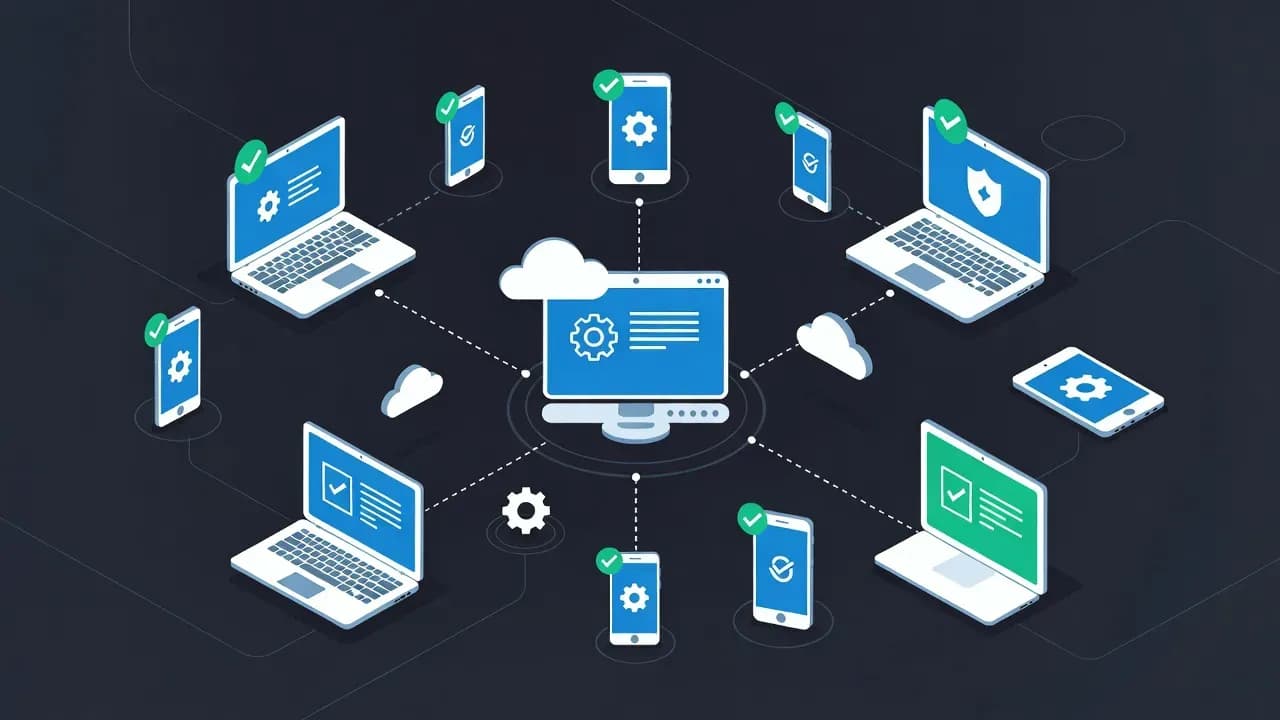
Microsoft Intune is a cloud-based endpoint management platform used to manage devices, applications, and security policies. Designed for modern, distributed environments, it supports corporate and personal devices across multiple operating systems. This explanation outlines what Microsoft Intune is, how it works, its core capabilities, and why it has become a central component of endpoint and identity-driven security strategies.

Evan Mael
Evan MaelDirector anavem.com
17views

What Is Microsoft Intune?

Microsoft Intune is a cloud-based endpoint management service that allows organizations to manage devices, applications, and security settings remotely. It is part of the Microsoft Intune product family within the Microsoft 365 ecosystem.

Intune supports a wide range of device types, including Windows, macOS, iOS, and Android. It enables IT teams to enforce security policies, manage applications, and protect corporate data without relying on traditional on-premises infrastructure.

Why Microsoft Intune Exists

Traditional device management relied on on-premises tools and assumed that devices were located inside corporate networks. This model no longer fits modern environments where users work remotely and access cloud services from multiple locations.

Microsoft Intune addresses this shift by providing cloud-native management that operates independently of network location. Devices can be managed and secured wherever they are, as long as they can connect to the internet.

Core Capabilities of Microsoft Intune

Microsoft Intune provides several key endpoint management capabilities.

Device Enrollment and Management

Intune allows devices to be enrolled and managed centrally. IT teams can configure system settings, enforce security baselines, and manage updates across enrolled devices.

Application Management

Applications can be deployed, updated, and removed remotely. Intune also supports application-level protection policies that secure corporate data without requiring full device management.

Security and Compliance Policies

Intune enforces compliance policies that evaluate device health and configuration. Devices that do not meet requirements can be restricted from accessing corporate resources.

Endpoint Configuration

Configuration profiles allow administrators to standardize device settings, including security controls, user restrictions, and system preferences.

MDM and MAM Explained

Microsoft Intune supports both device-based and application-based management models.

Mobile Device Management (MDM)

MDM allows full management of a device. IT teams can enforce security policies, control system settings, and perform actions such as remote wipe if a device is lost or compromised.

Mobile Application Management (MAM)

MAM focuses on protecting corporate data within applications without managing the entire device. This model is commonly used for bring-your-own-device scenarios.

Microsoft Intune and Identity Integration

Intune integrates closely with Microsoft Entra ID. Device identity and compliance status can be used as signals in access decisions.

When combined with Conditional Access, Intune allows organizations to restrict access to sensitive resources unless devices meet defined security requirements.

Microsoft Intune in Modern IT Operations

Intune is widely used to support remote work, cloud-first strategies, and Zero Trust architectures. It enables centralized management of diverse endpoints while reducing reliance on traditional infrastructure.

By combining endpoint management with identity-based access controls, Intune helps organizations reduce risk and improve visibility across their device landscape.

Common Misconceptions About Intune

Microsoft Intune is often compared directly to traditional on-premises management tools. While it provides similar capabilities, its cloud-native design enables greater flexibility and scalability.

It is also not limited to mobile devices. Intune plays a significant role in managing desktops and laptops, particularly in modern Windows environments.

Why Microsoft Intune Matters Today

As devices become more distributed and diverse, endpoint management has become a critical security function. Microsoft Intune provides a unified approach to managing devices, applications, and compliance in modern IT environments.

Understanding Intune is essential for organizations adopting cloud-based identity, remote work, and Zero Trust security models.

Frequently Asked Questions

Microsoft Intune is used to manage devices, applications, and security policies remotely across multiple operating systems.

It supports both. Intune provides full device management through MDM and application-level protection through MAM.

Not entirely. Intune replaces many traditional Group Policy scenarios in cloud-first environments, but some legacy use cases still rely on Group Policy.

Yes. Intune supports bring-your-own-device scenarios using application management policies that protect corporate data without managing the full device.

Intune provides device compliance signals that Conditional Access policies can use to allow or block access to cloud resources.

Comments

Want to join the discussion?

Create an account to unlock exclusive member content, save your favorite articles, and join our community of IT professionals.

Sign in